
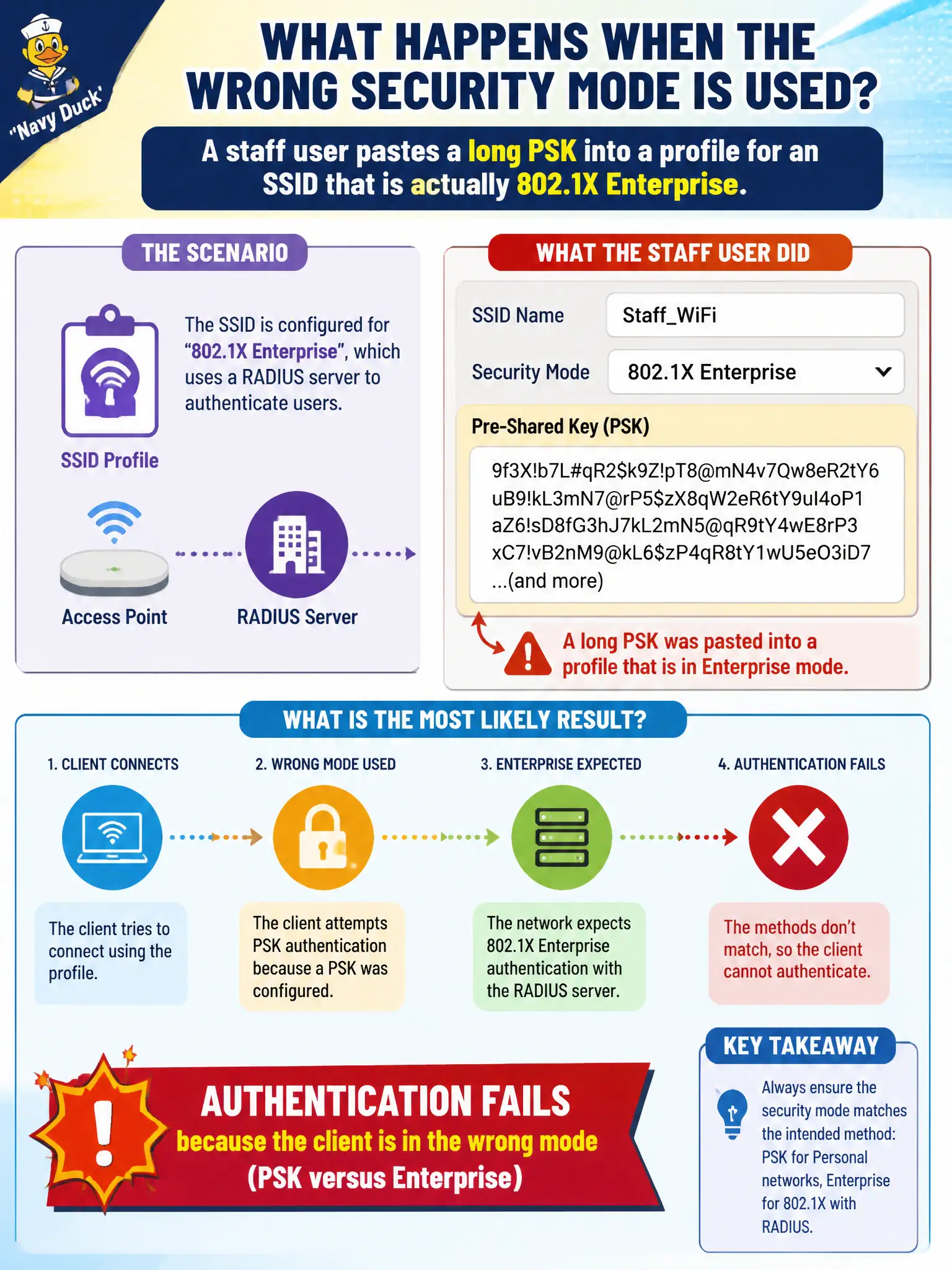
A staff user pastes a long PSK into a profile for an SSID that is actually 802.1X Enterprise. What is the most likely result?
Select an answer to reveal the explanation.
Short Explanation
Wrong lock type: stuffing a PSK into an Enterprise SSID is like using a house key on a badge reader—it won't open. Mode mismatch kills authentication. Drivers don't magically turn PSKs into 802.1X.
Full Explanation
When a staff user pastes a long PSK into a profile for an SSID that is actually 802.1X Enterprise, authentication fails because the client is in the wrong security mode. Personal/PSK profiles attempt PSK-based AKM; Enterprise BSSs expect 802.1X/EAP. A long passphrase cannot satisfy RADIUS EAP requirements, so association or 4-way handshake procedures fail despite the passphrase looking 'strong.'
The failure is not fixed by lengthening the PSK further, switching to open authentication, or blaming RF solely when the mode mismatch is clear. Using a Personal profile against Enterprise infrastructure is a configuration class error: credential type and AKM must match the BSS. Municipal help desks should recognize wrong-mode symptoms quickly to avoid unnecessary certificate or RADIUS rabbit holes when the client never starts 802.1X.
Wrong-mode joins waste time on civic networks when users copy guest-style PSK habits onto staff SSIDs. Exam caveat: distinguish 'wrong password' from 'wrong security type'—Enterprise SSIDs need Enterprise profiles with EAP, not a pasted PSK. Operational check: inspect the failing profile's security type, switch it to Enterprise with the correct EAP method and credentials, retry association, and confirm RADIUS shows an EAP exchange rather than a PSK-only attempt.