
A Windows technician must locate where wireless profiles are stored and managed on a shared front-counter PC. What knowledge does that task require?
Select an answer to reveal the explanation.
Short Explanation
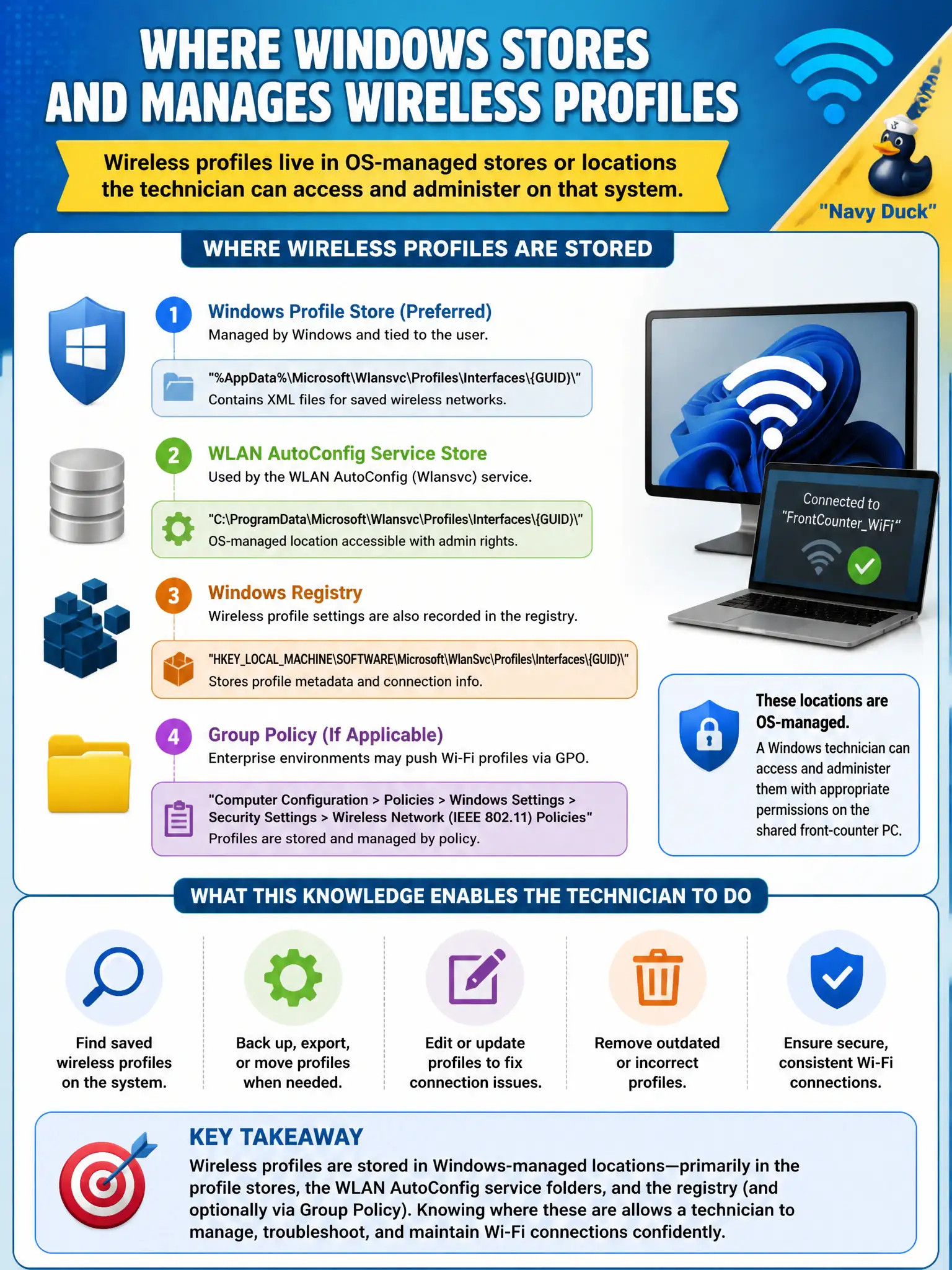
Windows keeps wireless profiles in OS-managed storage the tech can open and maintain on that shared counter PC. Knowing where the profiles live is half of fixing "it forgot CityStaff again." Local store, local management—unless cloud MDM says otherwise.
Full Explanation
Locating where wireless profiles are stored and managed on a shared front-counter Windows PC requires knowing that wireless profiles live in OS-managed stores or locations the technician can access and administer on that system. Profiles are not only sticky notes on the AP, not exclusively inside switch running-config, and shared PCs can retain profiles across reboot when configured normally. Exam caveat: permissions and MDMs may restrict who can edit stores—use approved admin paths. Operational check: open the Windows WLAN profile management UI (or netsh/export per standard), list City profiles, back them up, and document the store location in the counter-PC runbook. In municipal WLAN operations, record the rationale in the work order so future on-call staff know which client concept applied and which failure modes the rejected options would create for city services. Re-validate after the next change window that the same profile and security settings still hold for the civic client mix. Keep civic client documentation aligned with the approved SSID and security design. Keep civic client documentation aligned with the approved SSID and security design. Keep civic client documentation aligned with the approved SSID and security design.