
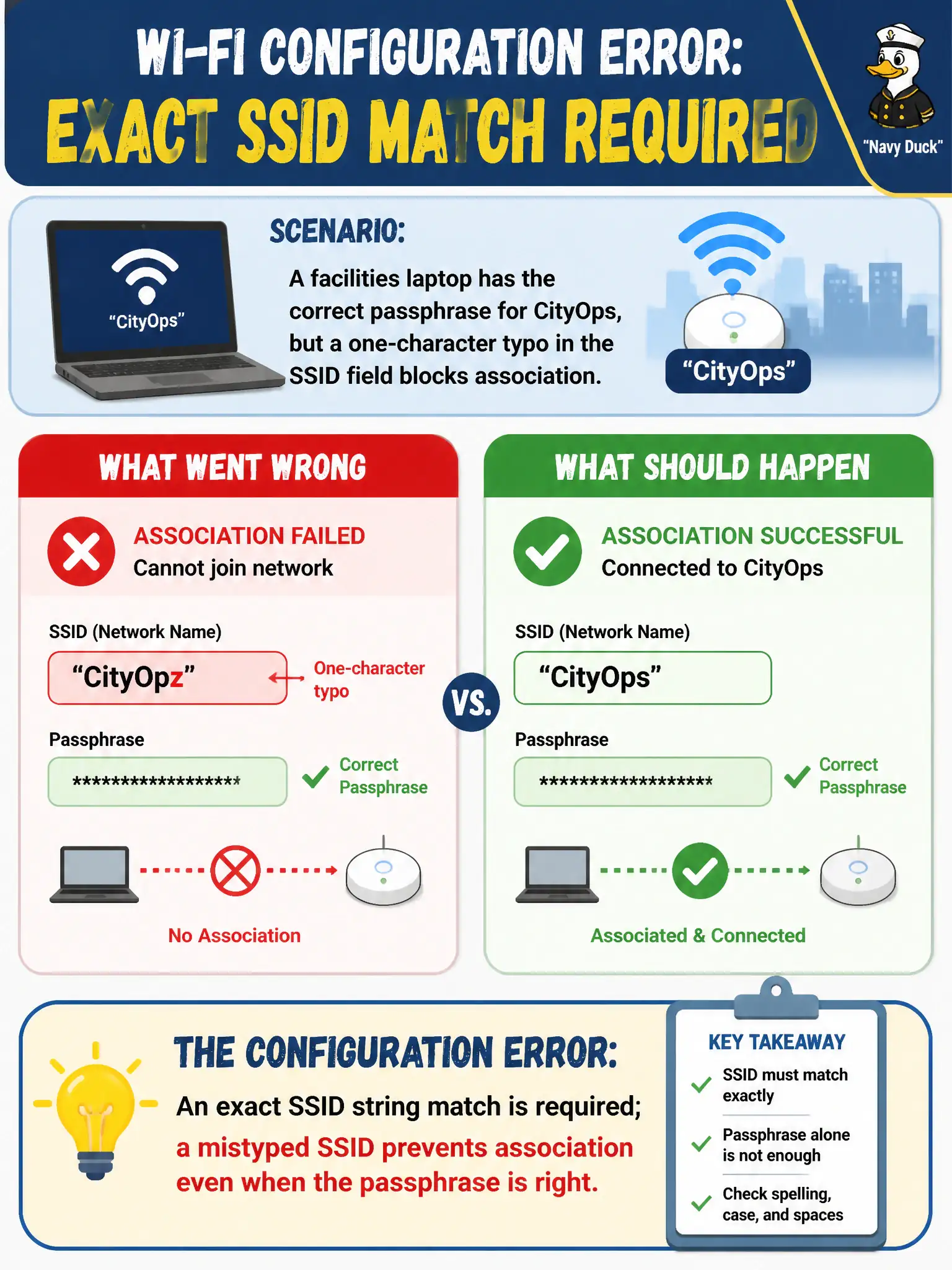
A facilities laptop has the correct passphrase for CityOps, but a one-character typo in the SSID field blocks association. What configuration error is this?
Select an answer to reveal the explanation.
Short Explanation
A mistyped SSID with a perfect passphrase is like dialing the right PIN for the wrong phone number. The network name must match exactly or association never starts. Fix the string before chasing crypto ghosts.
Full Explanation
A facilities laptop with the correct passphrase but a one-character SSID typo fails because an exact SSID string match is required; a mistyped SSID prevents association even when the passphrase is right. Passphrase strength does not override SSID spelling. APs do not accept arbitrary client-typed names based on channel width. SSID fields are not case-insensitive wildcards that ignore one-character errors. Exam caveat: hidden SSIDs make typos harder to notice—copy from the design sheet. Operational check: correct the SSID to the exact CityOps string, keep the known-good passphrase, associate, and paste SSIDs from the municipal SSID registry rather than typing from memory. In municipal WLAN operations, record the rationale in the work order so future on-call staff know which client concept applied and which failure modes the rejected options would create for city services. Re-validate after the next change window that the same profile and security settings still hold for the civic client mix. Keep civic client documentation aligned with the approved SSID and security design. Keep civic client documentation aligned with the approved SSID and security design. Keep civic client documentation aligned with the approved SSID and security design.