
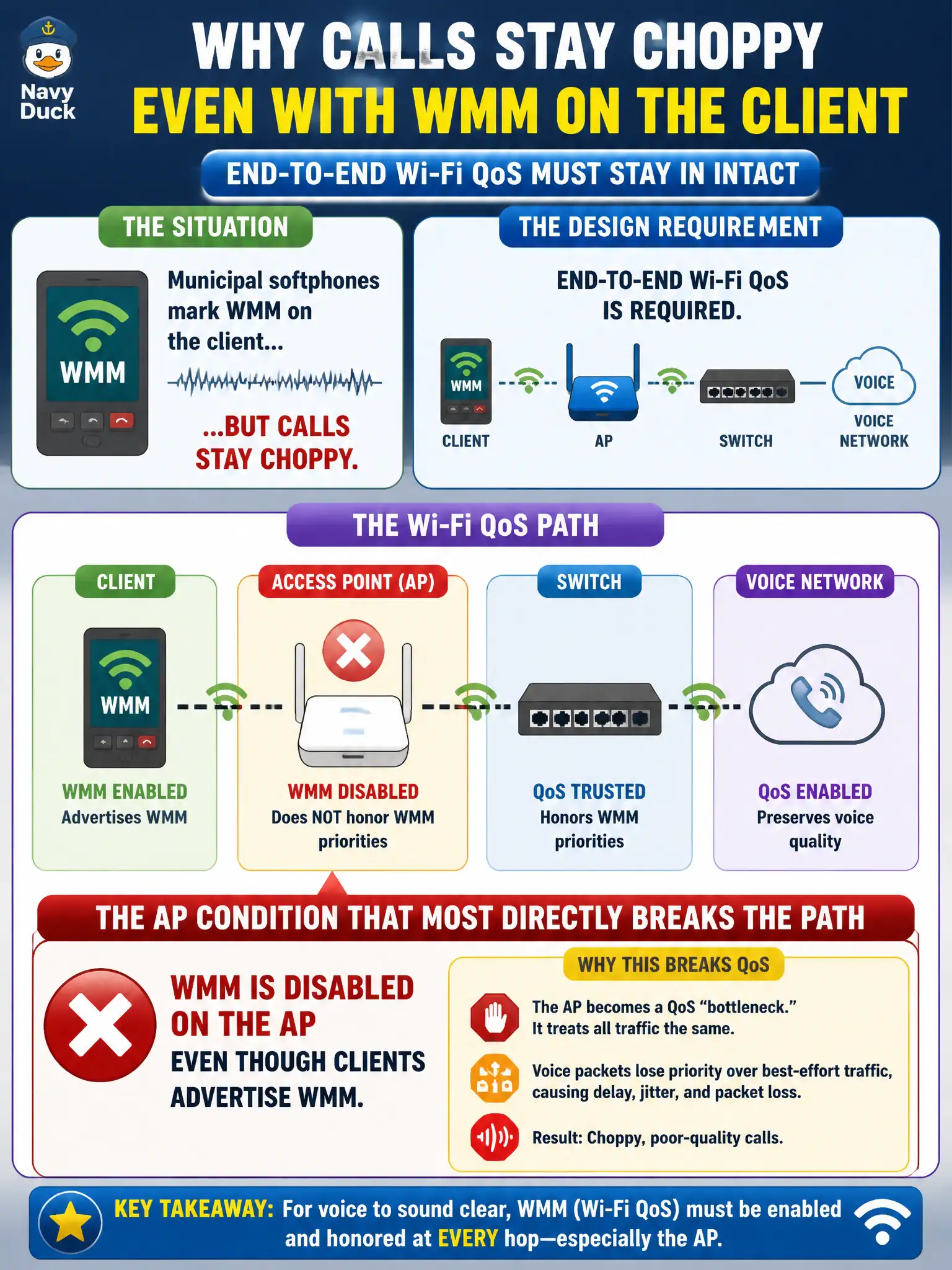
Municipal softphones mark WMM on the client, but calls stay choppy. The design already requires end-to-end Wi-Fi QoS. What AP condition most directly breaks that path?
Select an answer to reveal the explanation.
Short Explanation
Client WMM alone is like putting a HOV sticker on your car while the highway has no HOV lane. If the AP has WMM off, those QoS tags never get a proper wireless priority path. Check the AP QoS setting before blaming CPU or the phone app.
Full Explanation
Municipal softphones may mark WMM on the client, yet calls stay choppy when the design already requires end-to-end Wi-Fi QoS. The AP condition that most directly breaks that path is WMM disabled on the AP even though clients advertise WMM. Without AP WMM, client QoS markings cannot receive the intended prioritized contention treatment on that BSS. Civic voice quality troubleshooting should verify AP WMM before blaming handset apps alone.
An AP hostname that does not match the building code is an inventory issue, not a QoS datapath break. A guest captive portal using HTTPS does not explain staff softphone choppiness on a voice SSID. Band steering preferring 5 GHz for dual-band phones is often desirable and is not the most direct WMM path failure described.
Exam caveat: end-to-end Wi-Fi QoS needs WMM enabled on the AP as well as client marking. Client-only WMM advertisement is insufficient when the AP has WMM off.
Operational check: inspect the AP serving the voice SSID and enable WMM if disabled, retest softphone call quality, confirm WMM remains on after controller pushes, and note the finding in the municipal voice QoS runbook. Municipal technicians document the verified setting in the as-built packet so the next shift inherits a known-good civic configuration rather than tribal knowledge.