
A city VoIP SSID design requires Wi-Fi QoS marking support on the access points. Which AP setting should the technician enable to match that design?
Select an answer to reveal the explanation.
Short Explanation
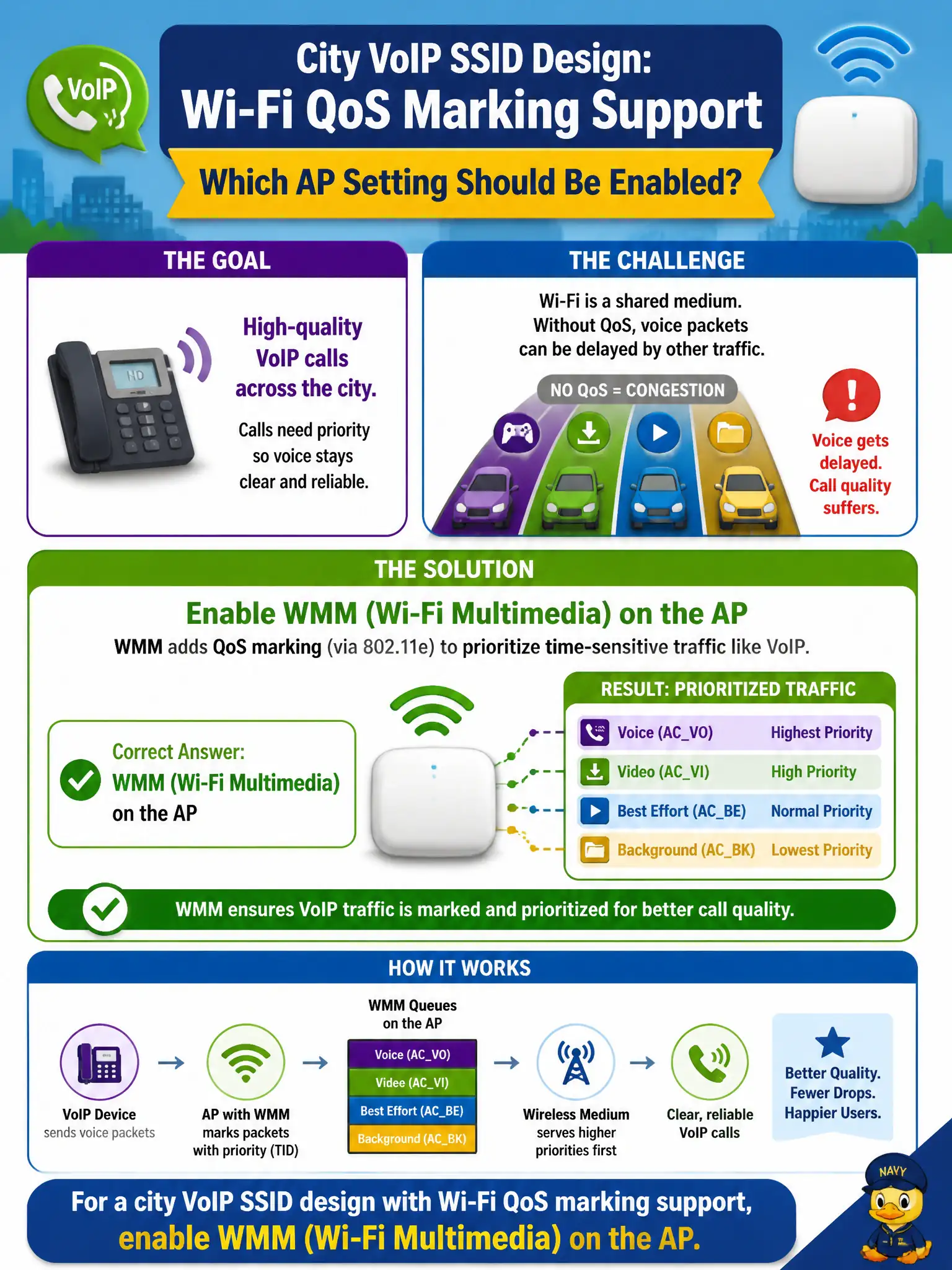
Voice handsets need the Wi-Fi equivalent of a carpool lane, and that lane is WMM. Turn WMM on at the AP so voice and video frames can use the right access categories. Captive portals and MAC lists are not the QoS switch the design is asking for.
Full Explanation
City VoIP SSID designs that require Wi-Fi QoS marking support on access points point to WMM (Wi-Fi Multimedia) as the AP setting to enable. WMM provides 802.11 QoS access categories that voice clients rely on for prioritized contention. Matching the design means turning WMM on for the voice-capable AP or SSID path so municipal softphones and handsets can mark and receive appropriate treatment on the air.
Enabling a captive portal on the voice SSID adds authentication interstitial behavior that voice designs usually avoid and does not fulfill QoS marking support. MAC filtering for every handset is a brittle identity hack, not Wi-Fi QoS. WEP encryption for low latency is both insecure and unrelated to WMM access categories.
Exam caveat: WMM is the standard AP-side Wi-Fi QoS feature tested for voice-ready municipal SSIDs. Do not substitute portals, MAC lists, or legacy ciphers for QoS.
Operational check: enable WMM on the AP per the VoIP SSID design, confirm the status view shows WMM active, place a test softphone call with WMM marking, and document the QoS setting in the voice turn-up checklist. Municipal technicians document the verified setting in the as-built packet so the next shift inherits a known-good civic configuration rather than tribal knowledge.