
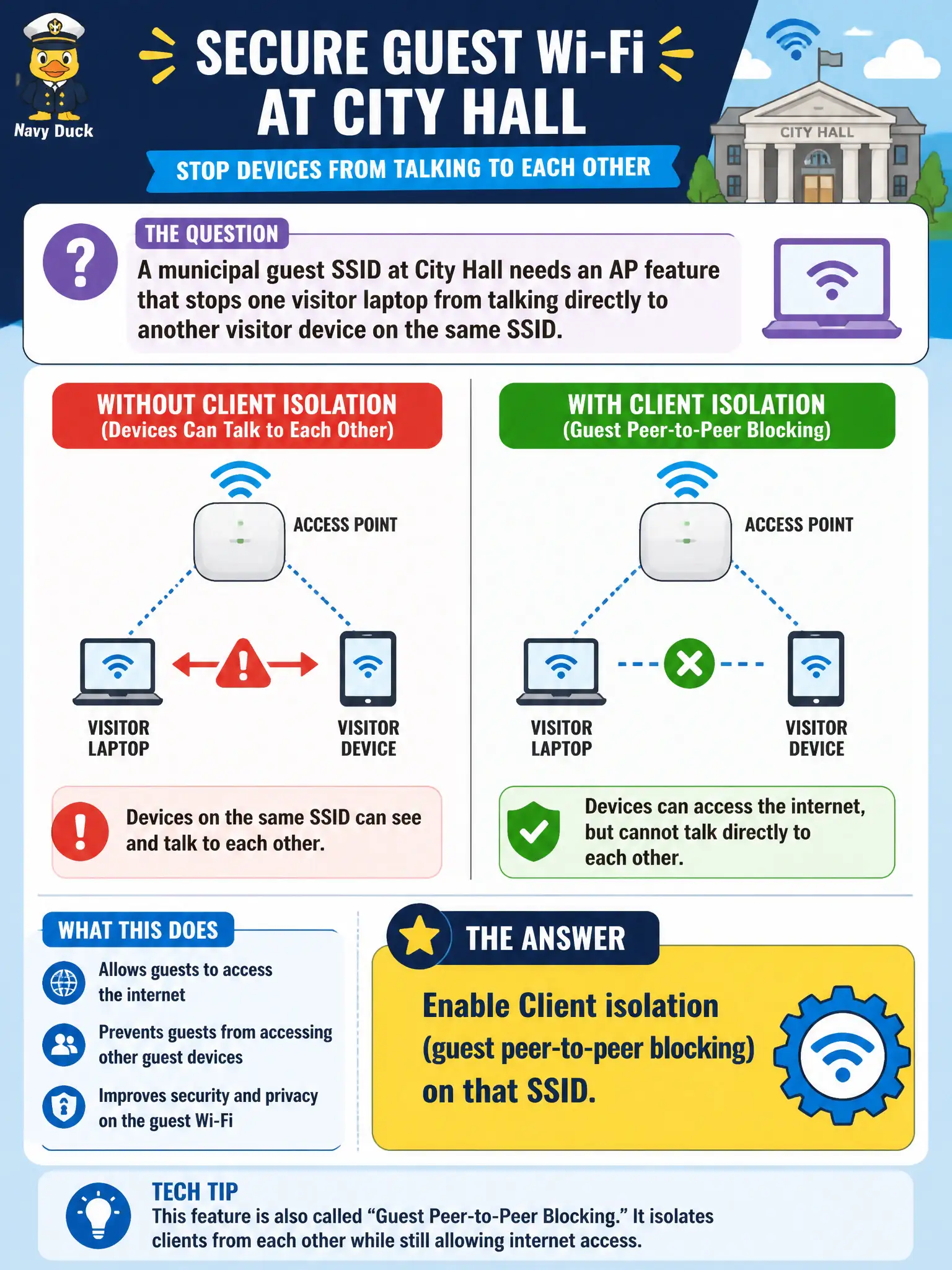
A municipal guest SSID at City Hall needs an AP feature that stops one visitor laptop from talking directly to another visitor device on the same SSID. What should the technician enable?
Select an answer to reveal the explanation.
Short Explanation
Think of guest Wi-Fi like strangers sharing a waiting room—you do not want their laptops chatting peer-to-peer. Client isolation on the AP keeps guest stations from talking to each other while still letting them reach the gateway and Internet. That is the classic protect-guests-from-each-other knob.
Full Explanation
Municipal guest SSIDs at City Hall need an AP feature that stops one visitor laptop from talking directly to another visitor device on the same SSID. Enabling client isolation—guest peer-to-peer blocking—on that SSID is the correct control. Isolation keeps casual malware scanning and peer abuse from traversing the AP between strangers sharing public Wi-Fi in a civic building while still allowing designed upstream Internet access.
Band steering so guests only use 2.4 GHz addresses band preference, not peer blocking, and forcing 2.4 GHz can worsen congestion. Airtime fairness set to the lowest fairness ratio manages station airtime equity, not Layer-2 peer isolation. Hiding the SSID so guests cannot discover each other fails as security theater: hidden networks do not stop associated peers from communicating if isolation is off.
Exam caveat: client isolation is the named guest peer-block feature; do not confuse it with band steering, airtime fairness, or SSID hiding on exam items about visitor-to-visitor communication.
Operational check: enable client isolation on the City Hall guest SSID, verify two guest devices associated to the same AP cannot reach each other, confirm each still reaches the captive portal or Internet path, and leave staff SSIDs per their own design flags.