
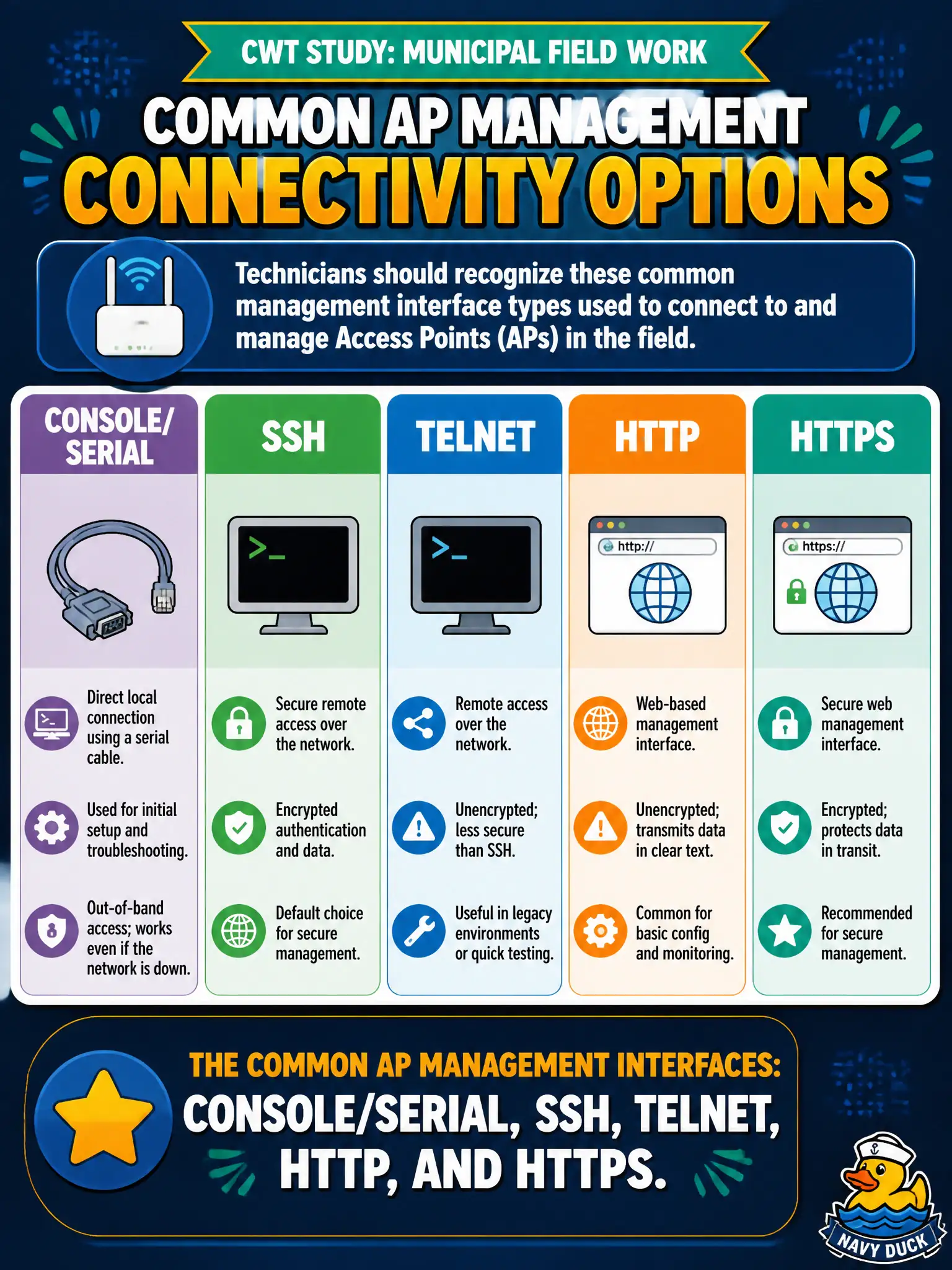
During CWT study for municipal field work, which set correctly inventories common AP management connectivity options a technician should recognize?
Select an answer to reveal the explanation.
Short Explanation
The objective list is basically a toolbox label: console, SSH, Telnet, HTTP, HTTPS. Know what each tool is for—and that Telnet/HTTP are the rusty ones you usually leave in the drawer.
Full Explanation
During CWT study for municipal field work, the correct inventory of common AP management connectivity options a technician should recognize is console/serial, SSH, Telnet, HTTP, and HTTPS. Those interfaces cover out-of-band CLI, encrypted and cleartext remote CLI, and browser GUI management paths taught at technician depth. Knowing each option—and which are preferred versus deprecated—supports civic install, hardening, and recovery tasks across city facilities.
Limiting management awareness to only QR-code stickers and NFC taps with no CLI or GUI options ever used understates standard AP interfaces. Only proprietary infrared remotes sold with each AP SKU is not the CWT common set. Only cellular SMS keywords with no local console access omits the fundamental console, SSH, and web tools used on municipal APs every day.
Exam caveat: memorize the common management interface set and prefer console, SSH, and HTTPS over Telnet and HTTP in production. Operational check: on a lab or staging AP, successfully touch console, SSH, and HTTPS; demonstrate Telnet and HTTP only as negative examples that hardening should disable before go-live. Practice all five management paths in the lab so field recovery under pressure does not depend on a single interface.