
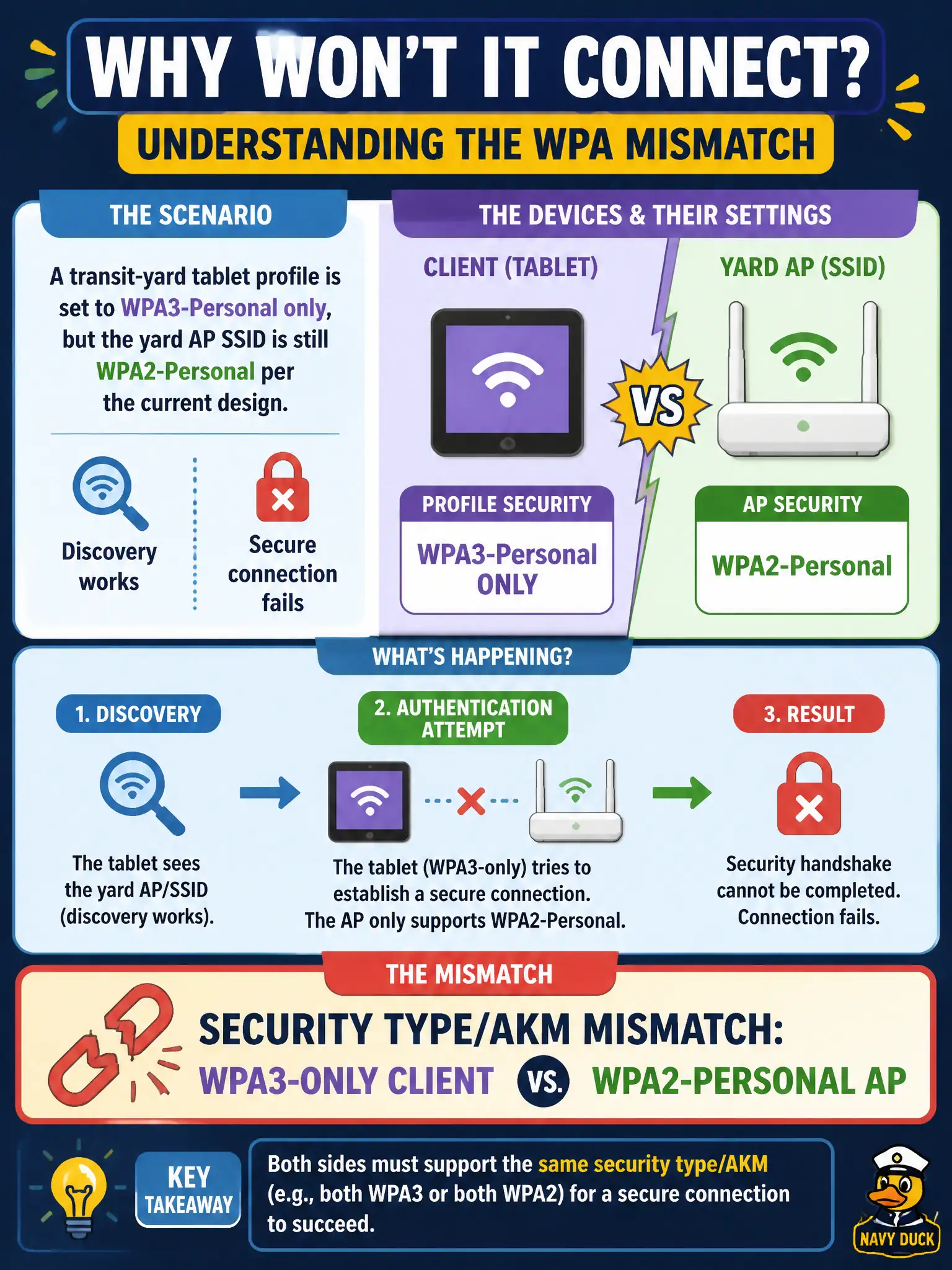
A transit-yard tablet profile is set to WPA3-Personal only, but the yard AP SSID is still WPA2-Personal per the current design. Discovery works; secure connection fails. What mismatch is occurring?
Select an answer to reveal the explanation.
Short Explanation
The tablet insists on WPA3 while the AP is still WPA2-Personal—those AKMs don’t match. Either update the infrastructure per design or set the client to the approved WPA2-Personal mode. Wishful automatic fallback isn’t a troubleshooting plan.
Full Explanation
A transit-yard tablet profile set to WPA3-Personal only while the yard AP SSID is still WPA2-Personal per current design—discovery works, secure connection fails—is a security type/AKM mismatch: WPA3-only client versus WPA2-Personal AP. Discovery does not require matching AKM; the secure handshake does. Transition requires either client flexibility or AP upgrade per design—not assumptions about silent fallback.
WPA3-only clients always falling back to WPA2-Personal without any profile change fails because a WPA3-only lock refuses WPA2 AKM. Needing a static IP before any WPA2 or WPA3 authentication can start fails by concept: IP comes after auth/association in typical DHCP designs. Antenna polarization as the primary reason WPA versions fail to authenticate fails: this is AKM mismatch, not polarization physics.
Exam caveat: WPA3-only client + WPA2-only AP = config mismatch even when the SSID is visible.
Operational check: set the tablet to WPA2-Personal (or WPA2/WPA3 transition if supported) to match the yard AP; or upgrade the SSID to WPA3 per future design; verify secure join; document the AKM requirement for yard devices. Track transit-yard AKM policy in the design doc explicitly (WPA2-Personal vs WPA3-Personal vs transition) so tablet images and AP SSIDs cannot drift into WPA3-only versus WPA2-only mismatches.