
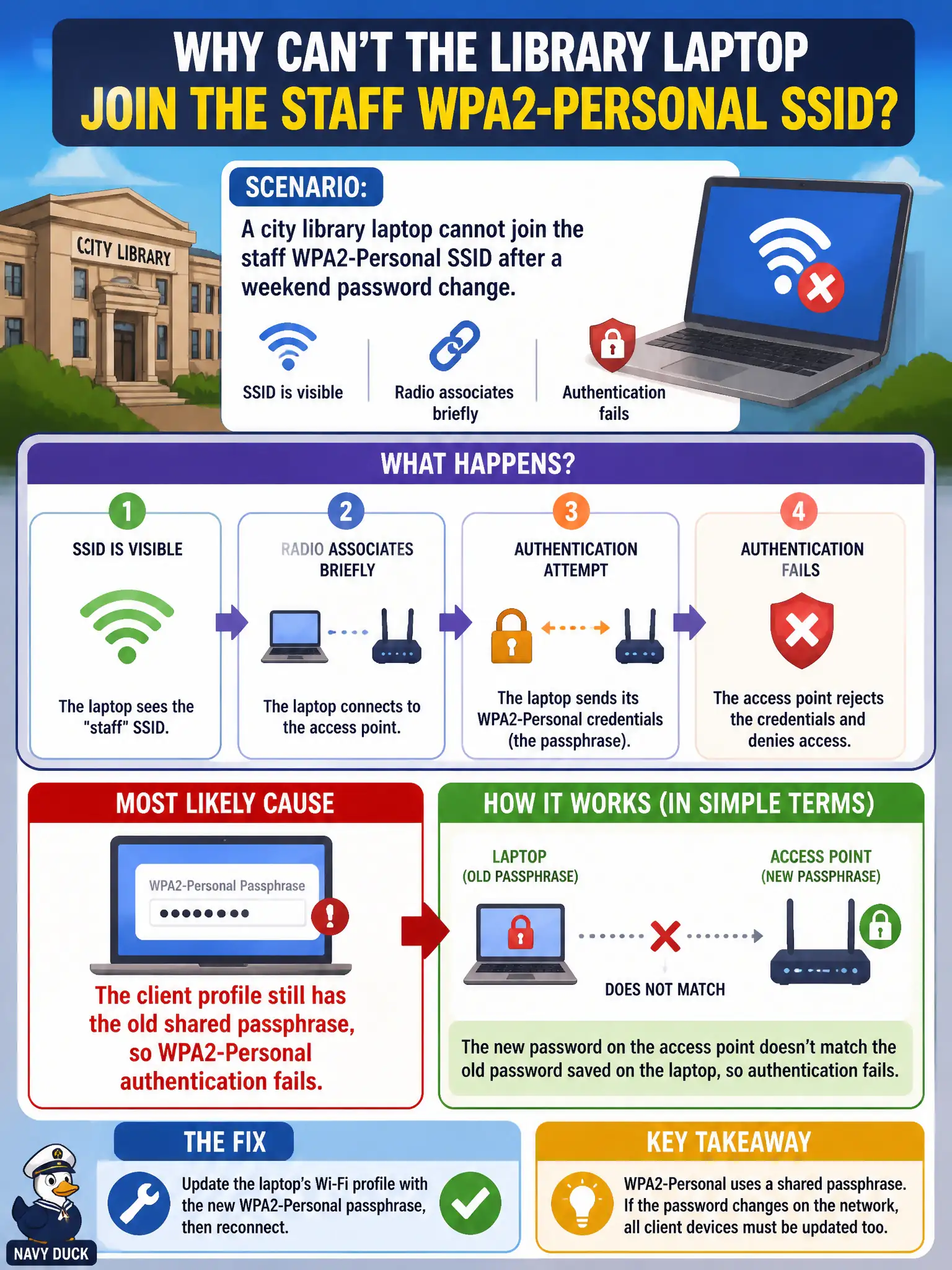
A city library laptop cannot join the staff WPA2-Personal SSID after a weekend password change. The SSID is visible and the radio associates briefly, then authentication fails. What is the most likely cause?
Select an answer to reveal the explanation.
Short Explanation
WPA2-Personal lives or dies on the shared passphrase matching on both sides. After a library password rotation, leftover old keys in the client profile are classic auth failures. Fix the PSK on the profile—don't invent RADIUS or channel-width requirements.
Full Explanation
A city library laptop that cannot join the staff WPA2-Personal SSID after a weekend password change—SSID visible, radio associates briefly, then authentication fails—most likely still has the old shared passphrase in the client profile. Personal-mode auth fails when the PSK material is stale even though discovery and early association steps can look promising. Updating the saved key restores service without redesigning the library RF.
Claiming the laptop lacks an 802.1X username because Personal mode always requires a RADIUS account fails because WPA2-Personal uses a shared passphrase, not RADIUS usernames. Setting the AP to open authentication whenever a passphrase rotates fails by concept and municipal secure practice. Requiring 160 MHz channel width or WPA2-Personal authentication cannot complete invents a false PHY prerequisite for PSK auth.
Exam caveat: visible SSID + brief associate + auth fail after PSK rotation ⇒ stale client passphrase.
Operational check: update the laptop’s saved PSK to the new staff passphrase; forget the old network if needed; reconnect; verify peers with the new key succeed; communicate rotations to library staff promptly. Pair every library staff PSK rotation with a same-day profile update bulletin so visible SSIDs and brief association attempts are not mistaken for AP outages on Monday mornings.