
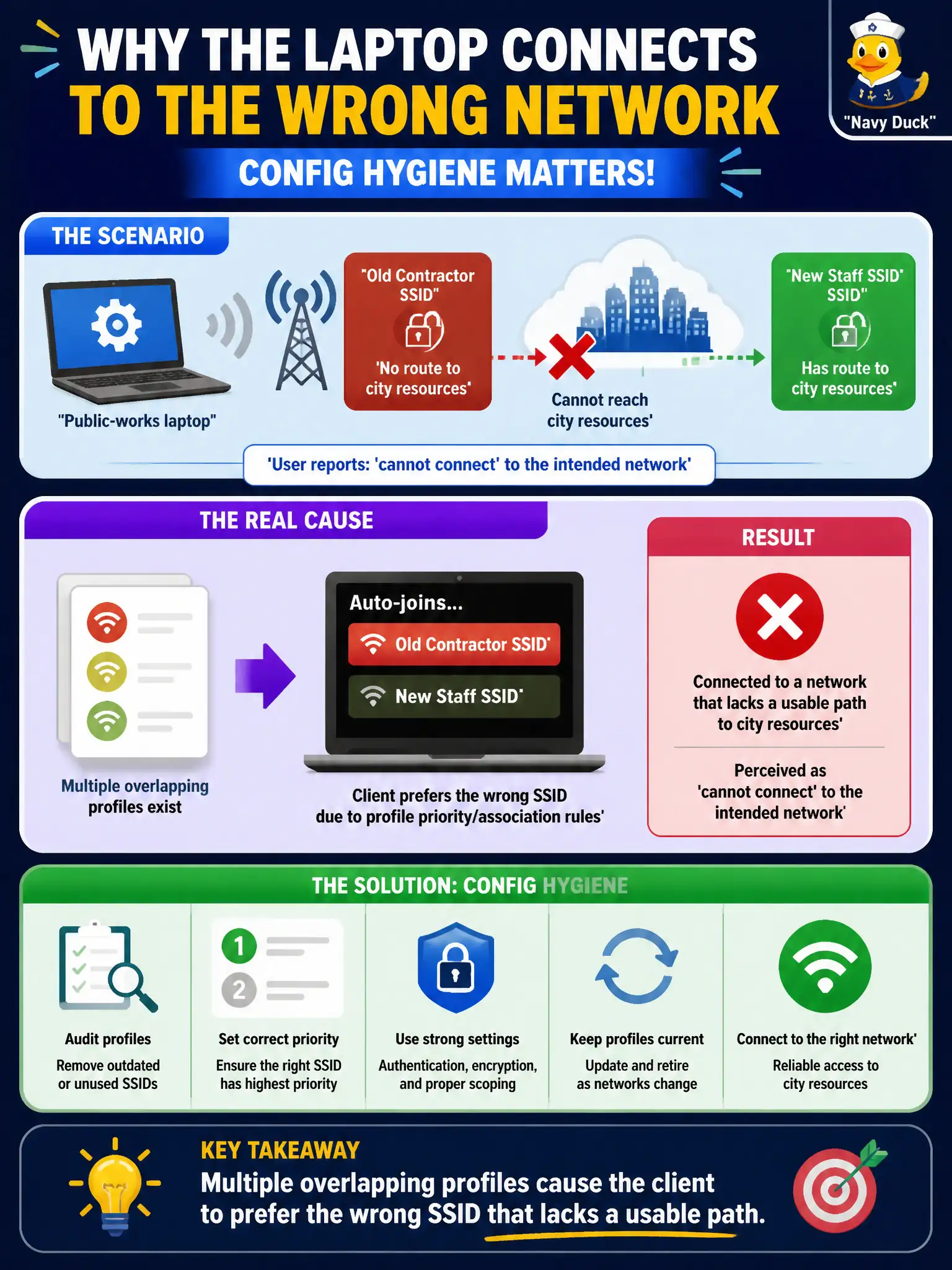
A public-works laptop auto-joins an old contractor SSID that has no route to city resources, even though a newer staff profile also exists. The user reports 'cannot connect' to the intended network. What config hygiene issue is most likely?
Select an answer to reveal the explanation.
Short Explanation
Too many saved networks is like speed-dialing the wrong office every morning. The laptop happily joins the old contractor SSID and never reaches city apps. Clean up or reprioritize profiles so the staff network wins.
Full Explanation
A public-works laptop that auto-joins an old contractor SSID with no route to city resources, even though a newer staff profile also exists, most likely suffers multiple overlapping profiles causing the client to prefer the wrong SSID that lacks a usable path. Users experience “cannot connect” to the intended network while technically joining something else. Config hygiene means removing or deprioritizing stale SSIDs.
Beacon intervals on all APs set below the minimum for profile priority fails as a fabricated coupling; beacon interval is not the usual cause of preferring an old contractor SSID. PMF mandatory only on the contractor SSID blocking every other profile fails by concept and overstates PMF behavior. Channel width on 6 GHz must be 320 MHz before profile priority works invents an unrelated PHY requirement.
Exam caveat: “connected but wrong network / no resources” often means profile priority or auto-join to a stale SSID.
Operational check: list saved profiles; delete or disable auto-join on the contractor SSID; set the staff SSID to preferred auto-join; verify the laptop lands on staff with a city route; educate crews about leftover contractor profiles. Add a public-works onboarding step that removes contractor SSIDs after project closeout so auto-join hygiene is part of normal municipal client lifecycle management.