
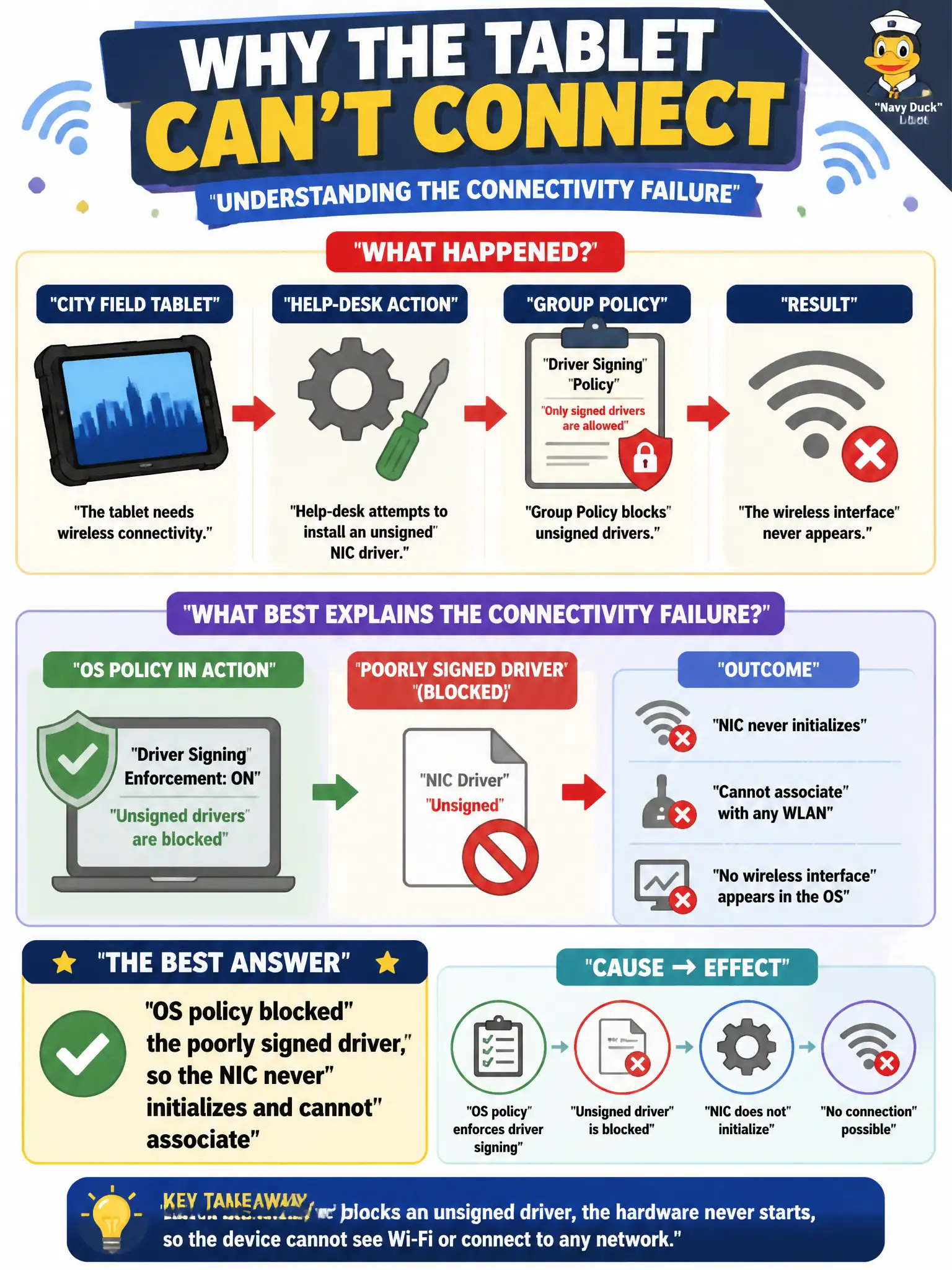
A city field tablet cannot load its WLAN adapter after a help-desk attempt to install an unsigned NIC driver. Group Policy blocks unsigned drivers, and the wireless interface never appears. What best explains the connectivity failure?
Select an answer to reveal the explanation.
Short Explanation
No driver, no radio—like a car with the engine computer unplugged. When policy refuses a badly signed driver, the adapter never shows up, so association never starts. Get an approved signed driver through the proper channel.
Full Explanation
A city field tablet that cannot load its WLAN adapter after a help-desk attempt to install an unsigned NIC driver, with Group Policy blocking unsigned drivers and the wireless interface never appearing, fails because OS policy blocked the poorly signed driver, so the NIC never initializes and cannot associate. Driver signing policy is a legitimate municipal control; bypass attempts that violate it leave the radio absent from the OS. Without an initialized interface, association is impossible.
Claiming the SSID is hidden so drivers are irrelevant until beaconing is forced open fails because drivers are required regardless of SSID visibility, and the interface never appears. Adjacent-channel interference always preventing driver installation on tablets fails by concept: ACI affects RF performance, not OS driver installation policy. Captive-portal certificates must be installed before any WLAN driver can load fails because portal certs are unrelated to NIC driver initialization.
Exam caveat: no interface in the OS ⇒ driver/policy fault class before RF or portal theories.
Operational check: obtain a signed vendor driver approved by county GPO; install so the WLAN adapter appears; confirm scan works; document that unsigned driver installs are blocked by policy for field tablets.