
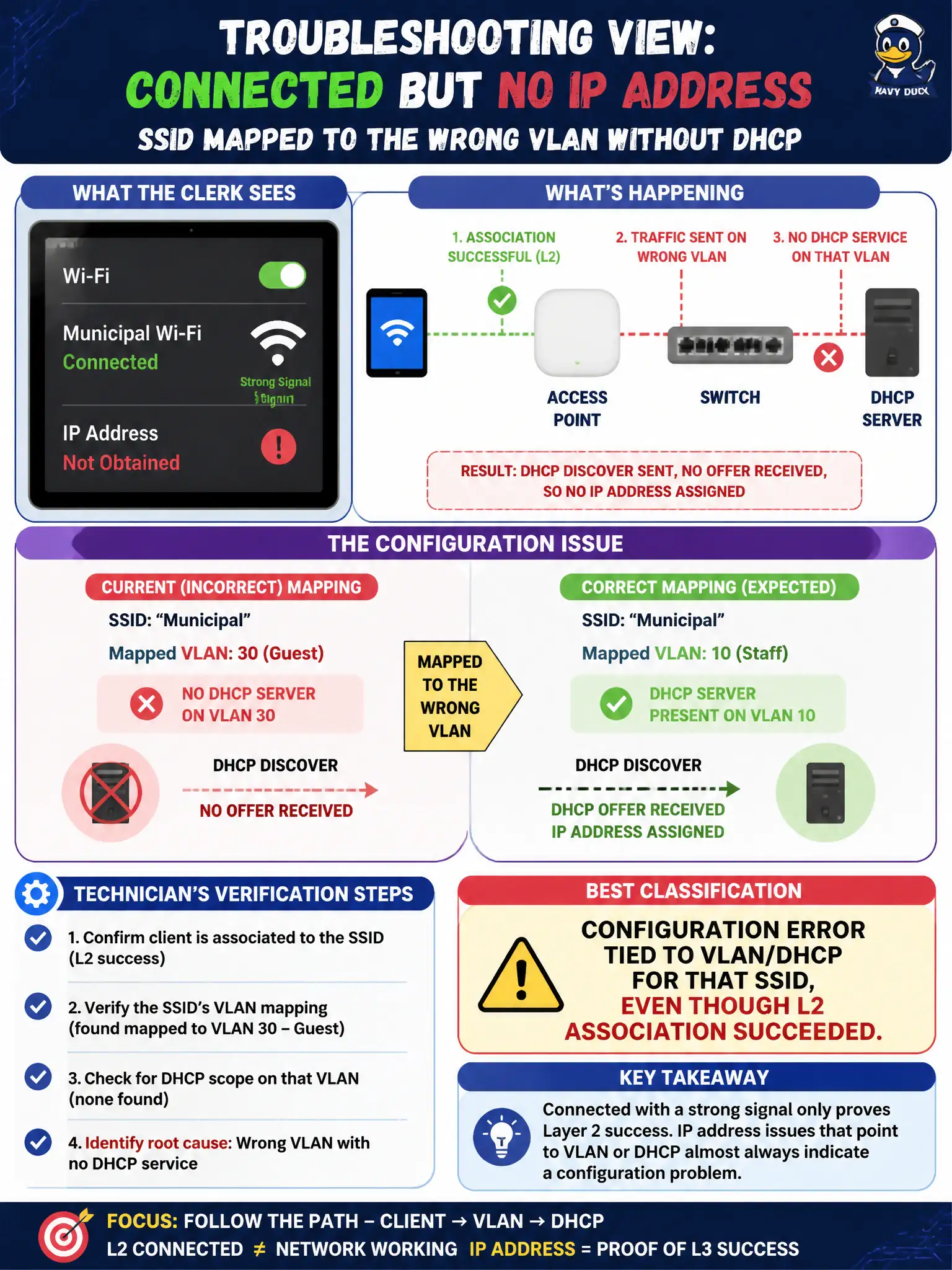
A clerk’s tablet shows “connected” to the municipal SSID with a strong signal but never receives an IP address; the SSID is mapped to the wrong VLAN without DHCP. From a technician troubleshooting view, what is the best classification?
Select an answer to reveal the explanation.
Short Explanation
Associated with great bars but no IP? Layer 2 hugged you; the VLAN/DHCP config ghosted you. That is network configuration, not “Wi-Fi needs −90 dBm to do DHCP.”
Full Explanation
A clerk’s tablet that shows connected to the municipal SSID with strong signal but never receives an IP address, because the SSID is mapped to the wrong VLAN without DHCP, is a configuration error tied to VLAN/DHCP for that SSID even though L2 association succeeded. Association proves RF and security handshakes can complete; Layer 3 addressing is a separate config path. CWTS troubleshooting separates “associated” from “has usable IP/route.”
Driver crash proven solely by a high RSSI reading fails because high RSSI and “connected” status contradict a pure driver-crash story for this symptom. RF free-space path loss because DHCP only works below −90 dBm fails by concept: DHCP is not gated on absurdly low RSSI, and signal here is strong. Successful modern security that intentionally withholds DHCP on all WLANs fails because modern security does not mean “no DHCP by design” on production civic SSIDs.
Exam caveat: associated ≠ working. Wrong VLAN/DHCP mapping is a classic post-association config fault.
Operational check: confirm SSID-to-VLAN mapping on the controller/AP; verify DHCP pool exists and is reachable on that VLAN; renew the tablet lease; capture whether a DHCP offer arrives; correct the VLAN mapping per design.