
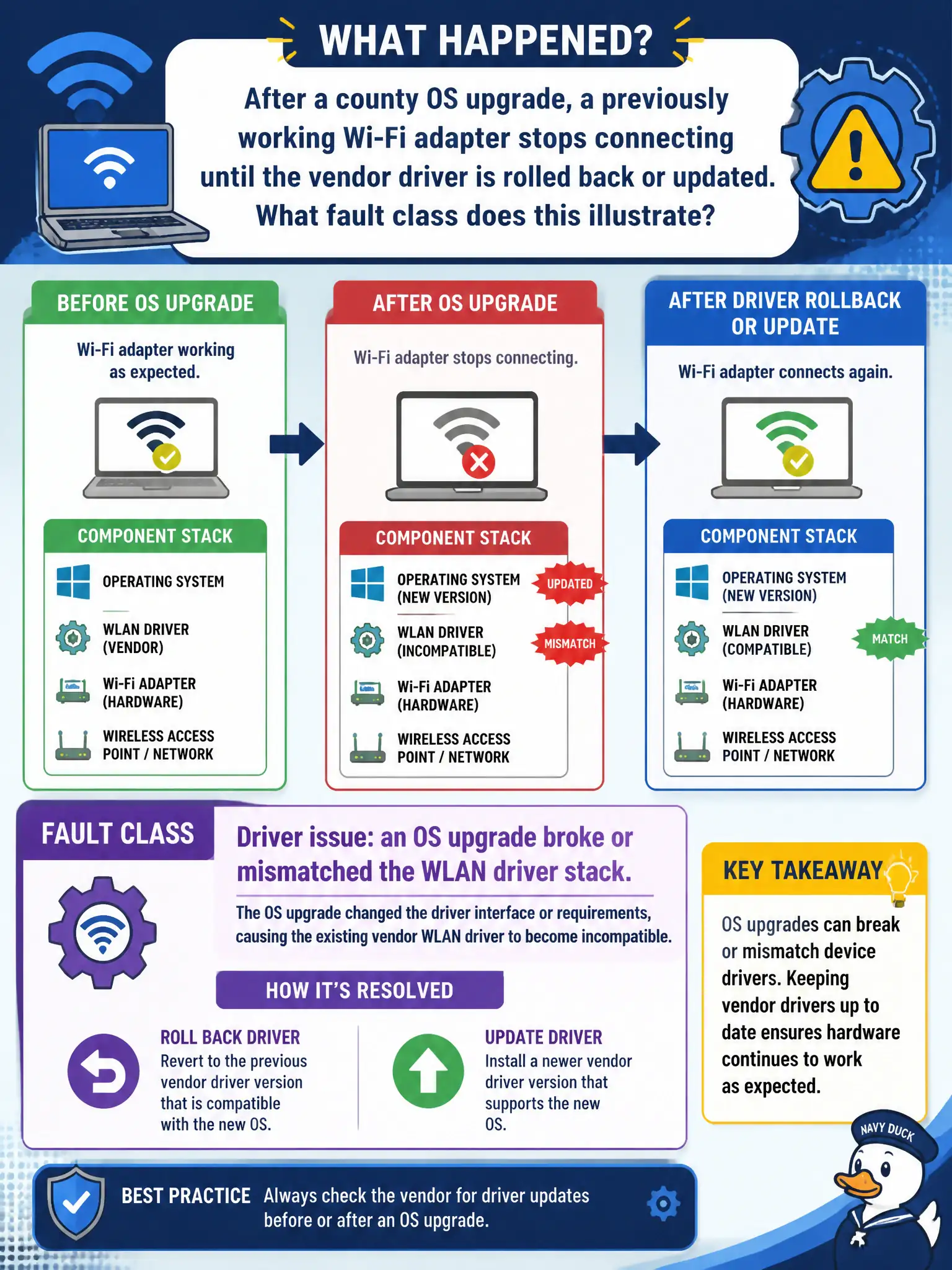
After a county OS upgrade, a previously working Wi-Fi adapter stops connecting until the vendor driver is rolled back or updated. What fault class does this illustrate?
Select an answer to reveal the explanation.
Short Explanation
OS upgrades love to orphan Wi-Fi drivers. When yesterday’s adapter dies after patching and a driver rollback/update fixes it, call it a driver issue—not haunted drywall.
Full Explanation
After a county OS upgrade, a previously working Wi-Fi adapter that stops connecting until the vendor driver is rolled back or updated illustrates a driver issue: the OS upgrade broke or mismatched the WLAN driver stack. Driver/OS pairing is a common civic help-desk failure mode after patch cycles. Restoring a compatible driver validates the fault class without blaming buildings or portals.
RF absorption by drywall that only appears after patch Tuesday fails because drywall did not change with the OS upgrade; the timing implicates software. Correct SSID spelling with intentional WEP downgrade required by policy fails by concept and by municipal secure practice. Captive portal terms acceptance stored forever in firmware fails as an explanation for post-upgrade adapter failure cured by driver rollback.
Exam caveat: change one variable—OS upgrade—then driver fix restores service → classify as driver. Resist RF narratives that ignore the change window.
Operational check: note OS build and adapter driver version; install the vendor’s supported driver for that OS; confirm scan/association returns; document the approved driver version for other county images. After county image updates, pin the approved WLAN driver version in the standard build so the next patch Tuesday does not recreate the same help-desk outage across assessor and inspector fleets.