
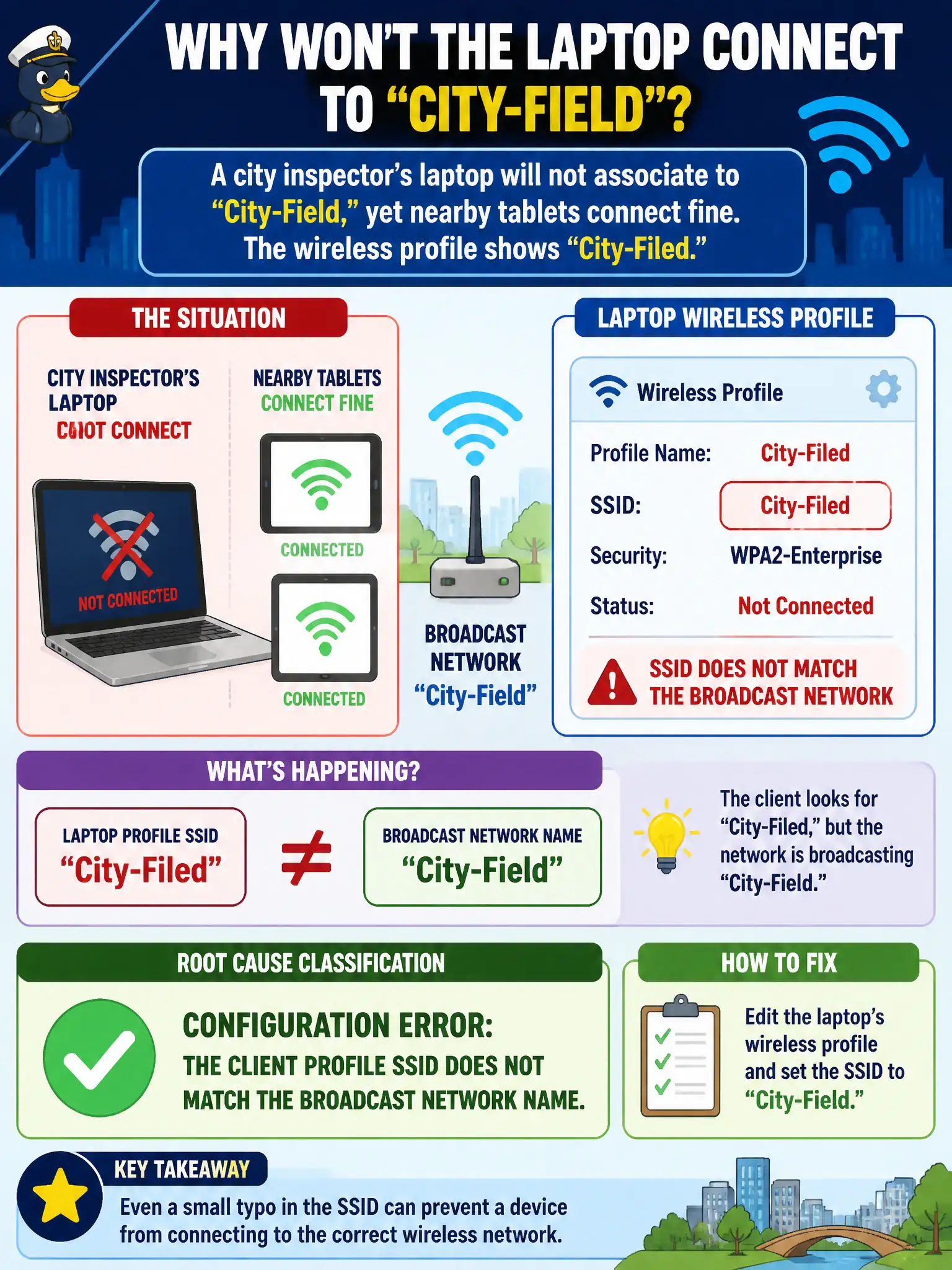
A city inspector’s laptop will not associate to “City-Field,” yet nearby tablets connect fine. The wireless profile shows “City-Filed.” How should the technician classify the root cause?
Select an answer to reveal the explanation.
Short Explanation
If the profile says City-Filed and the air says City-Field, that is a typo—not mysterious RF renaming SSIDs. Fix the profile; do not blame SAE for spelling.
Full Explanation
When a city inspector’s laptop will not associate to “City-Field” yet nearby tablets connect, and the wireless profile shows “City-Filed,” the root cause is a configuration error: the client profile SSID does not match the broadcast network name. Association targets an exact SSID string; a typo prevents joining even when RF and security are healthy for correctly configured peers. Technicians classify spelling mismatches as config faults, not mysterious RF renaming.
Calling it RF coverage failure only because metal walls always rename SSIDs fails because walls attenuate signals—they do not rewrite SSID strings in profiles. Driver failure only, because a typo cannot block association, fails by concept: a wrong SSID name absolutely blocks association to the intended BSS. Normal WPA3 SAE behavior that intentionally rejects correctly spelled SSIDs fails because SAE does not punish correct spelling; the profile here is misspelled.
Exam caveat: connectivity troubleshooting starts by matching SSID strings. CWTS Domain 5 items often hide typos among RF and security distractors.
Operational check: compare the laptop profile SSID character-by-character to the AP broadcast name; correct “City-Filed” to “City-Field”; retry association beside a working tablet; document the config fix rather than escalating for coverage redesign.