
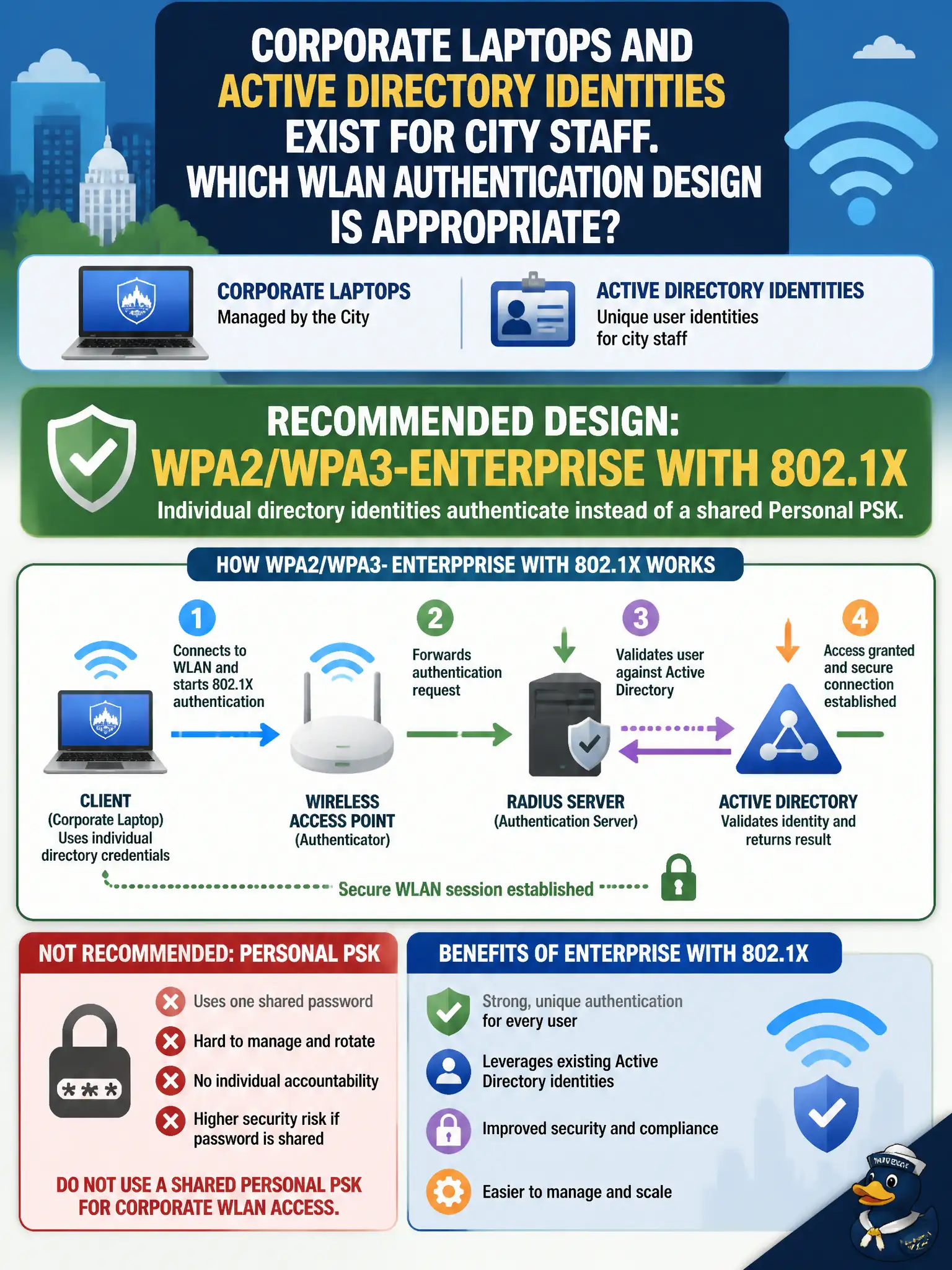
Corporate laptops and Active Directory identities exist for city staff. Which WLAN authentication design is appropriate?
Select an answer to reveal the explanation.
Short Explanation
When everyone already has a directory badge, do not hang one shared Wi-Fi password in the break room. Point the SSID at Enterprise 802.1X so each identity signs in. Shared PSKs and splash-only open nets waste the AD you already paid for.
Full Explanation
When corporate laptops and Active Directory identities exist for city staff, the appropriate WLAN authentication design is WPA2/WPA3-Enterprise with 802.1X so individual directory identities authenticate instead of a shared Personal PSK. Posting one shared staff PSK in every break room maximizes credential sprawl. MAC authentication bypass alone provides weak, spoofable identity. An open SSID with only a legal disclaimer splash page is not enterprise staff authentication. Exam caveat: if the stem supplies directory identities and managed laptops, Enterprise 802.1X is the expected design—Personal PSK is the common wrong comfort choice. Operational check: configure an Enterprise SSID against city RADIUS/AD, enroll a pilot OU of laptops, verify per-user accounting, and retire any shared staff PSK SSIDs. Document EAP method and certificate trust in the municipal auth design guide. In municipal WLAN operations, record the rationale in the change ticket so future on-call staff know which control was chosen and which failure modes the rejected options would create for city services. Re-validate after the next maintenance window that the same control still holds under the infrastructure versions and client fleets used by the civic environment.