
A county tester needs reliable monitor-mode captures outdoors near a water-treatment plant WLAN. How should hardware be selected?
Select an answer to reveal the explanation.
Short Explanation
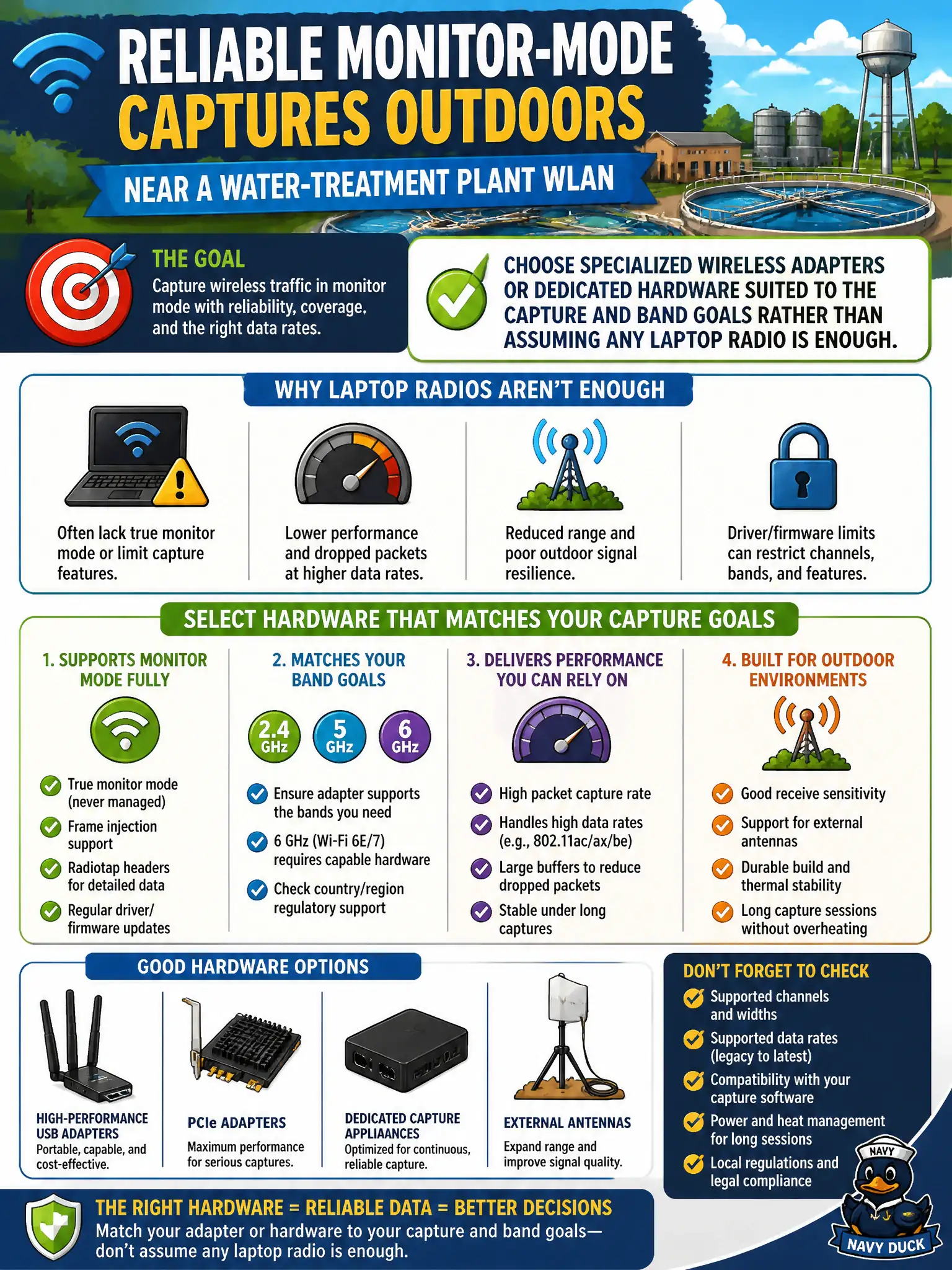
If the built-in laptop radio cannot do monitor mode on the band you care about, it is the wrong wrench. Pick adapters and hardware that match the outdoor capture job—not wishful thinking.
Full Explanation
Reliable outdoor monitor-mode captures near a water-treatment plant WLAN often require specialized wireless adapters or dedicated capture hardware matched to the band and monitor-mode goals. Built-in laptop radios frequently cannot enter the required monitor mode or lack external antenna options for distance and exterior walls. Replacing adapters with Bluetooth headsets cannot capture 802.11 frames. Avoiding external antennas when path loss is the problem reduces capture quality precisely when it is needed. Exam caveat: hardware selection is part of WLAN auditing competence—tooling must support the bands, channel widths, and monitor capabilities the assessment requires; convenience of the built-in NIC is not a security argument. Operational check: validate monitor mode and band support on the chosen adapter before traveling to the plant, use appropriate antennas for outdoor distance, confirm frames from the target BSSID appear in the capture, and store equipment checkout under the county test asset list. Follow plant safety and escort rules while performing the outdoor survey. In municipal WLAN operations, record the rationale in the change ticket so future on-call staff know which control was chosen and which failure modes the rejected options would create for city services. Re-validate after the next maintenance window that the same control still holds under the infrastructure versions and client fleets used by the civic environment.