
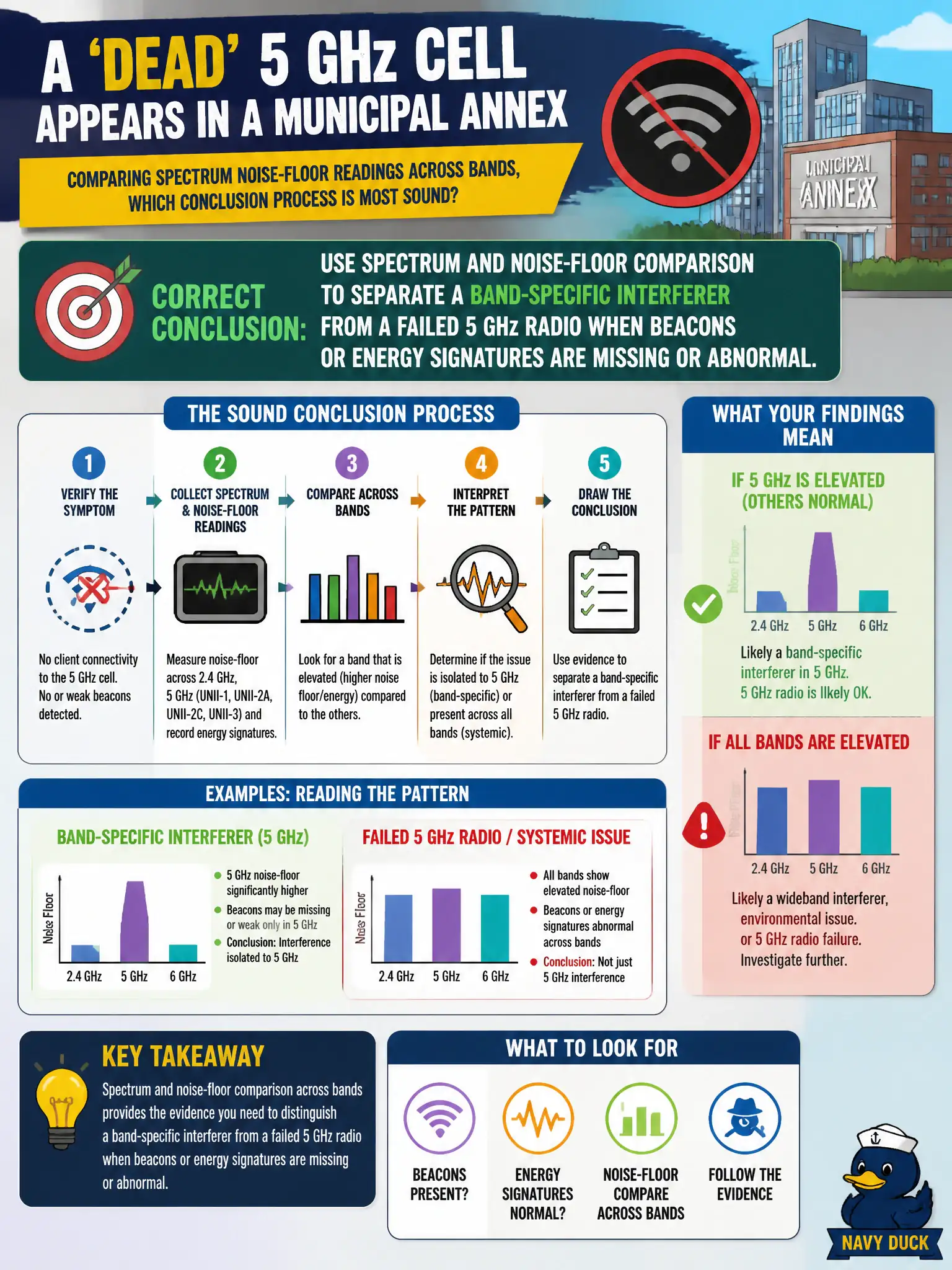
A 'dead' 5 GHz cell appears in a municipal annex. Comparing spectrum noise-floor readings across bands, which conclusion process is most sound?
Select an answer to reveal the explanation.
Short Explanation
Dead 5 GHz could be a jammed channel or a radio that gave up — spectrum and noise-floor clues tell those stories apart. If the band is quiet but the AP isn't painting Wi-Fi energy, suspect the radio; if the band is trash, hunt the interferer. Rebooting the core switch isn't RF triage.
Full Explanation
A “dead” 5 GHz cell in a municipal annex should be triaged by comparing spectrum and noise-floor readings across bands to separate a band-specific interferer from a failed 5 GHz radio when beacons or energy signatures are missing or abnormal. If 5 GHz shows no BSS energy while 2.4 GHz from the same AP is healthy, suspect radio/chain failure or misconfiguration; if 5 GHz noise is elevated with non-Wi-Fi signatures, suspect interference. Cross-band spectrum comparison is the sound process.
Concluding the 5 GHz AP is healthy whenever 2.4 GHz looks fine ignores per-radio failures. Jumping to replace switch PoE budget for any elevated 5 GHz noise without RF checks skips classification. Claiming spectrum cannot distinguish interference from radio failure so only rebooting the core switch helps abandons RF triage for an unrelated chassis action.
Exam caveat: “dead cell” tickets need spectrum evidence before hardware RMA or switch changes. Operational check: compare annex noise floor and beacon visibility on 2.4 vs 5 GHz at the cell edge; if 5 GHz BSS energy is absent with normal noise, escalate radio/config; if noise is high with non-OFDM energy, hunt interferers. Escalate with both band screenshots attached so the annex RMA or interferer hunt starts from classified evidence rather than a vague “5 GHz is down” note.