
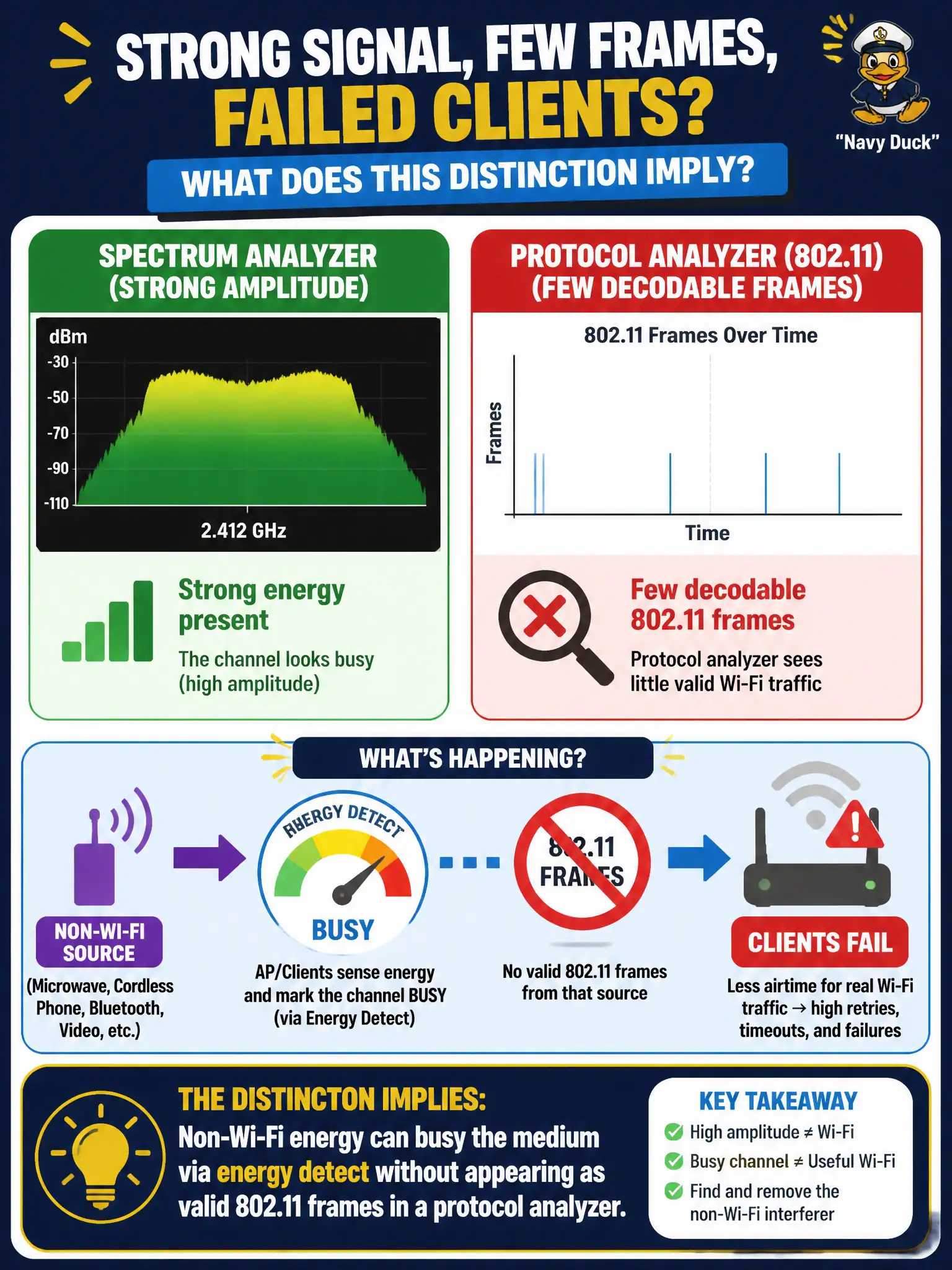
An engineer sees strong amplitude on a spectrum analyzer in a permits office, yet protocol captures show few decodable 802.11 frames and clients fail. What does this distinction imply?
Select an answer to reveal the explanation.
Short Explanation
Spectrum can scream while Wireshark stays quiet — that's energy hogging the air without speaking 802.11. The medium looks busy; there's nothing clean to decode. Don't blame ARP for a non-Wi-Fi noise party.
Full Explanation
In a permits office, strong amplitude on a spectrum analyzer with few decodable 802.11 frames in a protocol capture implies non-Wi-Fi energy can busy the medium via energy detect without appearing as valid Wi-Fi frames. Clients fail because CCA/ED sees a busy channel even though a protocol analyzer has little OFDM to decode. Expert triage uses both tools: spectrum explains energy; protocol explains frame success.
Assuming strong spectrum amplitude always means encrypted Wi-Fi frames the analyzer refuses to display confuses encryption of payload with absence of decodable 802.11 preambles. Claiming protocol analyzers and spectrum views always show identical Wi-Fi-only energy denies non-Wi-Fi interferers. Blaming client failures with high spectrum energy on a full default-gateway ARP cache invents a Layer-3 cause for an RF-busy medium.
Exam caveat: “loud spectrum, quiet protocol” is a hallmark of non-Wi-Fi interference in CWNE troubleshooting. Operational check: simultaneously record spectrum amplitude/duty cycle and a monitor-mode capture on the permits-office channel; if energy is high but 802.11 decode rate is low, hunt non-Wi-Fi sources before ARP or gateway changes. Train the permits-office Tier-1 script to ask for both a spectrum screenshot and a short monitor-mode capture so NOC escalations arrive with evidence of energy-detect busy medium versus protocol failure.