
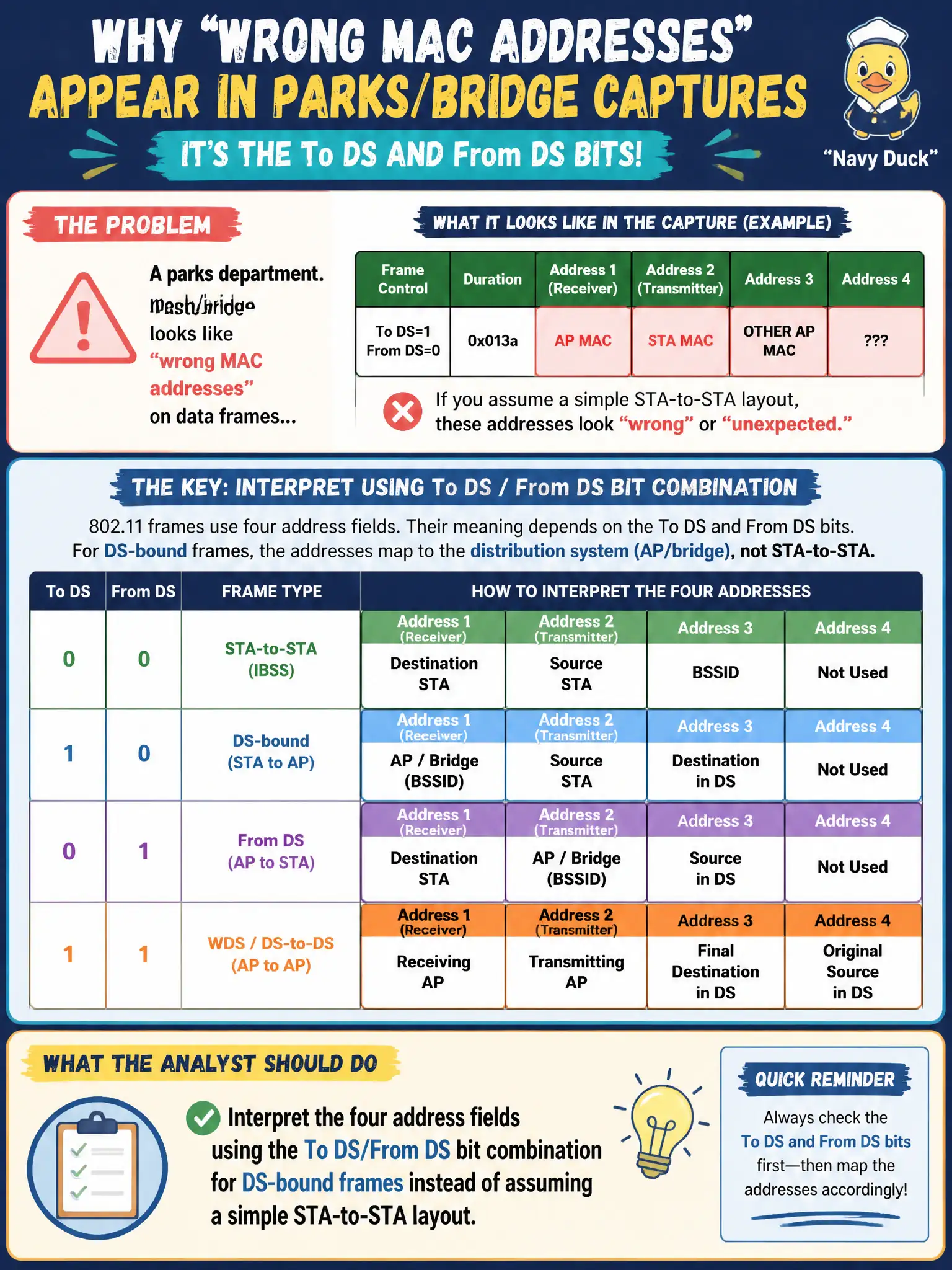
A parks department mesh/bridge capture looks like 'wrong MAC addresses' on data frames until To DS and From DS are considered. What should the analyst do?
Select an answer to reveal the explanation.
Short Explanation
Those 'wrong' MACs are usually just the frame wearing its DS backpack—To DS and From DS tell you which pocket holds SA, DA, BSSID, and transmitter. Read the bit flags first and the parks mesh suddenly makes sense.
Full Explanation
A parks-department mesh or bridge capture that looks like “wrong MAC addresses” on data frames until To DS and From DS are considered should be interpreted using the four address fields under the To DS/From DS bit combination for DS-bound frames. Simple STA-to-STA two-address mental models fail for infrastructure and mesh/DS topologies. Expert analysts decode addressing from the DS bits before declaring MAC anomalies.
Deleting any frame with more than two addresses because mesh “always violates” 802.11 addressing rules destroys valid DS/mesh frames. Treating Address 1 as the IP gateway and ignoring BSSID whenever From DS is set confuses Layer-2 802.11 addressing with IP routing. Forcing all mesh SSIDs to ad-hoc IBSS so only two addresses ever appear abandons the required parks backhaul architecture to make captures prettier.
Exam caveat: To DS/From DS literacy is mandatory for outdoor civic mesh/bridge protocol analysis. Operational check: for a suspect parks mesh data frame, read To DS/From DS, map Address 1–4 per the bit combination, and verify the BSSID/transmitter/receiver roles match the designed hop before changing mesh configs. Add a To DS/From DS cheat-sheet screenshot to the parks mesh training packet so new analysts stop flagging four-address frames as corruption.