
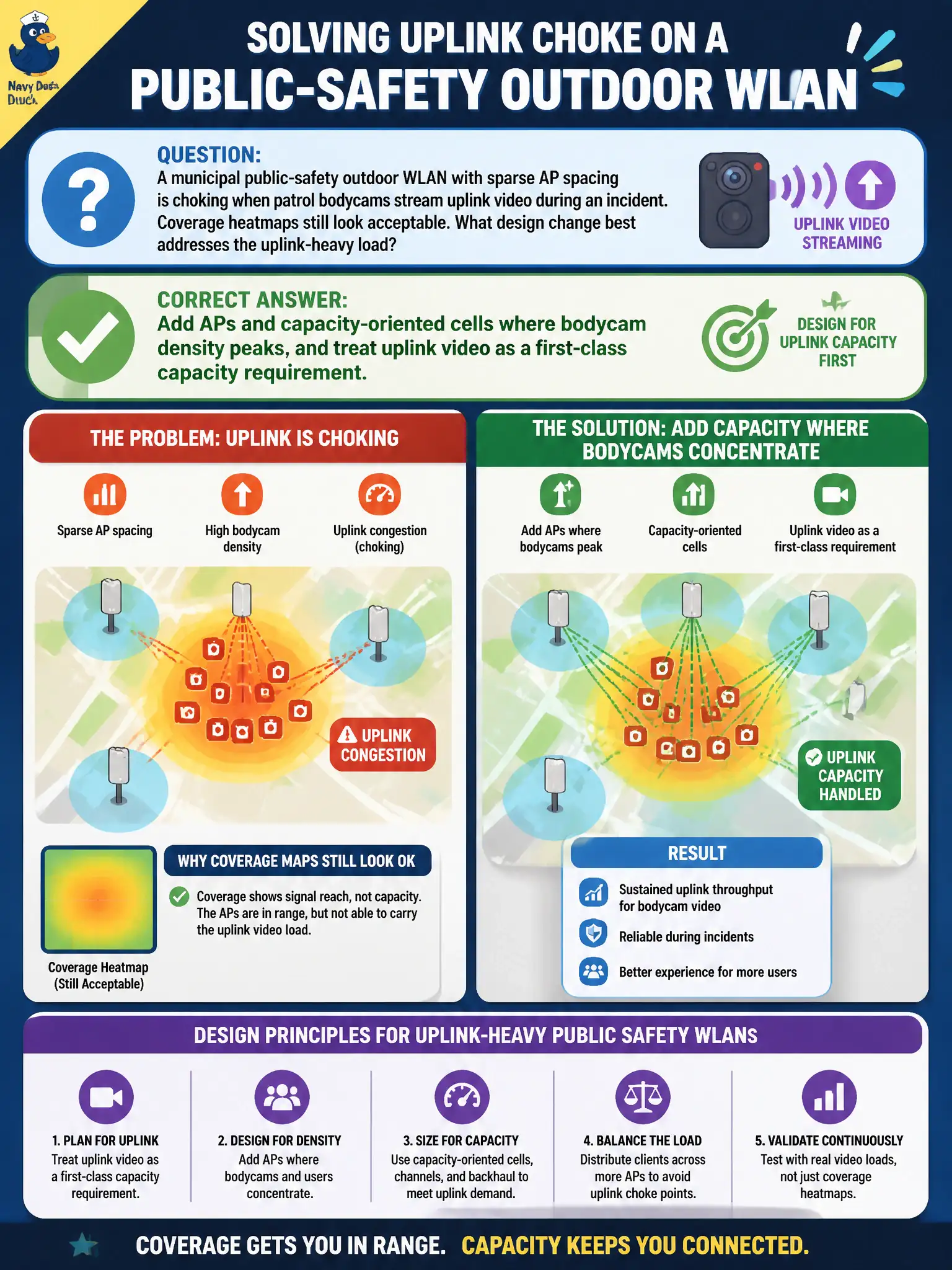
A municipal public-safety outdoor WLAN with sparse AP spacing is choking when patrol bodycams stream uplink video during an incident. Coverage heatmaps still look acceptable. What design change best addresses the uplink-heavy load?
Select an answer to reveal the explanation.
Short Explanation
Sparse coverage is like one toll booth on a parade route—cars fit on the map, but uplink video jams the booth. Public-safety bodycams need extra APs and capacity planning where the streams pile up, not just prettier green heatmaps.
Full Explanation
Bodycam uplink video at density peaks is an uplink-capacity and QoS problem: add APs and capacity-oriented cells where bodycam density peaks, and treat uplink video as a first-class traffic class with appropriate WMM and DSCP handling. Lowering AP power citywide so every bodycam stays nearest may help some sticky cases but can create coverage holes and does not alone provision uplink airtime for many cameras. Forcing bodycams onto 2.4 GHz to reclaim 5 GHz for laptops usually worsens density and interference for uplink video. Disabling WMM so video and voice share identical contention parameters removes prioritization needed for real-time and video fairness. Exam caveat: dense uplink video needs cells and QoS, not just downlink-centric coverage thinking. Operational check: model concurrent bodycam bitrates at peak, add AP capacity in those zones, verify AC_VI or EF mappings, and field-test municipal public-safety video upload during a drill. In municipal WLAN operations, record the chosen control and the rejected alternatives in the change ticket so on-call staff understand which failure modes were avoided for city services. Re-validate after the next maintenance window that the same control still holds under the current controller code, client mix, and civic event calendar used by the wireless team.