
A museum audio-guide checkout tester attaches a GUI wireframe and a snippet of the checkout function. A colleague argues those attachments are “context,” not input. Where do screenshots and code belong in the six-component structure?
Select an answer to reveal the explanation.
Short Explanation
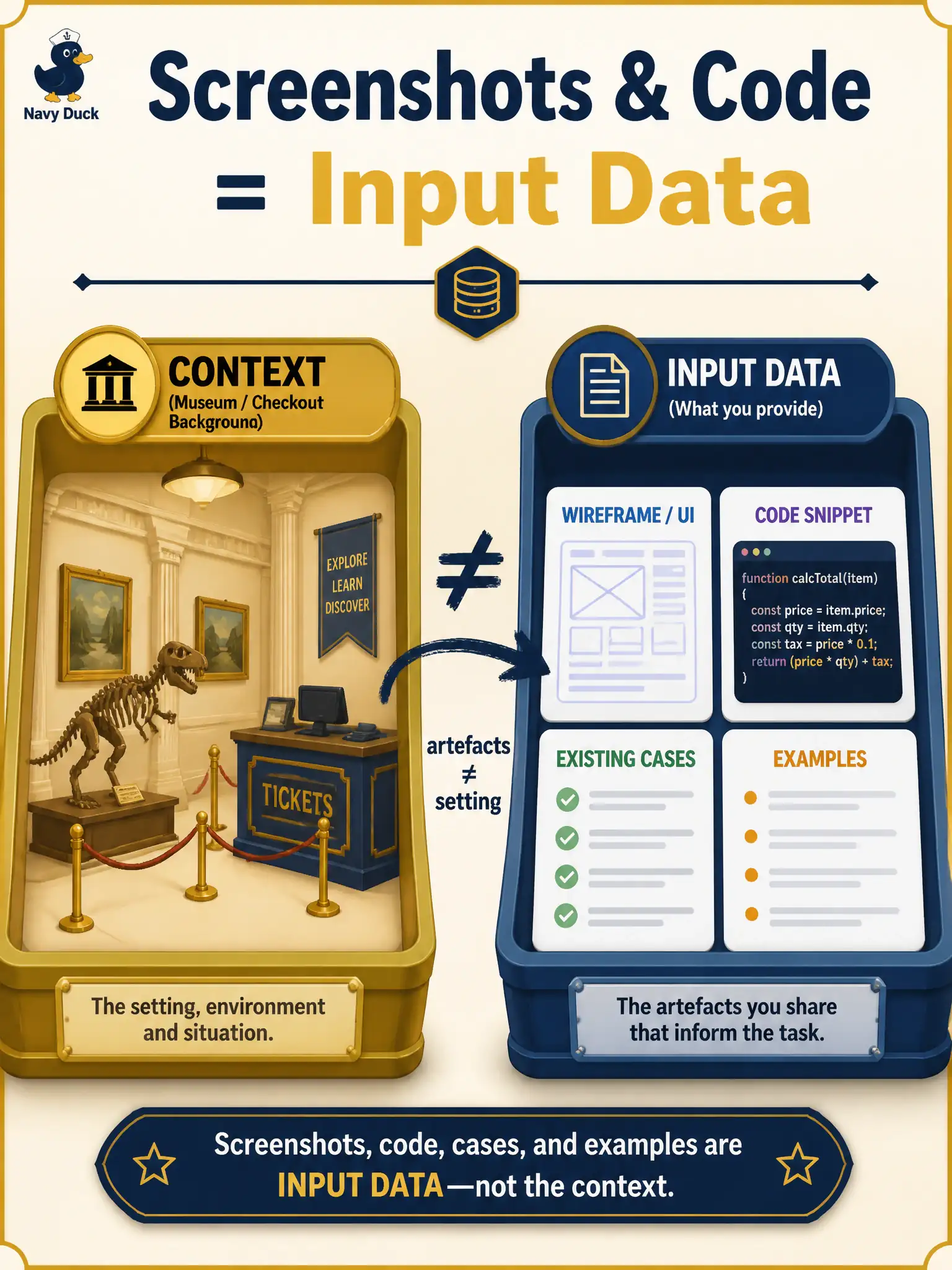
Think of context as the museum setting and input data as the exhibits you hand over. Wireframes and code are artefacts to use, so they sit under input data. Context still orients what you are testing.
Full Explanation
Screenshots and code belong under Input data—the artefacts the model must use—while Context remains the background that orients test conditions. A museum audio-guide checkout tester who attaches a GUI wireframe and a snippet of the checkout function is supplying Input data, not merely ambient Context. Civic checkout testing needs that artefact distinction so teams attach evidence the model must actually work from.
Treating any visual or code attachment as Context only, never Input data, misfiles the artefacts and muddies troubleshooting when drafts ignore the wireframe. Treating wireframes as Output format confuses what the model receives with how it must shape its reply. Treating code snippets as Constraints on which browsers may be mentioned invents a restriction meaning the snippet does not carry.
Exam caveat: Input data = stories, acceptance criteria, screenshots, code, existing cases, and output examples. Context = background orienting conditions. Wireframe and code attachments are Input data.
Operational check: place wireframe and code under an Input data heading; keep a short Context blurb on museum checkout goals and risks; regenerate cases; confirm references to attached controls and functions; update the museum prompt standard so attachments are never mislabeled as Context-only.