
An e-commerce SOC analyst sees an alert for an outbound HTTPS connection from a marketing workstation to a domain registered two days earlier, with no prior sightings in the environment. Which investigative step best determines whether this reflects malicious command-and-control activity?
Select an answer to reveal the explanation.
Short Explanation
A newly registered domain can look suspicious, but legitimate marketing tools may use fresh domains too. Check the process that made the connection and what you were browsing before deciding it was malicious.
Full Explanation
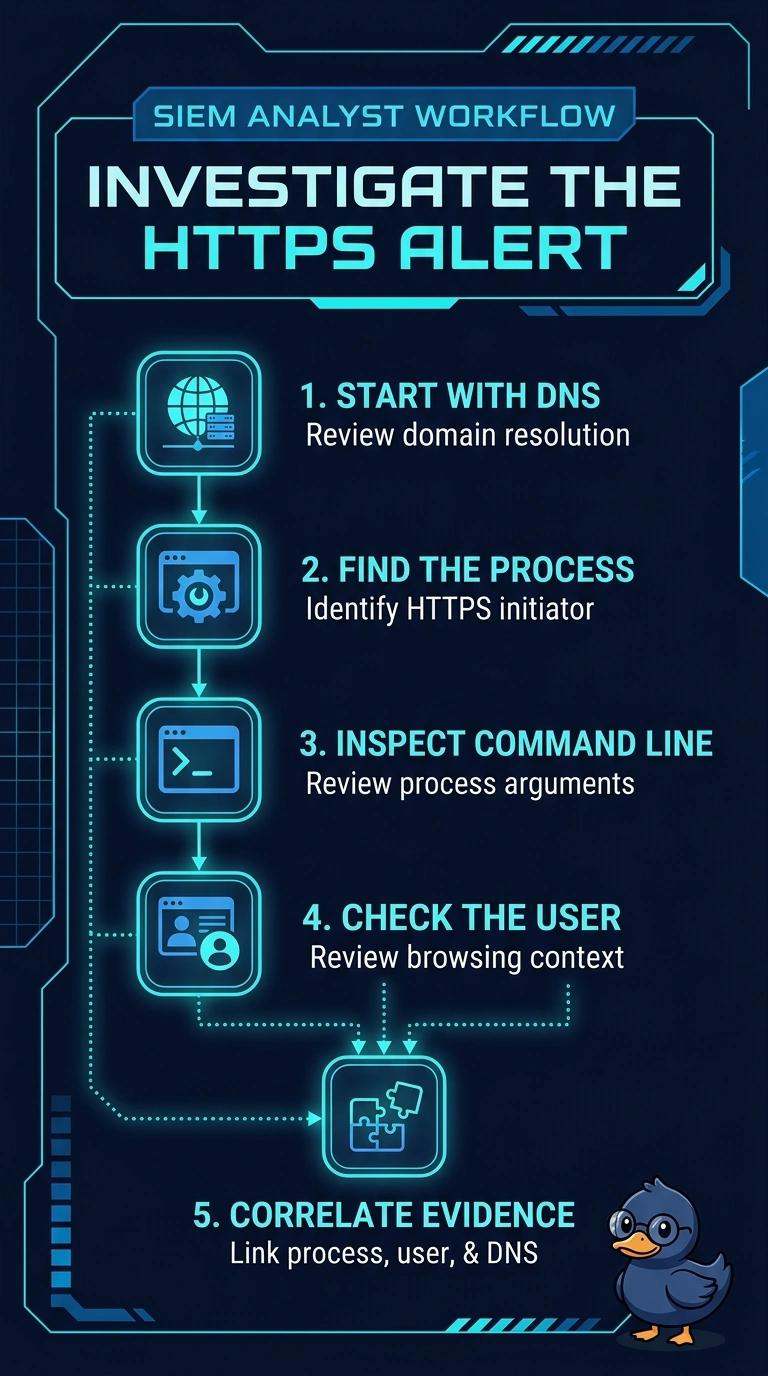
Correlate the initiating process, command line, and user browsing context with the DNS resolution to determine whether the HTTPS connection came from ordinary browsing or suspicious execution. A browser or approved marketing tool may explain the lookup, while an unexpected script or unusual command line can point to command-and-control activity. Waiting 24 hours for an external threat-intelligence reputation score leaves a potentially compromised workstation active, and external feeds may lag behind targeted campaigns. Reimaging the marketing workstation immediately without reviewing process or browser history destroys forensic evidence and may disrupt legitimate work over a benign SaaS redirect. Blocking the workstation’s internal DHCP address at the perimeter firewall and closing the alert does not investigate the cause; the address may later be assigned to another host, whose connectivity would then be disrupted. As a caveat, a newly registered domain can still host phishing or payload delivery, so even benign browser initiation warrants checking whether the user downloaded files or entered credentials. As a practical check, pivot in Falcon Next-Gen SIEM on the host and timestamp to inspect process lineage, DNS answers, and proxy URLs.
Prefer to study offline? Printable PDF study book + test engine ($7.50, unofficial). These questions stay free here.