
A manufacturing security team wants a Fusion SOAR workflow to automatically restrict public storage buckets in development accounts, while ensuring tagged legacy integration buckets are never modified automatically. How should the team design the workflow?
Select an answer to reveal the explanation.
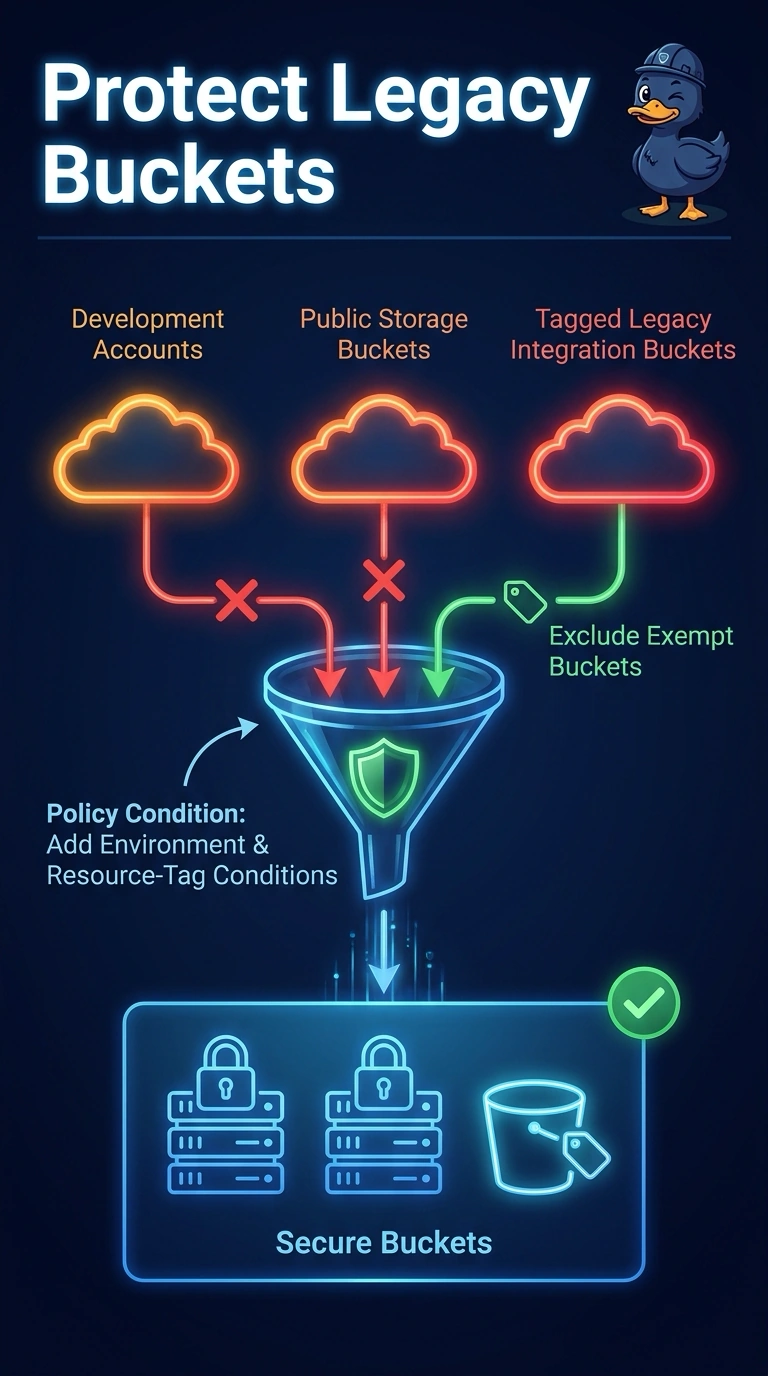
Short Explanation
An automated playbook without guardrails is like a lawnmower with no steering wheel—it will trim the weeds and your prize rosebush alike. The trap is turning off posture visibility or using cluster policies when you just need scoped workflow conditions.
Full Explanation
Add environment and resource-tag conditions to exclude exempt legacy buckets so the Fusion SOAR workflow remediates only intended development storage misconfigurations without disrupting critical integrations. Conditional branching lets teams combine fast automation for standard resources with safe exceptions for specialized dependencies. Choosing to Disable cloud posture scanning across all development accounts to prevent triggers blinds the security team to other configuration risks in those accounts rather than safely scoping remediation. Choosing to Configure a Kubernetes admission policy to block storage bucket creation applies to Kubernetes pod deployment requests, not cloud object-storage remediation workflows. Choosing to Replace all automated workflows with an annual scheduled compliance report eliminates timely remediation and leaves development buckets exposed for months. Note as a caveat that tag-based exclusions depend on consistent governance so developers do not inadvertently apply an exemption tag to new public buckets. For an operational check, test the workflow against a tagged staging bucket and confirm that the automated restriction step is skipped while an untagged test bucket is remediated.
Prefer to study offline? Printable PDF study book + test engine ($7.50, unofficial). These questions stay free here.