
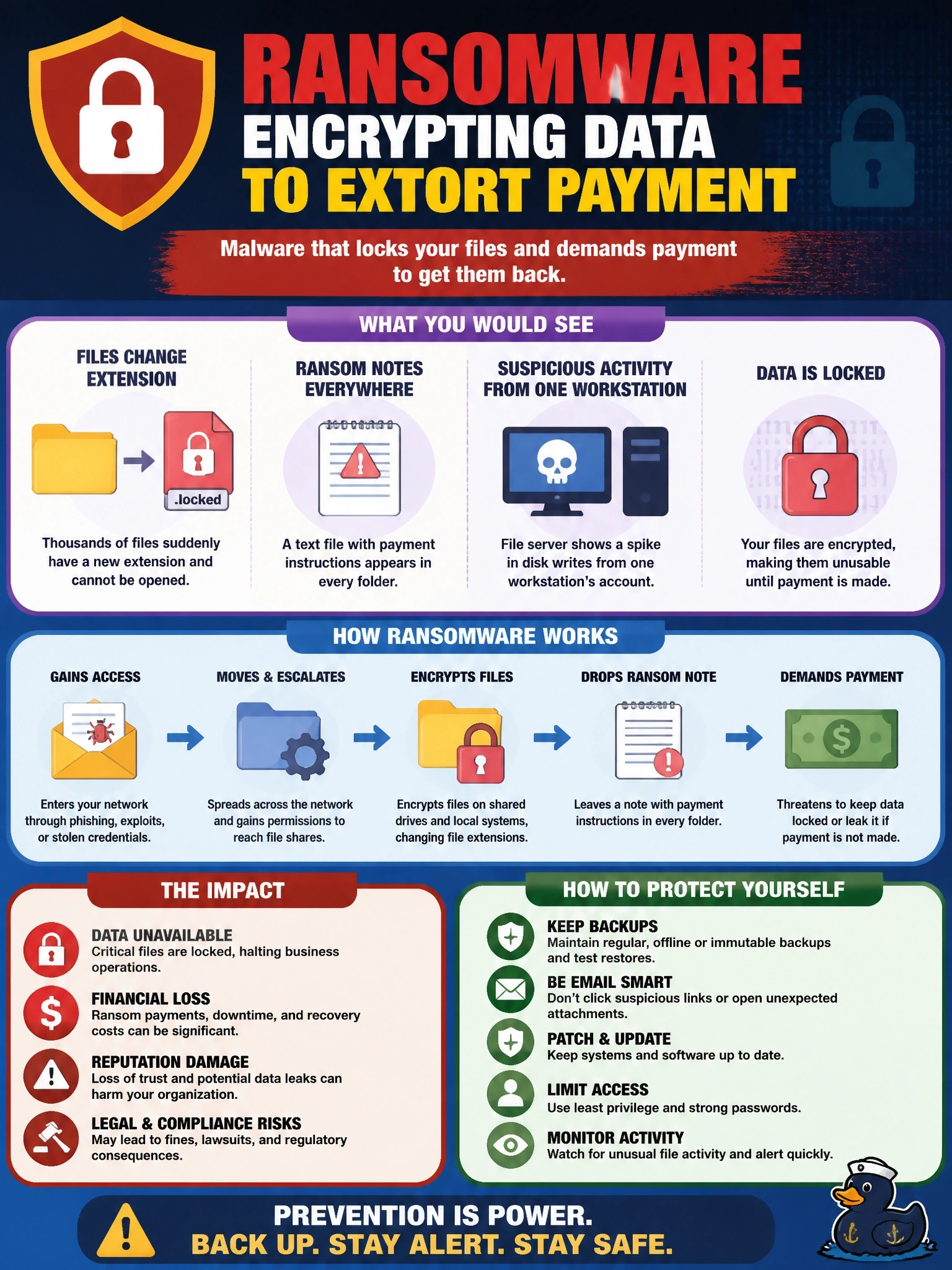
On a shared drive, thousands of files suddenly have a new extension and cannot be opened. A text file with payment instructions appears in every folder, and the file server shows a spike in disk writes from one workstation's account. Which malware is indicated?
Select an answer to reveal the explanation.
Short Explanation
Files you can't open plus a note asking for money -- that's ransomware's calling card. The burst of disk writes from one account is the encryption happening in real time. Your move: cut that workstation off fast, because every second it's connected, more files get locked.
Full Explanation
Ransomware encrypts data and demands payment for the decryption key, often adding the threat of publishing stolen files. Its indicators include mass file renaming with a new extension, files that suddenly cannot be opened, ransom notes placed in each affected directory and a surge of read and write activity as files are encrypted, frequently originating from a single compromised account or host that has access to shared storage. Spyware collects information covertly and sends it to an attacker; it is designed to stay hidden, so it would not rename files or leave notes announcing itself. Adware displays unwanted advertisements to generate revenue, which affects the user's browsing experience rather than making files unreadable. A rootkit hides its own presence by modifying the operating system, and while ransomware operators may use stealth techniques earlier in an intrusion, a rootkit by itself does not encrypt files or demand payment. Exam caveat: the payment note is decisive, but the burst of disk activity and renamed extensions are the indicators most useful for automated early detection. Operational check: isolate the source workstation from the network, disable the account it used, preserve a sample of encrypted files and the note for analysis, and verify that offline or immutable backups are unaffected before restoring.