
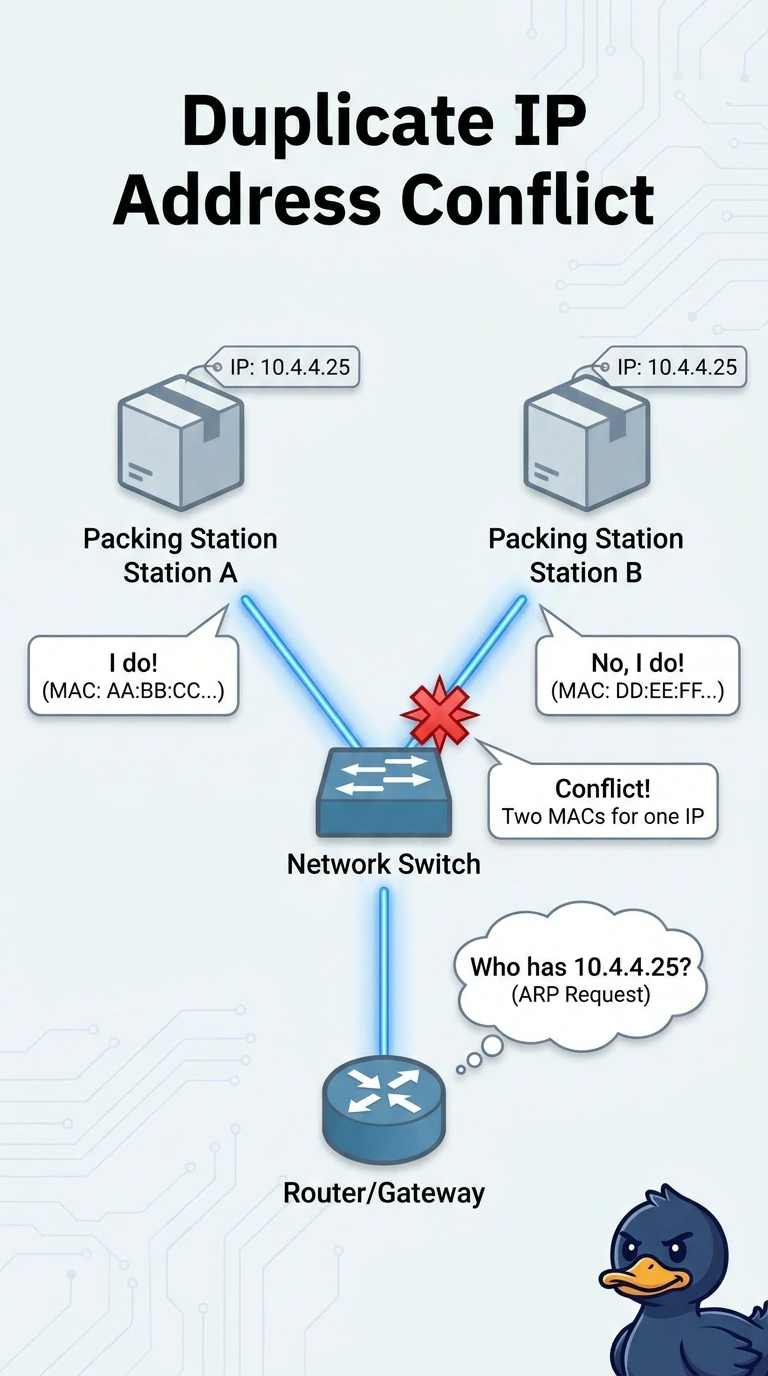
Two packing stations in a warehouse take turns losing the network. Both claim the address 10.4.4.25, and the switch ARP behavior shows that address flipping between two different MAC addresses. Which fault is this?
Select an answer to reveal the explanation.
Short Explanation
You can think of an IP address like a street number: two homes sharing one makes delivery confusing. Both packing stations are using 10.4.4.25, so ARP flips between their MAC addresses and each station disrupts the other; that’s a duplicate IP address. DHCP pool exhaustion would leave clients with link-local addresses, while a stale ARP entry on one station would not make both claim the same address.
Full Explanation
An IPv4 address on a subnet must belong to one interface. When both packing stations are configured with 10.4.4.25, each answers ARP for that address with its own MAC address. Neighbors and the gateway alternately learn one MAC and then the other, so traffic flips between the stations and each loses connectivity in turn. This is a duplicate IP address. DHCP pool exhaustion prevents a new client from leasing an address; clients typically fall back to 169.254.0.0/16 rather than both operating with 10.4.4.25 and competing in ARP. A wrong subnet mask changes which destinations a station treats as local. It does not make one address answer from two MAC addresses, and both stations are explicitly claiming that address. A stale ARP entry on one station can temporarily point it to an old MAC, but it does not assign the same address to two stations or explain the switch seeing two live MACs claim it. Exam caveat: a DHCP reservation that overlaps an address configured statically can create the same conflict; ensure the address has only one owner by clearing the static configuration or reservation. Practical check: record both MAC addresses, find both ports in the MAC table, correct or exclude one address, and confirm ARP for 10.4.4.25 remains associated with a single MAC.