
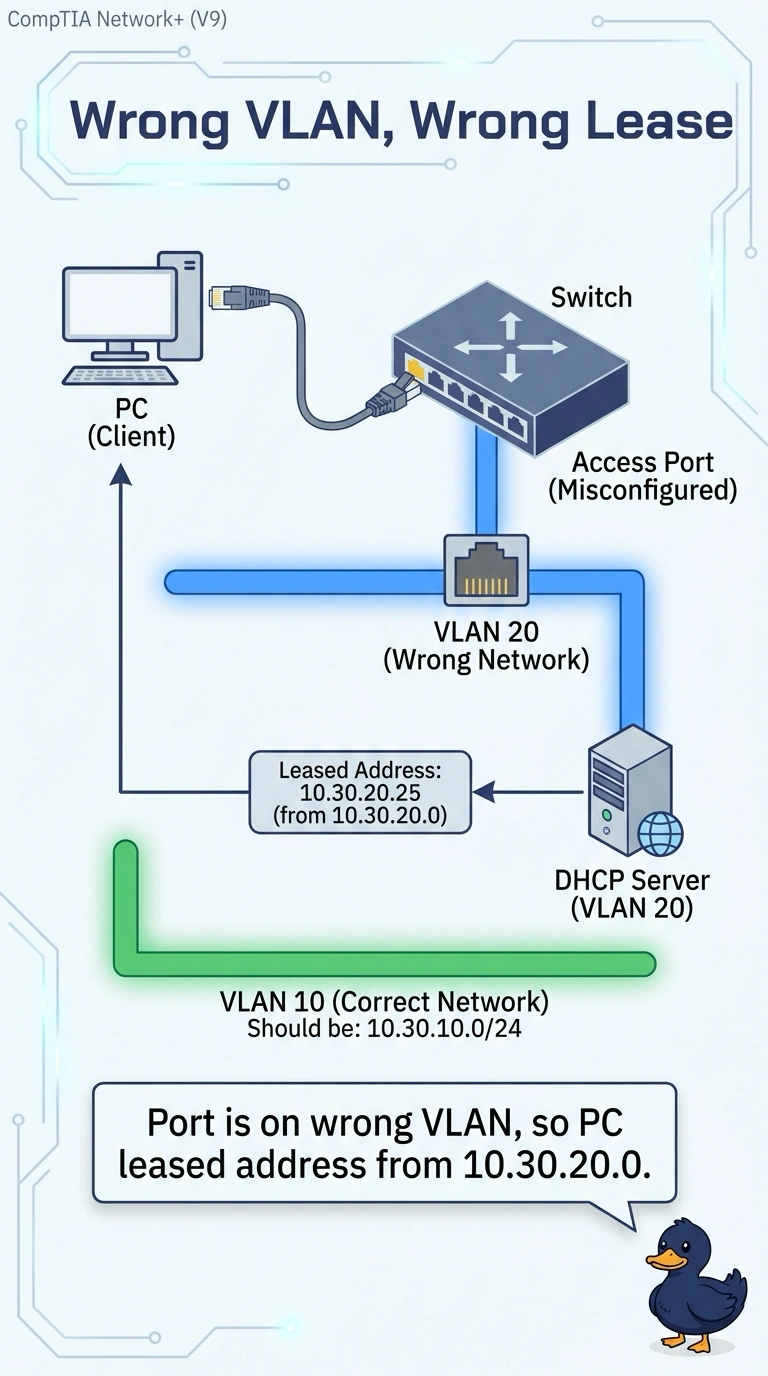
A cashier PC at a retail store shows link lights and leases 10.30.20.25 with gateway 10.30.20.1, which answers. The point-of-sale servers are on 10.30.10.0/24, and the wall port was supposed to be that sales VLAN. Which cause fits the lease the PC actually received?
Select an answer to reveal the explanation.
Short Explanation
You can read the lease as a useful clue: the PC joined the 10.30.20.0 network, not the sales network. The VLAN on the wall port explains why DHCP gave it 10.30.20.25; an exhausted sales pool does not spill into another scope, and a wider mask does not change the leased address.
Full Explanation
An access port’s VLAN determines which broadcast domain the PC joins and, in turn, which DHCP scope can answer it. The PC has link, holds 10.30.20.25, and has gateway 10.30.20.1, so it received a lease for the 10.30.20.0 network. Since the wall port was supposed to join the sales VLAN, the lease points to the port being assigned to the wrong VLAN. An exhausted sales pool might seem to explain why the PC did not receive a 10.30.10 address, but a full scope does not cause the DHCP server to offer an address from the next scope on its own; it leaves the client without a lease. A mask of 255.255.0.0 would affect how the PC decides whether a destination is local, but it would not change the network containing 10.30.20.25 or explain which scope supplied that address. A duplicate of the sales gateway could disrupt traffic using that gateway, but it would not explain a healthy lease from 10.30.20.1; a duplicate gateway that still produced a lease in 10.30.10.0 would not fit the address shown. Exam caveat: a voice VLAN can place a device in an unexpected subnet even when the access VLAN appears correct, so check every VLAN assigned to the port. Practical check: display the port’s VLAN assignment, compare it with a working sales port, correct any mismatch, and renew the lease to confirm the PC receives a 10.30.10 address.