
A branch PC pings its default gateway, and the gateway can ping the data-center server, but the PC's ping to that server dies somewhere in between. Which tool shows the last router that still answers along the path?
Select an answer to reveal the explanation.
Short Explanation
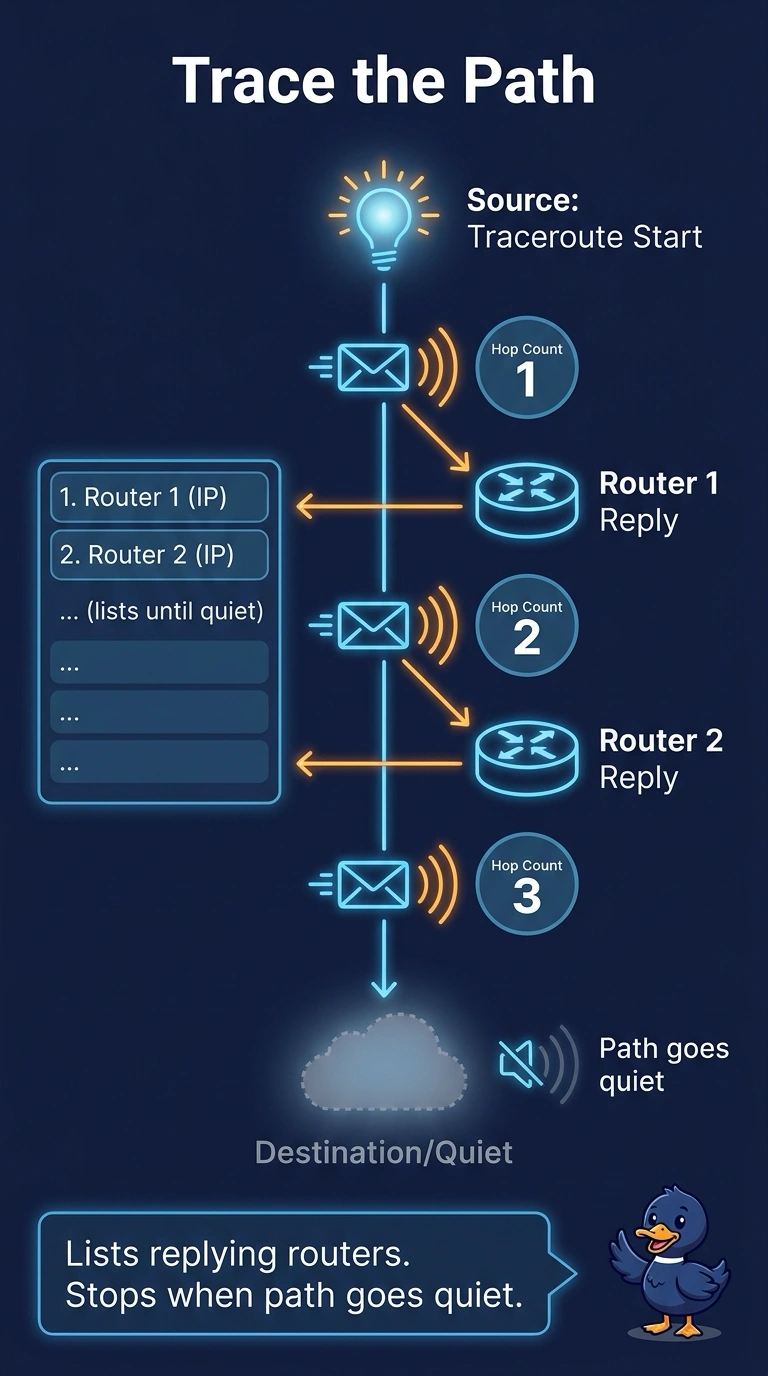
You know the PC reaches its gateway and the gateway can reach the server, but that doesn’t show where the PC’s probes stop. Traceroute gives you the hop-by-hop list, while repeated pings and the gateway’s routing table don’t identify the last router that answers. nslookup checks the server name, not the path to its address.
Full Explanation
Traceroute sends probes with an increasing time-to-live. Each router that reduces the remaining hop count to zero returns a time-exceeded message, so traceroute lists the address of each responding hop. The last router that answers before silence marks where forwarding or filtering stopped the probe. This is useful here because the PC can ping its gateway and the gateway can ping the server, but those results do not show which intermediate router answers. Repeated pings from the PC fail at the destination and do not name the last router that answered. The gateway’s routing table lists only that router’s own next hops, so it cannot show which later router stopped replying. nslookup checks name resolution; the failing test is already aimed at the server by address, making a name lookup irrelevant to the path failure. Exam caveat: a firewall that drops the probe’s protocol can make a healthy hop appear to be the failure point. Practical check: run traceroute from the PC to the server, note the last responding hop, and compare that address with the gateway’s routing table and the documented path.