
A warehouse handheld scanner reaches the print server on its own subnet by IP address, but IP packets to the inventory host on a different subnet never arrive. The scanner's address and prefix match the VLAN on its switch port. Which misconfiguration on the scanner explains the failure?
Select an answer to reveal the explanation.
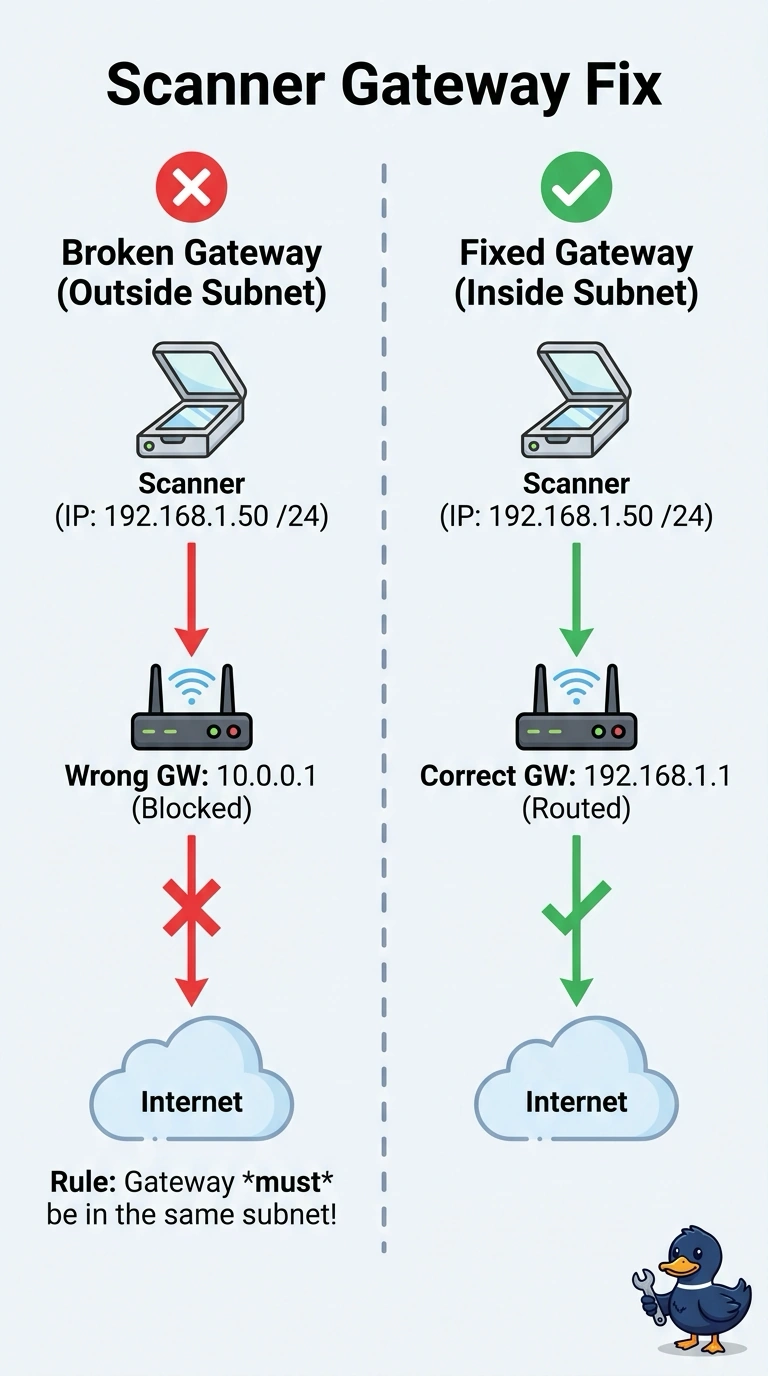
Short Explanation
You can reach the print server on your own subnet, so your scanner’s local address and prefix are doing their job. To reach the inventory host on another subnet, you need a default gateway inside your own subnet to hand the packet to a router. A DNS search suffix matters only for names, while a duplicate print-server address would disrupt the local printing that still works.
Full Explanation
A host sends a packet to its default gateway when the destination is outside the local subnet. You can reach the print server by IP address, and your scanner’s address and prefix match the VLAN, so local delivery is working. The inventory host is on another subnet, so your scanner needs a gateway address inside its own subnet that belongs to a router with a path onward. If the gateway is blank or outside the scanner’s subnet, the scanner has nowhere to send packets for that remote host. A subnet mask shorter than the VLAN prefix could make some remote addresses appear local, causing the scanner to seek them directly rather than use a gateway; however, the stated prefix match means that is not the misconfiguration described. A DNS search suffix affects how unqualified names are completed, not packets sent to an IP address already provided. A duplicate of the print server’s address would disrupt or interrupt local printing, which still works. Exam caveat: a gateway can be correctly configured and on-subnet yet lead to a router with no route to the inventory network, producing the same symptom. Practical check: compare the scanner’s gateway with the router address for that VLAN, confirm both are in the same prefix, and ping the gateway before investigating the far host.