
A retail edge router should send unknown internet destinations to the ISP and should not learn a route for every public prefix. Which route does that job?
Select an answer to reveal the explanation.
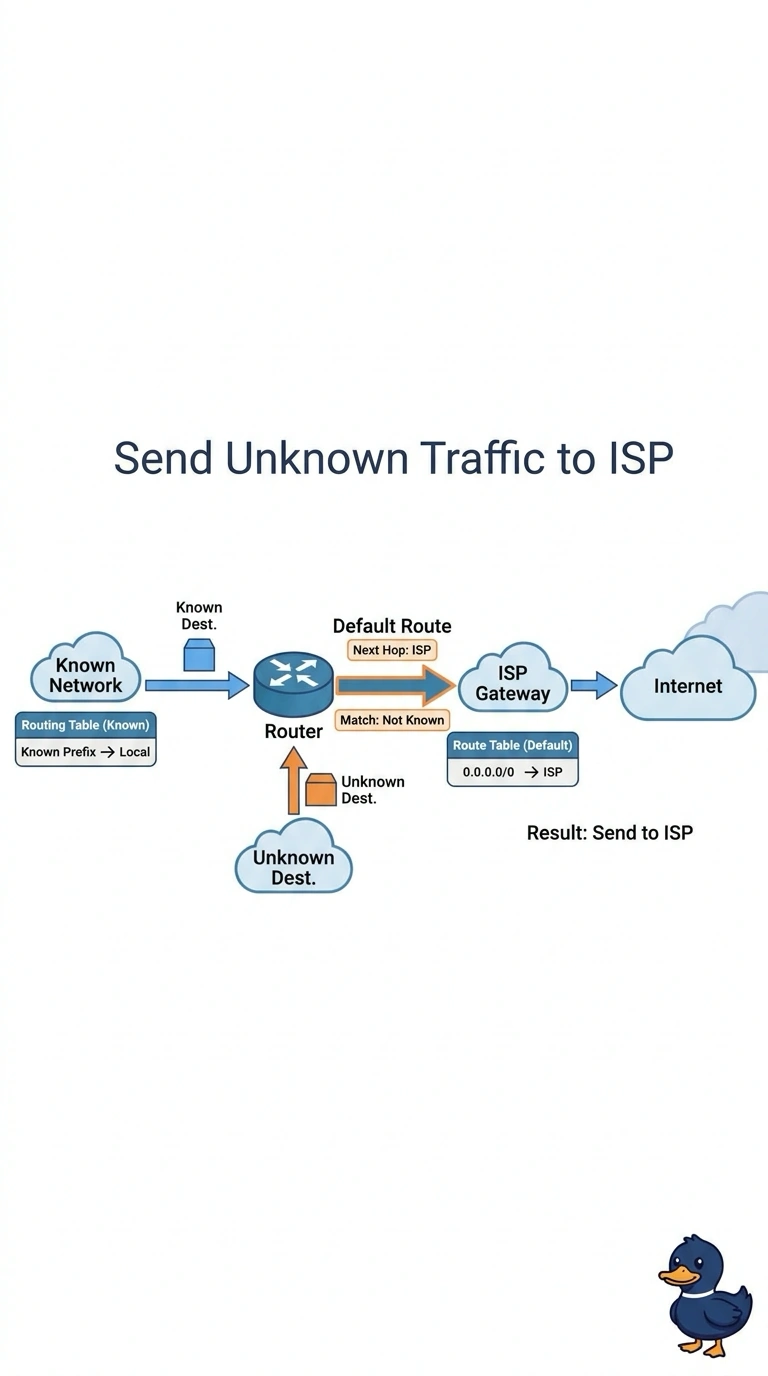
Short Explanation
You don’t need a street sign for every house in the world when one sign says everything else goes to the highway. You can point a default route from the retail edge to the ISP, sending unknown internet destinations that way without learning every public prefix. A full BGP feed, a host route for every website, or turning off connected routes would not do this job appropriately.
Full Explanation
A default route matches destinations for which the router has no more specific route. Pointed at the ISP, it sends unknown internet traffic to the provider without requiring the retail router to learn public prefixes one by one. The store’s connected LAN routes remain in the table and are more specific than the default, so local traffic is not sent to the ISP. A full BGP feed could also provide internet reachability, but it adds far more routing information, memory use, and operational care than a small retail edge needs when a default route already forwards unknown destinations to the ISP. A separate host route for every website covers only individual addresses, does not scale to the internet, and leaves new sites unreachable until routes are added. Turning off connected routes removes the networks attached to the router’s interfaces, making the store LANs disappear from the routing table; the default route does not require that. Exam caveat: a default route is a last resort, so a more specific route, such as a connected route, wins for its destination. Practical check: from a store PC, open an unfamiliar public site and confirm the edge forwards traffic to the ISP next hop, then reach a local server and confirm its connected route is used instead of the default.