
A data-center switch is labeled port-side intake, so it pulls cool air in through the port face. Which way should that face be installed?
Select an answer to reveal the explanation.
Short Explanation
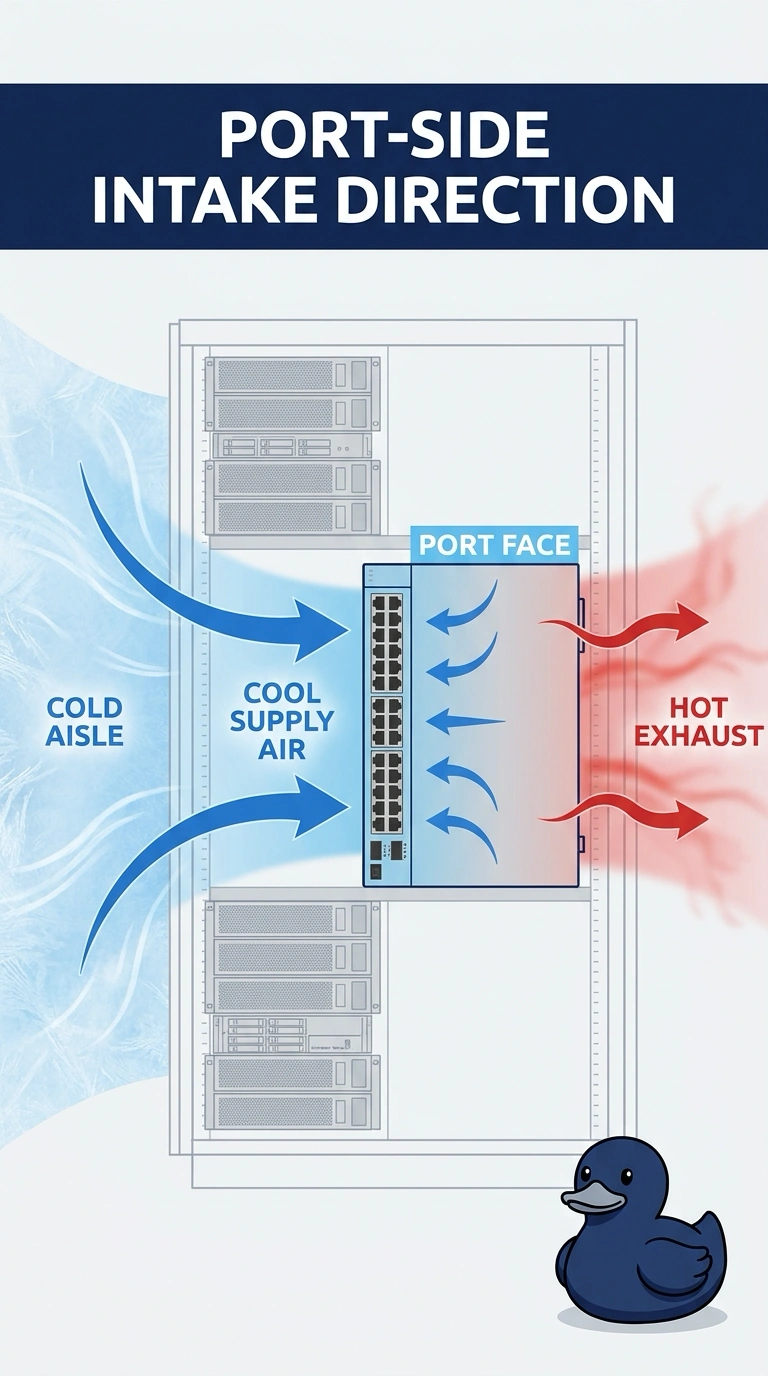
You can follow the label: the port face is the intake, so point it toward the cool supply air. Face the ports into the cold aisle, and let exhaust leave on the hot side. Facing the hot aisle, sealing the intake, or pointing it at the ceiling return won’t provide the intended airflow.
Full Explanation
Port-side intake means the switch draws cooling air through the face where the ports are and exhausts it through the opposite face. In a hot-aisle/cold-aisle layout, the cold aisle supplies cool air, so facing the ports toward the cold aisle lets the switch take in that air and send exhaust toward the hot aisle. Facing the ports toward the hot aisle places the intake in the exhaust stream; the switch would draw in air already heated by equipment rather than cool supply air. Sealing the port-face intakes blocks the intake the chassis is designed to use. The proposed ceiling-return route does not fix that: the switch needs its intended supply airflow, not a sealed intake with air drawn from the return. Pointing the port face up at the ceiling return also misdirects the intake and would send exhaust into the cold aisle, disrupting the hot/cold separation. Exam caveat: follow the airflow label on the actual chassis; “port-side intake” identifies the intake face, not merely the location of the ports. Practical check: with the row running, confirm the port face is in the cold aisle, air exhausts on the hot side, and the switch temperature remains within its operating range.