
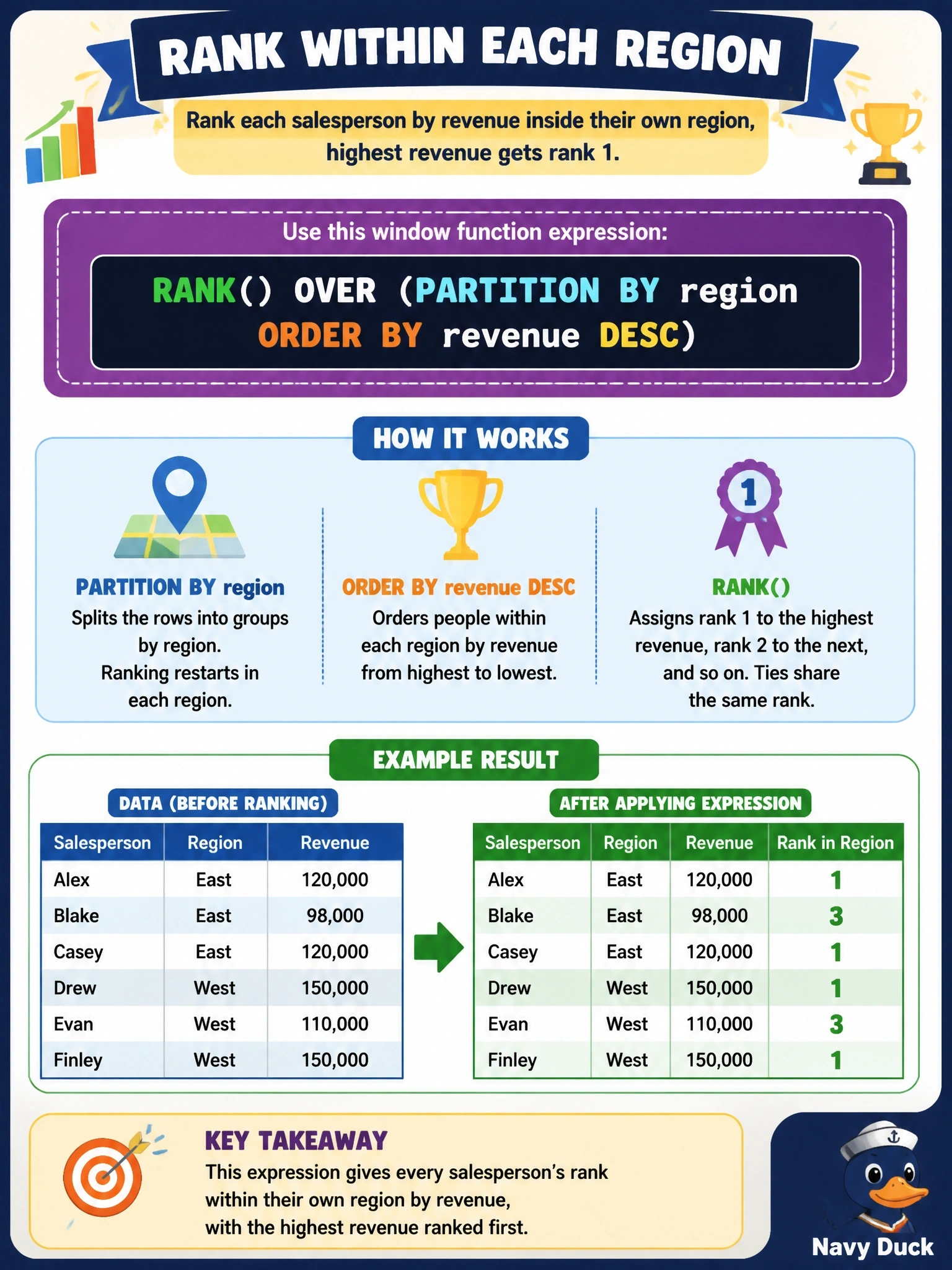
A sales report must show every salesperson's row with region and revenue, plus a column giving that person's rank within their own region by revenue, highest first. Which expression produces the rank column?
Select an answer to reveal the explanation.
Short Explanation
Window functions let you do the math without squashing the rows, unlike GROUP BY. PARTITION BY says "restart the count for each region," and ORDER BY says "who goes first." Mix those two up and you'll rank the wrong crowd.
Full Explanation
A window function computes a value for each row over a set of related rows while leaving every row in the result. PARTITION BY region divides the rows into one window per region, ORDER BY revenue DESC sorts each window from highest to lowest revenue, and RANK() assigns 1 to the top earner in each region, restarting at 1 for the next region; ties share a rank and leave a gap after them. Ordering by region and then revenue without a partition produces one continuous ranking across the whole company, so only the first region's top seller receives rank 1 and later regions continue the numbering. Partitioning by revenue and ordering by region inverts the roles: each window holds only rows with an identical revenue value, so the rank reflects region names within a revenue tie, which is meaningless for this report. MAX(revenue) over a region partition returns the region's highest revenue on every row in that region; it is a useful window aggregate, but it is not a rank and cannot order salespeople. Exam caveat: GROUP BY region would collapse each region to one row, which is the behavior the report must avoid. Operational check: run the query, confirm the row count equals the number of salespeople, and verify that each region's highest earner shows rank 1.