
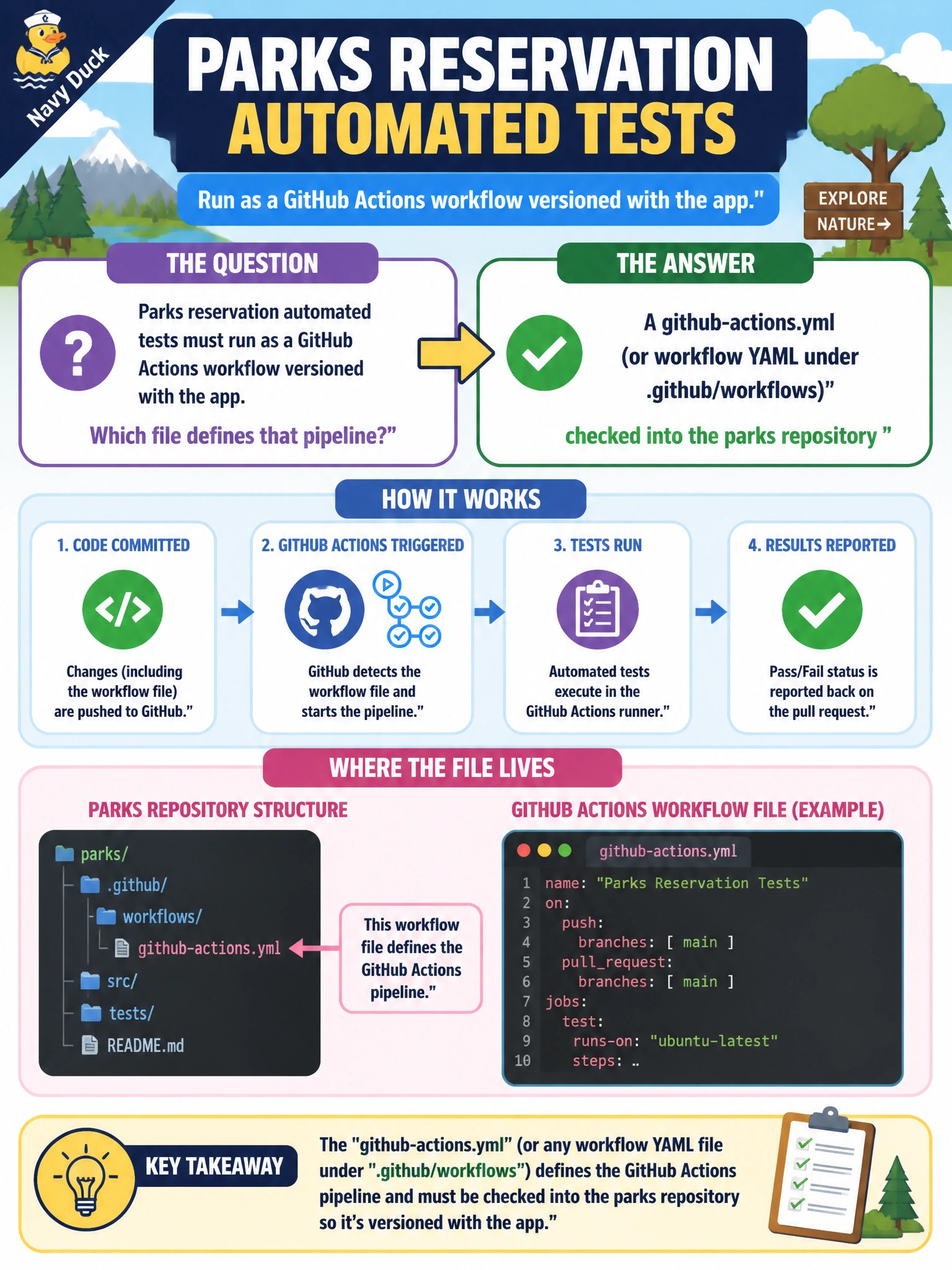
Parks reservation automated tests must run as a GitHub Actions workflow versioned with the app. Which file defines that pipeline?
Select an answer to reveal the explanation.
Short Explanation
GitHub Actions workflows are YAML in the parks repo—reservation tests live there with the code. Filing-cabinet runbooks and laptop crons are not Actions pipeline definitions.
Full Explanation
GitHub Actions defines pipelines as workflow YAML files versioned with the repository, commonly under .github/workflows (or an equivalently referenced workflow file such as github-actions.yml). Parks reservation automated tests that must run as Actions should live in that workflow YAML so the test pipeline is reviewed and shipped with the app. When the reservation code changes, the same pull request can update tests and the workflow that runs them, keeping municipal recreation CI aligned with the application.
A paper runbook locked in the recreation center filing cabinet fails by concept because paper is not executed by GitHub Actions and cannot trigger tests on push or pull request. An undocumented cron on a volunteer's laptop with no repository link fails because the job is orphaned from the parks repo, invisible to code review, and disappears when the laptop does. A Slack bot that only posts "tests passed" with no actual workflow file fails because status theater is not a pipeline definition and proves nothing about real test execution.
Exam caveat: the distinguishing feature is a versioned Actions workflow YAML in the repository—not the marketing name of a chat integration. Know the usual .github/workflows location for GitHub, and do not equate external crons or paper runbooks with Actions pipeline definitions when the question asks which file defines the pipeline.
Operational check: locate the parks workflow YAML under .github/workflows (or the stated workflow path), trigger it on a pull request, and confirm reservation tests run from that file. Change a job step in a PR and verify the Actions run reflects the merged YAML.