
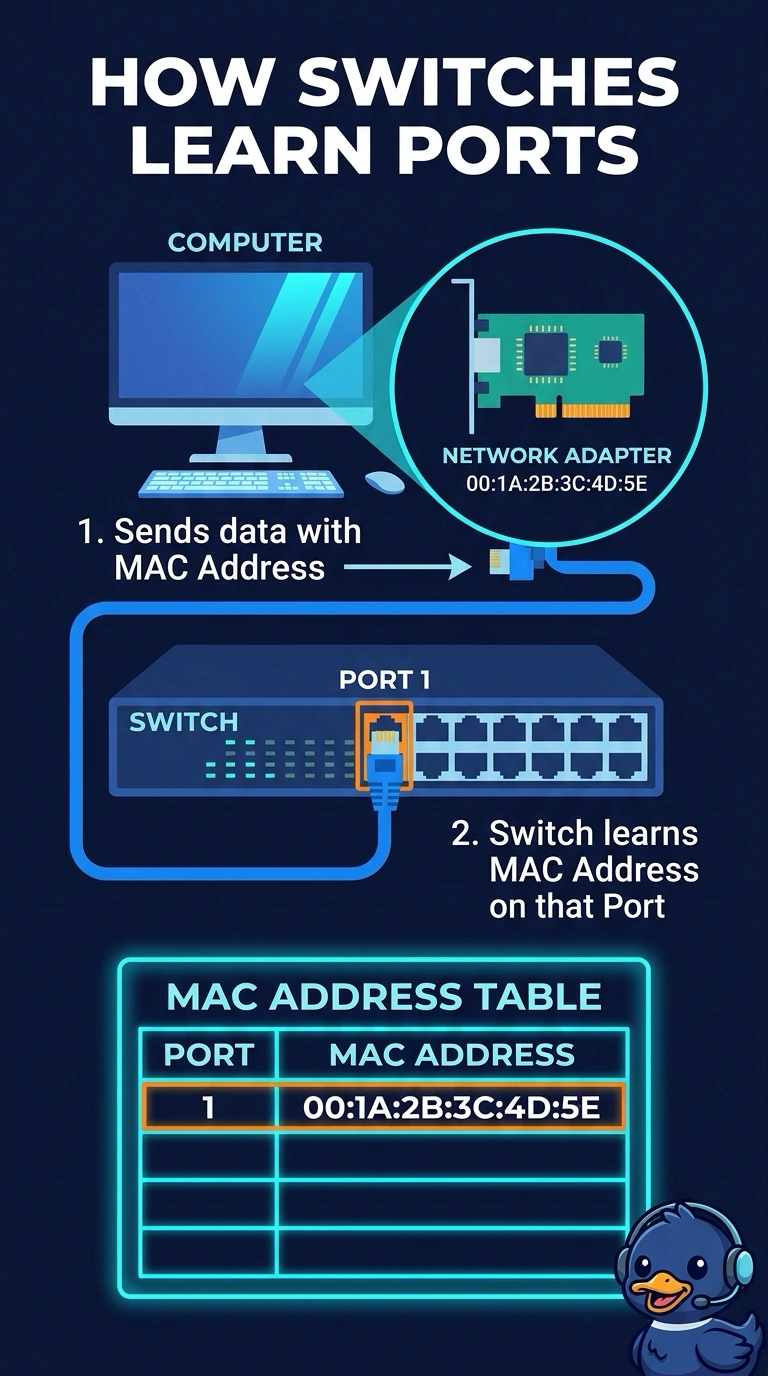
A managed switch should learn which desk computer is on which port by using the hardware address burned into that computer's network adapter. Which address is that?
Select an answer to reveal the explanation.
Short Explanation
The switch is reading the name tag sewn into the adapter, not a street number someone typed later. You want the MAC address. An IP address can change, a mail record is not a port identifier, and a security chip's key is not what the switch learns from an Ethernet frame.
Full Explanation
A network adapter's MAC address is the hardware address burned into it, and a switch learns that address on the port where the frames arrive. That is the address the managed switch should use to know which computer is on which port. An IPv4 address is configured by DHCP or by hand. It is not burned into the adapter, and the switch's port table is a MAC table, not an IP table. An MX record names a mail host in DNS. A switch does not store mail records against ports. A TPM endorsement key is a credential inside a security chip. It is not the address in an Ethernet frame and it is not what the switch learns. Exam caveat: a MAC address can be spoofed in software, so the port table identifies the address the NIC is currently sending, which is normally the burned-in one. Operational check: look at the switch's MAC table for that port and match it to the adapter address printed by the computer. Read the adapter address on the computer and match it to the switch port table. Clear the port's old entry only if you moved the computer, then let the switch learn it again.