
Every page from a laser printer, including its own test page, shows the same mark repeating at an even interval down the sheet. Which cause fits?
Select an answer to reveal the explanation.
Short Explanation
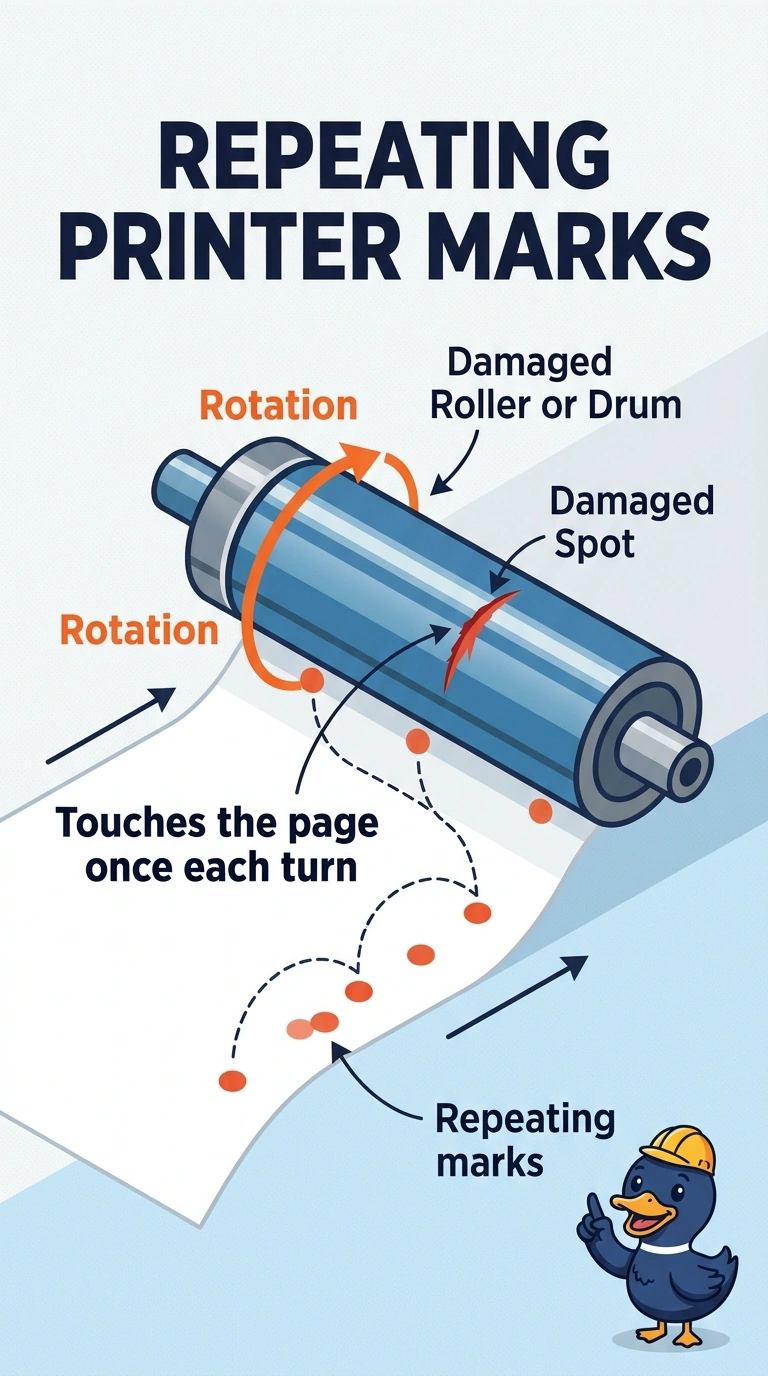
The same smudge comes back at an even pace, like a wheel with one flat spot touching the page each time it turns. You are looking at a damaged roller or drum. The PC's driver, the network cable, and the page direction do not touch the printer's own test page.
Full Explanation
A mark that repeats at an even interval is left by a roller or the drum once each revolution. The printer's own test page shows it, so the defect is in the engine, not in a job the PC composed. The print driver does not generate the internal test page. The network cable carries jobs. The printer can mark its test page with that cable unplugged. Orientation chooses which edge is the top. It does not stamp a repeating defect. Exam caveat: the distance between marks points at which roller. Measure it against the service chart before you replace every roller in the path. Operational check: compare the interval with the chart, replace the matching roller or drum, and print a test page with no repeating mark. Measure the gap between marks and match it to the service chart before you replace parts. Note the result on the ticket. Print a clean test page after the matching roller or drum is replaced.