
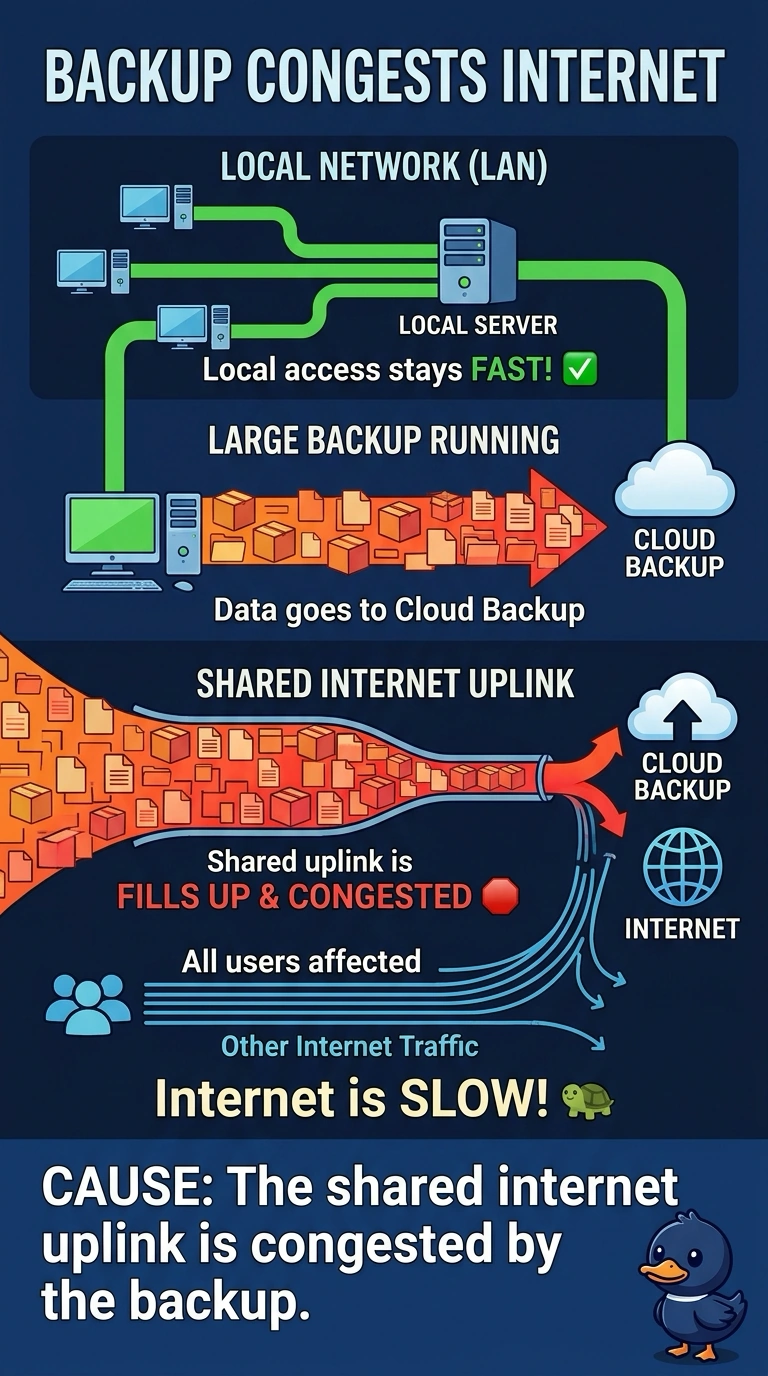
Every user's internet is slow while one large backup is running to a cloud provider. A test PC can still reach local servers quickly. Which cause fits?
Select an answer to reveal the explanation.
Short Explanation
The hallway inside the office is clear, and the door to the internet is jammed with one big backup. You are looking at a congested uplink. One PC's name server, a display cable, and a laptop disk rebuild do not slow every user's internet while local servers stay quick.
Full Explanation
Local servers answer quickly, so the office LAN is fine, and every user's internet is slow only while a large backup is leaving. That backup is filling the shared uplink, which is congestion. A DNS problem on one PC would affect that PC's name lookups, not every user's internet at the same time, and it would not start and stop with a backup. A monitor cable carries video. It does not throttle an uplink. A RAID rebuild inside a laptop stresses that laptop's disks. It does not fill the office internet link unless that laptop is the machine sending the backup, which is not the story. The stem names the cloud backup. Exam caveat: schedule large backups outside the workday or limit their rate so they do not own the uplink. Operational check: pause the backup and confirm internet speed returns, then cap or reschedule the job. Pause the backup and confirm ordinary internet speed returns. Cap the backup's rate or move it outside work hours so the uplink stays usable. Tell the backup owner the window you moved them to.