
A cafe changed the Wi-Fi passphrase on the access point. Phones that used to join now fail, and a test phone with the new passphrase joins immediately. Which fix belongs on the failing phones?
Select an answer to reveal the explanation.
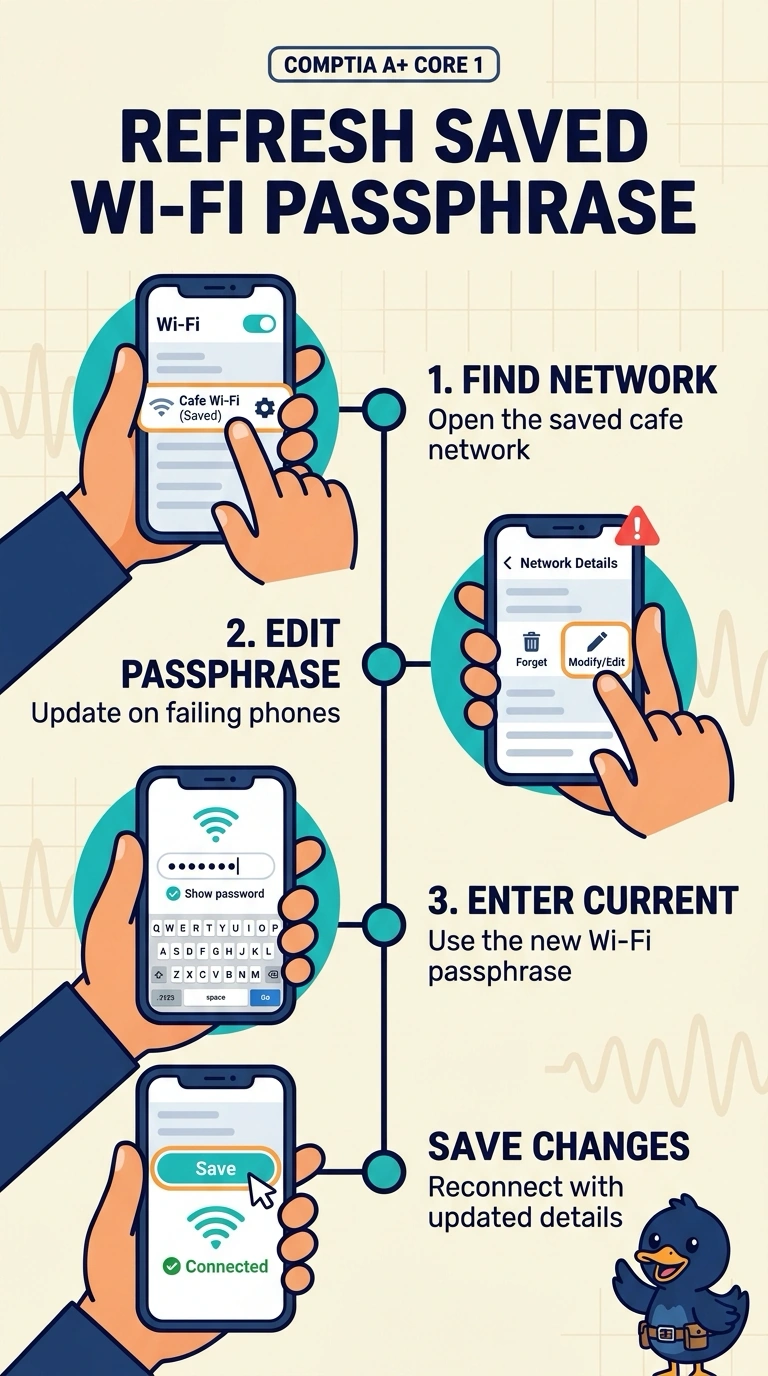
Short Explanation
The cafe changed its Wi-Fi passphrase, and the failing phones are still trying the one they saved before. Since a test phone joins with the new passphrase, you can update the saved passphrase on the failing phones. Replacing adapters, changing DNS, or enlarging the DHCP scope will not fix a stale saved passphrase.
Full Explanation
The access point accepts the new passphrase, as the test phone proves by joining immediately. The failing phones are presenting the passphrase saved before the change, so updating the saved passphrase on those phones fixes the problem. Replacing the wireless adapters is unnecessary: they worked before the change, and the test phone can associate, so the radios are not the failed part. Changing the cafe’s DNS server will not help; DNS resolves names after a client is on the network, does not store the Wi-Fi passphrase, and is not consulted when the access point rejects a passphrase. Enlarging the DHCP scope will not help either. DHCP hands out addresses after a client has associated, while a wrong passphrase fails before a lease is offered. Exam caveat: if a phone keeps offering the cached key, forget the old network profile rather than editing it in place. Practical check: forget the cafe network on one failing phone, join using the new passphrase, and confirm that it connects without replacing hardware or changing DNS or DHCP settings.