
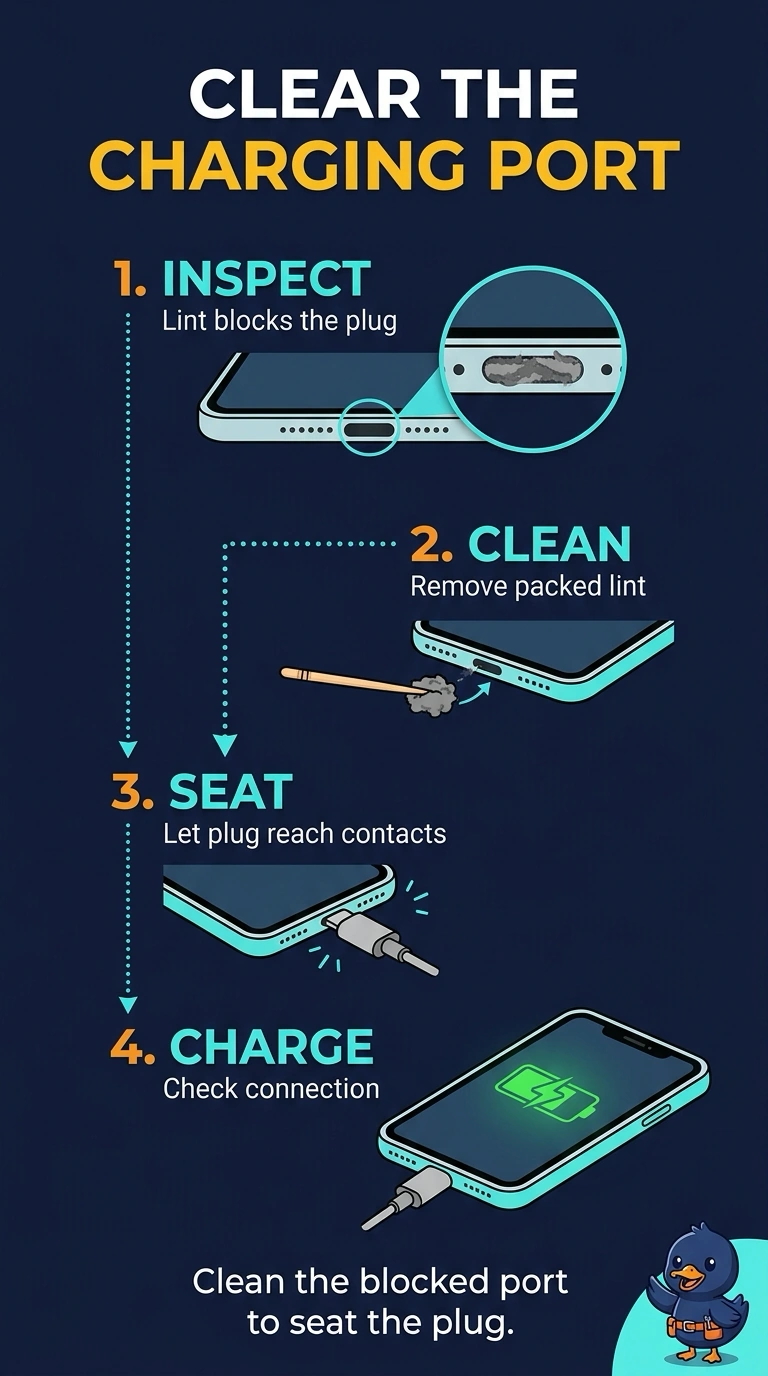
A phone will not charge. The same cable charges another phone, and this phone's port is packed with lint so the plug will not seat. What should be done first?
Select an answer to reveal the explanation.
Short Explanation
The plug cannot reach the contacts because the pocket is full of lint, and the cable is fine in another phone. You clean the port first. A new battery, a new screen, or a management profile does not remove the lint that is holding the plug out.
Full Explanation
A charge port packed with lint keeps the connector from seating, so the phone never sees the charger. The same cable works on another phone, which clears the cable, and the visible lint makes cleaning the port the first action. Replacing the battery is reasonable for a phone that charges and then dies, or for a swollen cell. Nothing here shows a bad cell, and a new battery will not help while the plug cannot seat. The screen does not carry the charge contacts. A failed display does not fill the port with lint. Mobile-device management can push policy and profiles. Enrollment does not physically clear a port. Exam caveat: power the phone off and use a nonmetal pick or the shop's port-cleaning method so you do not bend the contacts. Operational check: clean the port, seat the known-good cable, and confirm charging starts before you order a battery. After the lint is out, seat the known-good cable and confirm the charge icon before you order any part. If the plug still will not seat after cleaning, then inspect the contacts for a bent pin.