
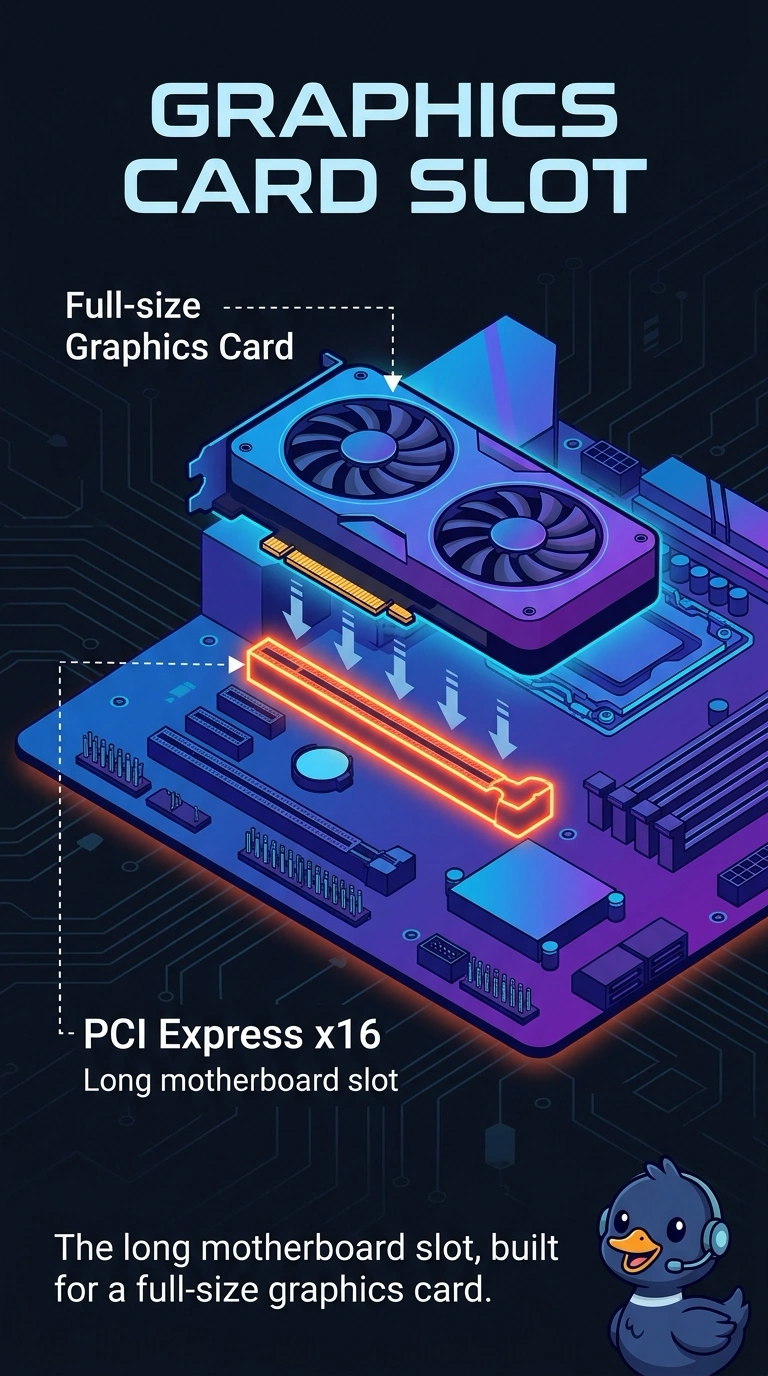
A full-size graphics card must be installed in the long motherboard slot that graphics cards are built to use. Which slot is that?
Select an answer to reveal the explanation.
Short Explanation
The card is a long board and the motherboard has a long slot made for it. You seat it in the PCI Express x16 slot. A memory slot, a tiny storage slot, and an old parallel PCI slot are not where a current full-size graphics card belongs.
Full Explanation
Current full-size graphics cards use a PCI Express x16 slot, the long slot on the motherboard. That is the slot this card is built to use. A memory slot holds DIMMs. It is notched differently and it does not accept a graphics card. An M.2 slot holds a gumstick drive or sometimes a small card. It is not a full-size graphics slot. Legacy PCI is an older parallel bus. Current graphics cards are not built for it, and calling that the required slot points at the wrong generation. Exam caveat: the case has to clear the card's length and the supply has to feed it. The slot type only answers where it seats. Operational check: seat the card in the long PCI Express slot until the latch clicks, connect its power leads, and confirm the firmware sees it. Latch the card and connect its power leads before the first boot. Confirm the card appears in firmware before you install its driver. Check the case clearance so the card bracket screws down flat.