
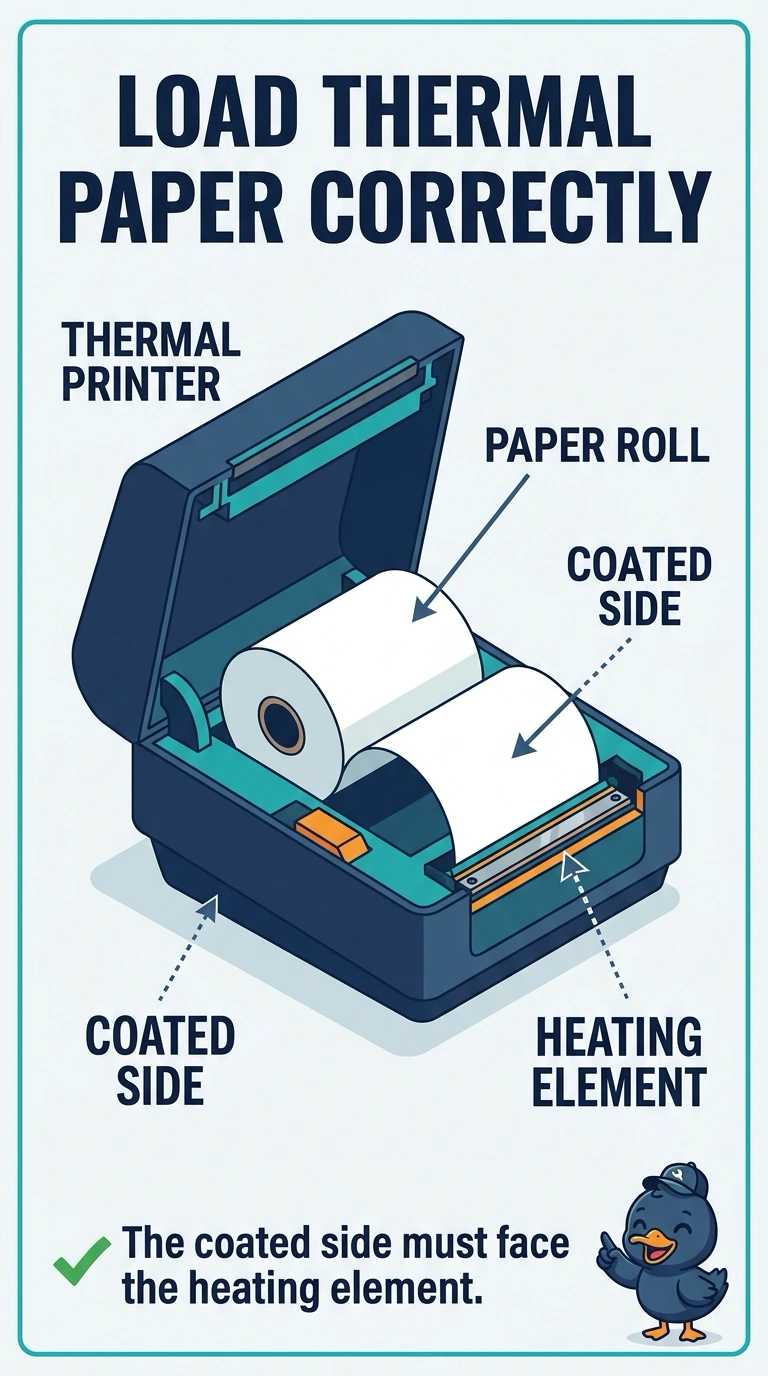
A receipt printer feeds paper and prints blank pages. It is a thermal printer, and the paper's coated side faces away from the heating element. Which fix belongs?
Select an answer to reveal the explanation.
Short Explanation
The coated face of thermal paper darkens when it meets the heating element. Reload the roll with that face toward the element, and your thermal printer can print the receipt. An inked ribbon, laser fuser, and toner cartridge are not used for this marking process.
Full Explanation
A direct thermal printer darkens a coating on the paper with a heating element. When the coated side faces away from the element, the printer feeds the paper but leaves it blank. Reload the roll so the coated side faces the heating element; that is the fix because thermal paper carries the material needed to form the marks. An inked ribbon is associated with impact printing, not this thermal marking process, so installing one will not make the receipt printer print. A laser fuser melts toner, but this receipt printer does not use toner or a fuser, so replacing the fuser cannot solve the problem. A toner cartridge supplies laser powder; it is not needed when the paper itself has the thermal coating. Exam caveat: the paper must also be the type the printer expects. Plain copy paper stays blank even when loaded with the correct side facing the element. For a practical check, reload the roll with its coated side toward the element, print a receipt, and confirm the text is dark before closing the paper door. If the receipt is still blank, check whether the roll is plain paper and replace it with a thermal roll. Mark the coated side on the ticket so the next reload is not backwards.