
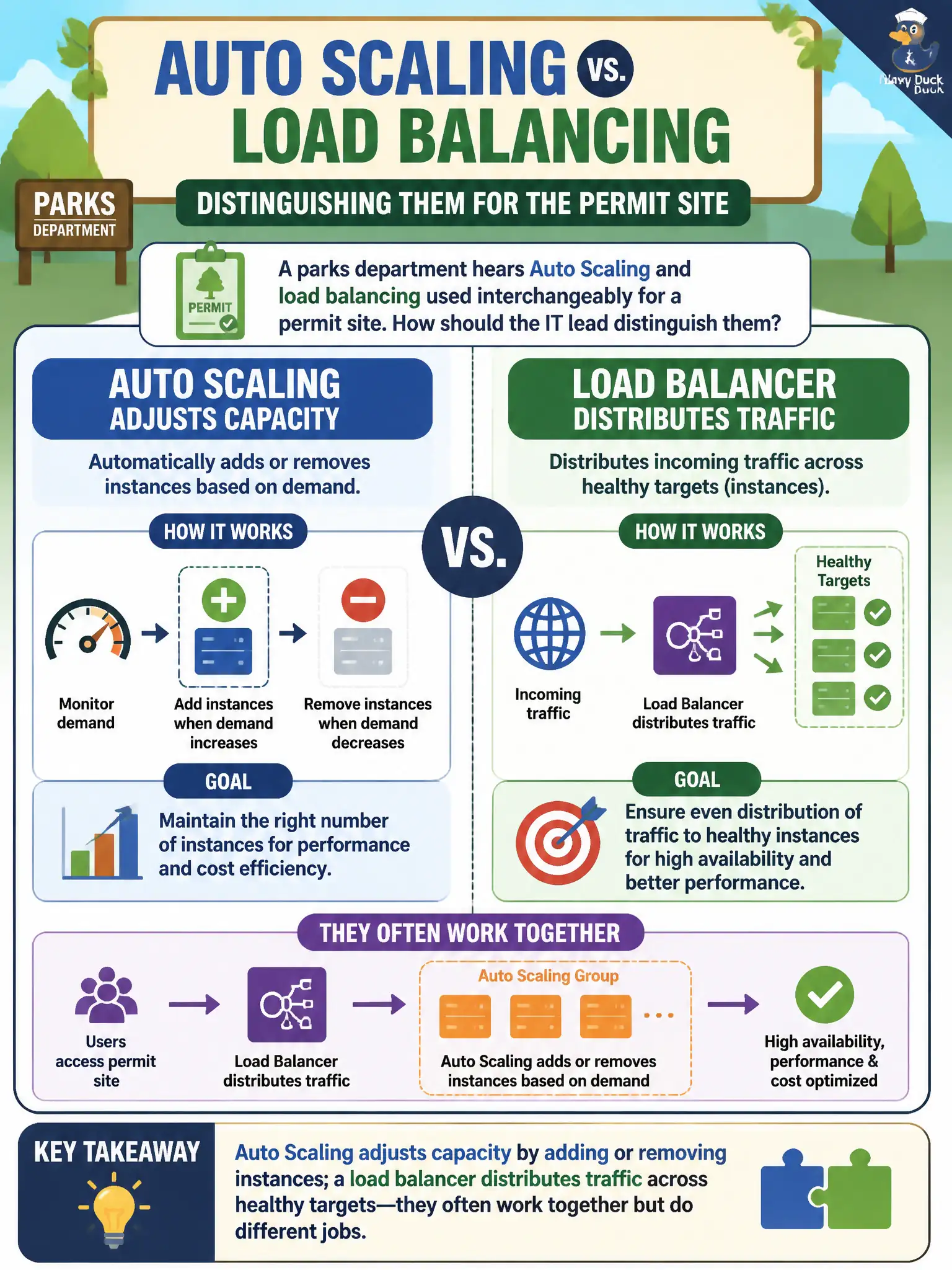
A parks department hears Auto Scaling and load balancing used interchangeably for a permit site. How should the IT lead distinguish them?
Select an answer to reveal the explanation.
Short Explanation
Think of a grocery store: Auto Scaling opens or closes checkout lanes based on how busy it is, while the load balancer is the greeter sending shoppers to open lanes. One changes how many servers you have; the other spreads the work across them. Mixing those jobs up makes capacity and traffic sound like the same knob.
Full Explanation
When a parks department hears Auto Scaling and load balancing used interchangeably for a permit site, the IT lead should distinguish them clearly: Auto Scaling adjusts capacity by adding or removing instances, while a load balancer distributes traffic across healthy targets. They often work together—an ALB in front of an Auto Scaling group—but they do different jobs. Confusing them leads to designs that scale count without a traffic front door, or that balance traffic without enough capacity behind it during festival weekends.
Auto Scaling does not terminate TLS for browsers as its primary purpose; TLS termination is commonly handled by the load balancer or CloudFront. A load balancer does not store relational tables, and Auto Scaling does not only cache DNS answers. Neither service exists merely to encrypt EBS volumes, and neither replaces the other in a sound permit-site architecture.
Exam caveat: Capacity elasticity = Auto Scaling; traffic distribution and health checks = Elastic Load Balancing. Cloud Practitioner stems repeatedly test this pairing with municipal web examples.
Operational check: diagram the permit site with ALB → Auto Scaling group across two AZs, show separate CloudWatch metrics for HealthyHostCount versus DesiredCapacity, and train help-desk staff so “scale it up” and “fix the load balancer” stop being treated as identical service requests.