
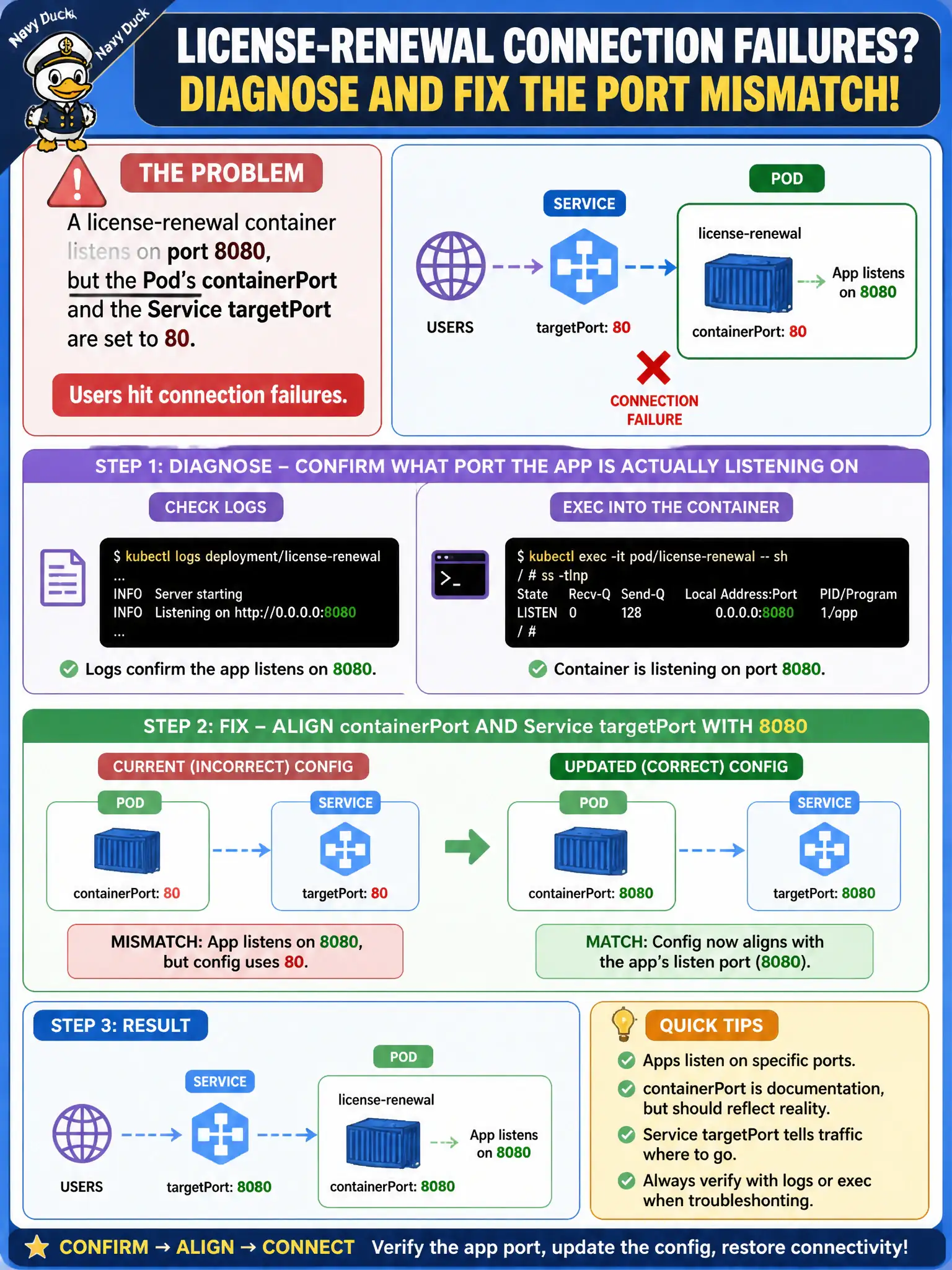
A license-renewal container listens on port 8080, but the Pod’s containerPort and the Service targetPort are set to 80. Users hit connection failures. How should the developer diagnose and fix?
Select an answer to reveal the explanation.
Short Explanation
If the app speaks on 8080 but the Service knocks on 80, nobody answers the door. Check what the process actually listens on, then match targetPort. Extra replicas will not change the listen port.
Full Explanation
A license-renewal container listening on 8080 will not receive traffic if the Pod’s containerPort documentation and—more importantly—the Service targetPort point at 80. Clients hit the Service, which forwards to targetPort on the Pod IP; if nothing listens on 80, connections fail. Diagnose by confirming the process listen port via logs or kubectl exec (ss/netstat or app config), then align Service targetPort (and usually containerPort) with 8080 so Endpoints traffic reaches the real socket.
Adding replicas fails because every replica inherits the same port mismatch; chance will not make the app bind 80. Converting the Service to ExternalName fails because ExternalName returns a DNS CNAME to an external name and does not fix in-cluster targetPort alignment for your Pods. Setting hostPort: 80 on every replica fails as a fix: hostPort couples Pods to node ports and still does not change the application’s listen port inside the container network namespace.
Exam caveat: named ports can also drift—Service targetPort name must match the container’s named port. Operational check: exec and verify listen on 8080, kubectl get endpoints for the Service, patch Service targetPort to 8080, curl via Service ClusterIP, and confirm municipal clients stop seeing connection failures.