
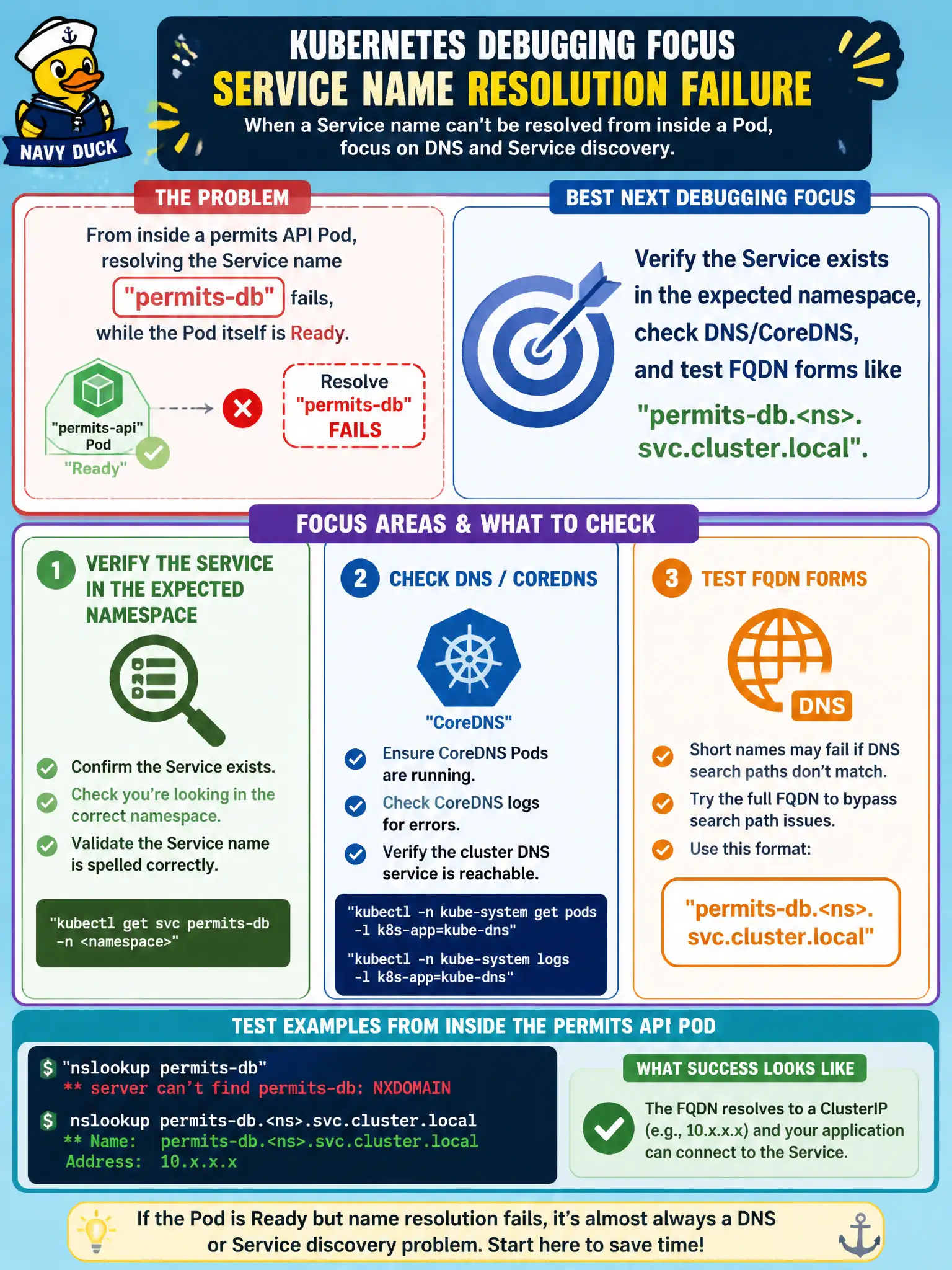
From inside a permits API Pod, resolving the Service name permits-db fails, while the Pod itself is Ready. What is the best next debugging focus?
Select an answer to reveal the explanation.
Short Explanation
If the app cannot resolve permits-db, treat it like a missing entry in the building directory—confirm the Service exists and try the full cluster DNS name. Memory limits and pull policy will not invent DNS records.
Full Explanation
If a Ready permits API Pod cannot resolve Service name permits-db, focus on Service discovery: confirm the Service object exists in the expected namespace, verify CoreDNS is healthy, and test FQDN forms such as permits-db.<namespace>.svc.cluster.local plus same-namespace short names. Ready means local probes passed; it does not prove the app can resolve every dependency name. Cross-namespace short names, typos, or CoreDNS issues commonly break municipal API-to-database DNS while the Pod itself stays Ready.
Increasing memory limits so CoreDNS “automatically registers every Service name” fails because Service DNS records come from the Service/Endpoints API watched by CoreDNS—not from app memory limits. Changing imagePullPolicy fails because pull policy does not refresh Service DNS caches or create Services. Hardcoding a bare Pod IP in Deployment env fails as durable design: Pod IPs change on restart, bypasses Service load balancing, and papers over the real discovery problem.
Exam caveat: NetworkPolicies can block DNS (port 53) and look like resolution failure—check policies if CoreDNS and the Service exist. Operational check: kubectl get svc permits-db -n <ns>, exec and nslookup permits-db / FQDN, kubectl get pods -n kube-system -l k8s-app=kube-dns, fix name/namespace/policy, then retest from the permits Pod.