
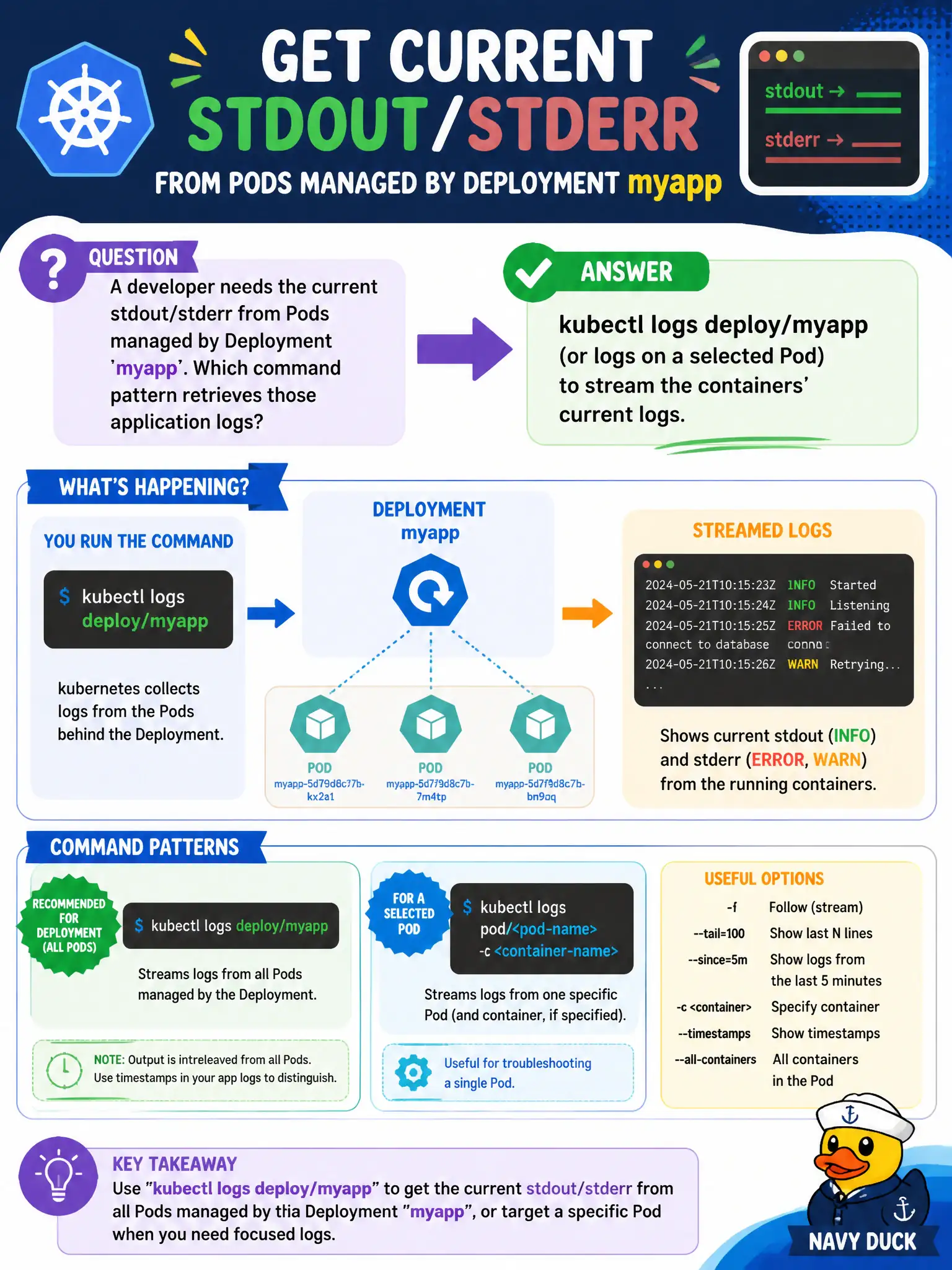
A developer needs the current stdout/stderr from Pods managed by Deployment myapp. Which command pattern retrieves those application logs?
Select an answer to reveal the explanation.
Short Explanation
App truth often lives in the logs. kubectl logs deploy/myapp (or a specific Pod) pulls the current container stdout/stderr so you can see crashes and request errors. Secrets and annotations aren’t where the runtime log stream lives.
Full Explanation
A developer who needs the current stdout/stderr from Pods managed by Deployment myapp should use kubectl logs deploy/myapp (or kubectl logs on a selected Pod) to stream the containers’ current logs. Targeting the Deployment lets kubectl pick a managed Pod, giving municipal developers a fast path to application output without manually resolving ReplicaSet Pod names on every investigation.
Why the other options fail by concept: kubectl logs on a random Secret name in the same namespace does not retrieve container logs. kubectl cp only the /etc directory copies filesystem content; it does not stream runtime stdout/stderr. Annotating the Deployment with the “desired log lines” does not capture or replace real application logging.
Exam caveat: Multi-container Pods require -c <container> to avoid ambiguous log targets. Use --tail and --since to bound volume on busy civic apps. For all replicas, iterate Pods or use tooling carefully—fan-out can overwhelm. RBAC must allow get/list on pods and get on pods/log in the namespace. Prefer structured logging to stdout for Kubernetes-native collection.
Operational check: kubectl logs deploy/myapp -n <ns> --tail=100, add -c for the main container if a sidecar exists, reproduce the issue, and save relevant snippets to the incident ticket. If output is empty, confirm the container name and that the process logs to stdout/stderr rather than an internal file only.