
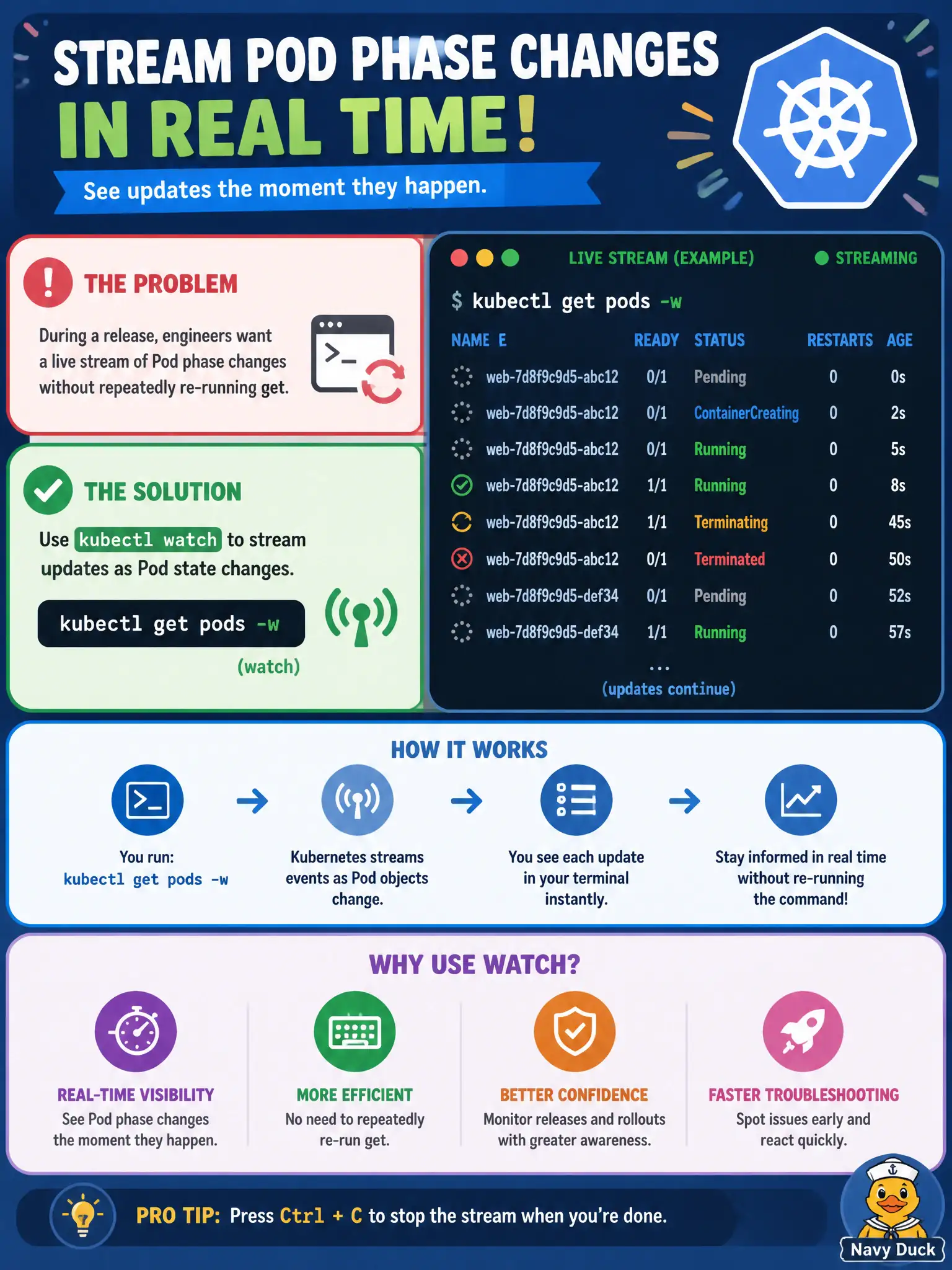
During a release, engineers want a live stream of Pod phase changes without repeatedly re-running get. Which kubectl feature fits?
Select an answer to reveal the explanation.
Short Explanation
Watch mode is like leaving the status board on auto-refresh. kubectl get pods -w streams phase and field changes as the release rolls. You see Pending → Running (or CrashLoop) without hammering the enter key.
Full Explanation
During a release, engineers who want a live stream of Pod phase changes without repeatedly re-running get should use kubectl get pods -w (watch) to stream updates as Pod state changes. Watch mode is the CKAD-friendly live monitor for municipal rollouts, making Pending→ContainerCreating→Running→Ready (or CrashLoopBackOff) visible in real time as the new ReplicaSet comes up.
Why the other options fail by concept: kubectl checkpoint of the API server to disk after each poll is not an application-ops kubectl feature. Only using kubectl explain in a loop with sleep 60 never streams Pod status. Redirecting kubectl get to /dev/null so changes are “watched” silently discards the very output you need.
Exam caveat: Scope -n and -l to the releasing application to avoid drowning in unrelated Pod noise. Watch shows ongoing changes; run a normal get first for baseline. Pair with kubectl rollout status for Deployment-level success or ProgressDeadlineExceeded. Interrupt cleanly when finished so long-lived watches do not linger on shared jump hosts.
Operational check: kubectl get pods -n <ns> -l app=<app> -w during the release window, correlate transitions with rollout status, and stop watching once Ready counts match desired replicas for the city service. Capture noteworthy transitions in the change ticket if the rollout misbehaves.