
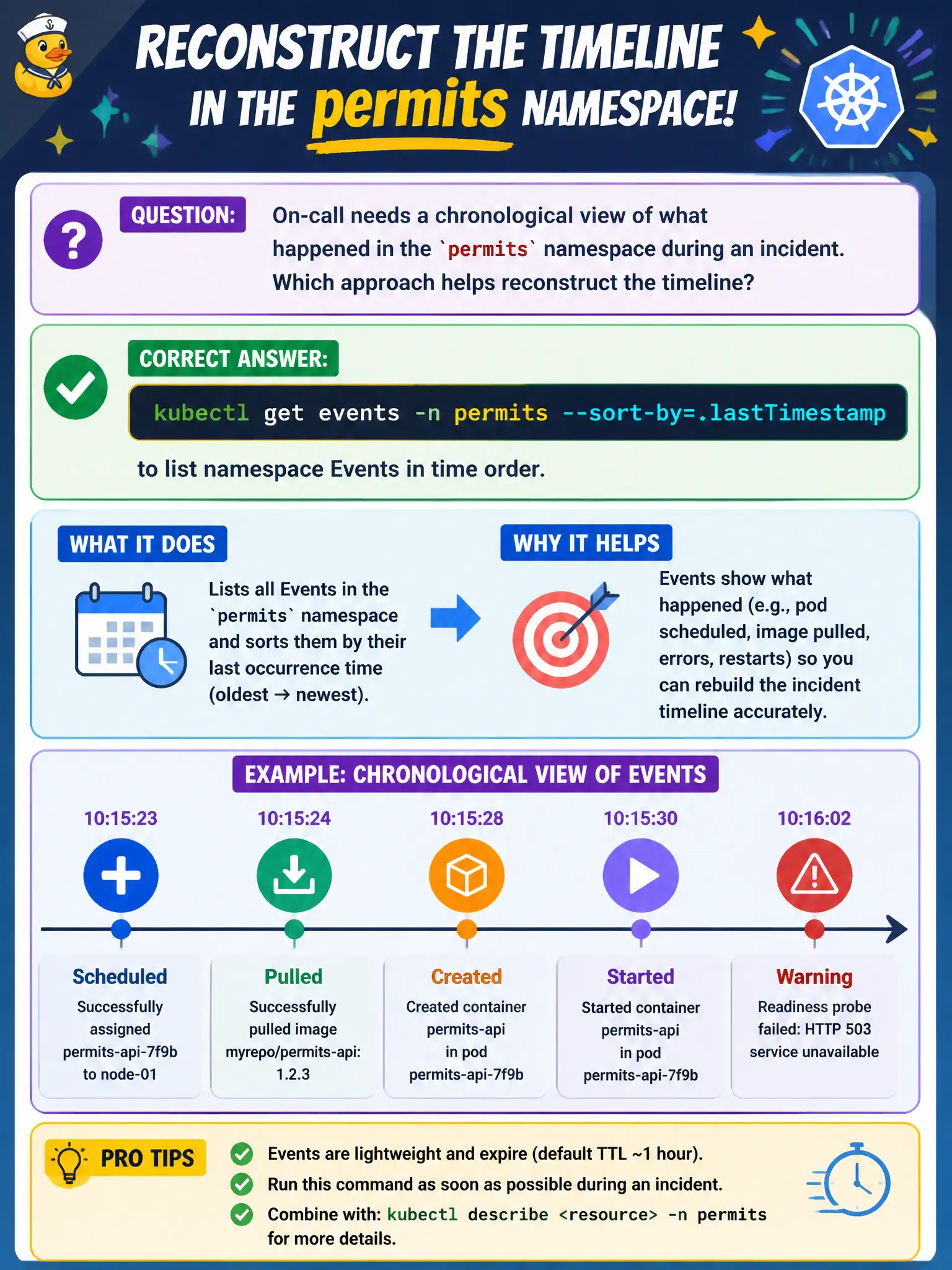
On-call needs a chronological view of what happened in the permits namespace during an incident. Which approach helps reconstruct the timeline?
Select an answer to reveal the explanation.
Short Explanation
Incidents leave footprints in namespace Events—scheduled, pulled, killed, warned. Sorting with kubectl get events --sort-by=.lastTimestamp lays those footprints out in order. Don’t wipe Events before you’ve read the timeline.
Full Explanation
On-call needing a chronological view of what happened in the permits namespace during an incident should run kubectl get events -n permits --sort-by=.lastTimestamp to list namespace Events in time order. Sorted Events reconstruct the municipal incident timeline—FailedScheduling, image pulls, probe failures, OOMKills—so responders see causality before deep log dives or speculative changes.
Why the other options fail by concept: kubectl drain all nodes concurrently without reviewing Events worsens the blast radius and skips forensics. Only reading container image digests from the private registry UI skips live cluster runtime signals that explain why Pods failed. Deleting all Events first so the API server stays “clean” destroys forensic evidence precisely when triage needs it most.
Exam caveat: Events are best-effort and rotate out—export them early in major city incidents. Namespace scoping matters; some control-plane issues appear in other namespaces. sort-by helps humans; be aware of timestamp fields and possible skew. Always pair interesting Events with kubectl describe on the implicated objects.
Operational check: At incident start, kubectl get events -n permits --sort-by=.lastTimestamp | tee /tmp/permits-events.txt, attach the file to the ticket, then follow warnings into describe/logs. Retain the export through the post-incident review; do not delete Events as a “cleanup” step mid-triage.