
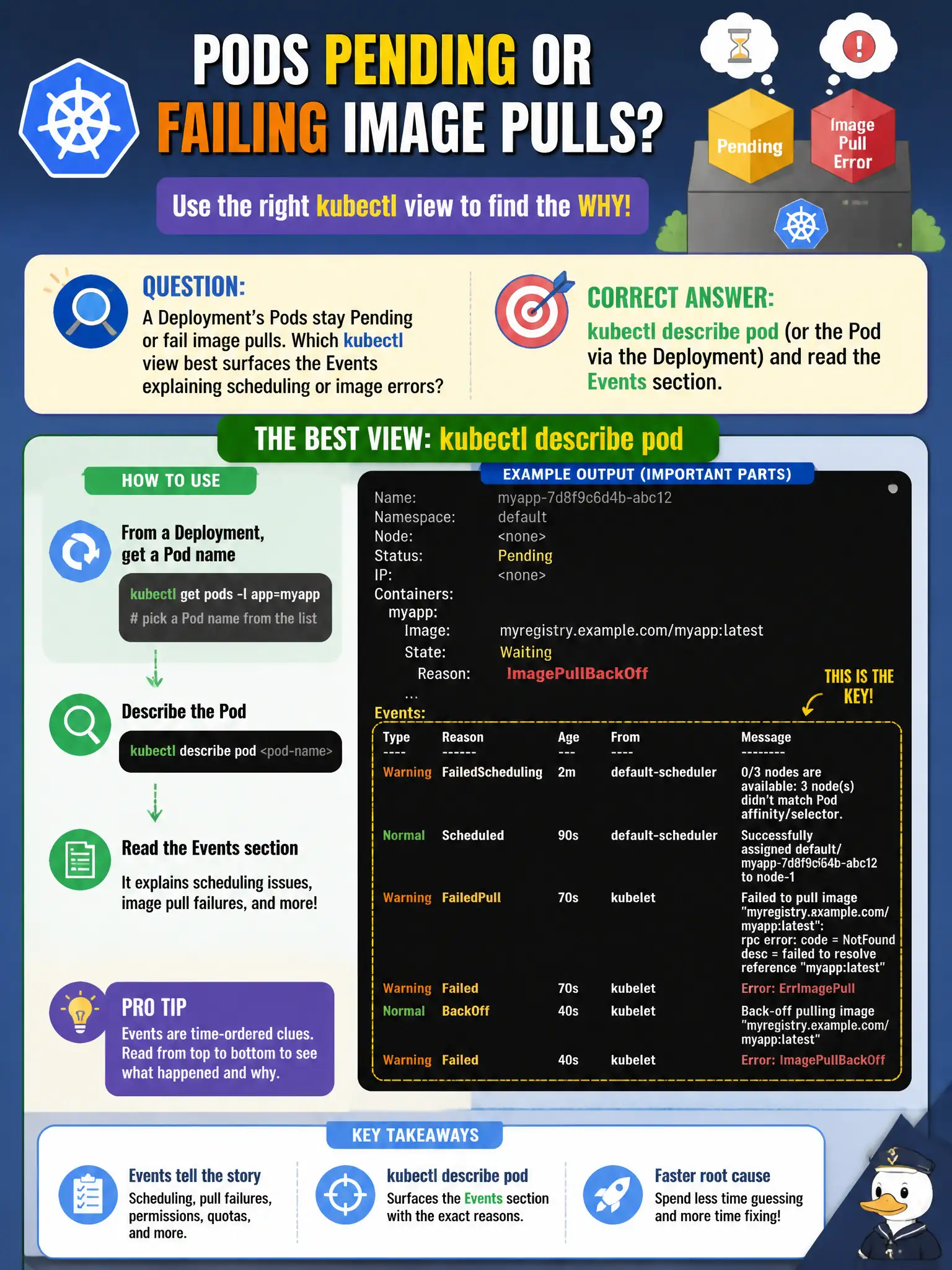
A Deployment’s Pods stay Pending or fail image pulls. Which kubectl view best surfaces the Events explaining scheduling or image errors?
Select an answer to reveal the explanation.
Short Explanation
When a Pod won’t start, the story is usually in Events—‘FailedScheduling,’ ‘ImagePullBackOff,’ and friends. kubectl describe pod puts those Events front and center. Read them before you start changing unrelated cluster knobs.
Full Explanation
When a Deployment’s Pods stay Pending or fail image pulls, kubectl describe pod (or describe via the Deployment’s Pods) and reading the Events section best surfaces scheduling messages like Insufficient cpu or image pull errors such as ImagePullBackOff. Events are the CKAD-first diagnostic narrative for municipal deploy failures when Pods never become Running.
Why the other options fail by concept: kubectl attach to etcd and reading WAL files is not an application troubleshooting path. kubectl config view --minify shows kubeconfig context, not workload Events. Labeling nodes at random until Pods schedule is reckless and masks the real scheduling constraint.
Exam caveat: describe the Pending Pod itself—Deployment describe helps but Pod Events carry FailedScheduling and pull errors. Distinguish Pending (scheduler) from ImagePullBackOff (kubelet/runtime after schedule). Check image pull secrets, tag typos, and ResourceQuota in the city namespace.
Operational check: kubectl get pods; kubectl describe pod <pending-or-failing> | sed -n '/Events/,$p'; fix the cited cause (resources, taints, secrets, image name); re-watch until Running/Ready. Repeat for each failing ReplicaSet Pod during the rollout.