
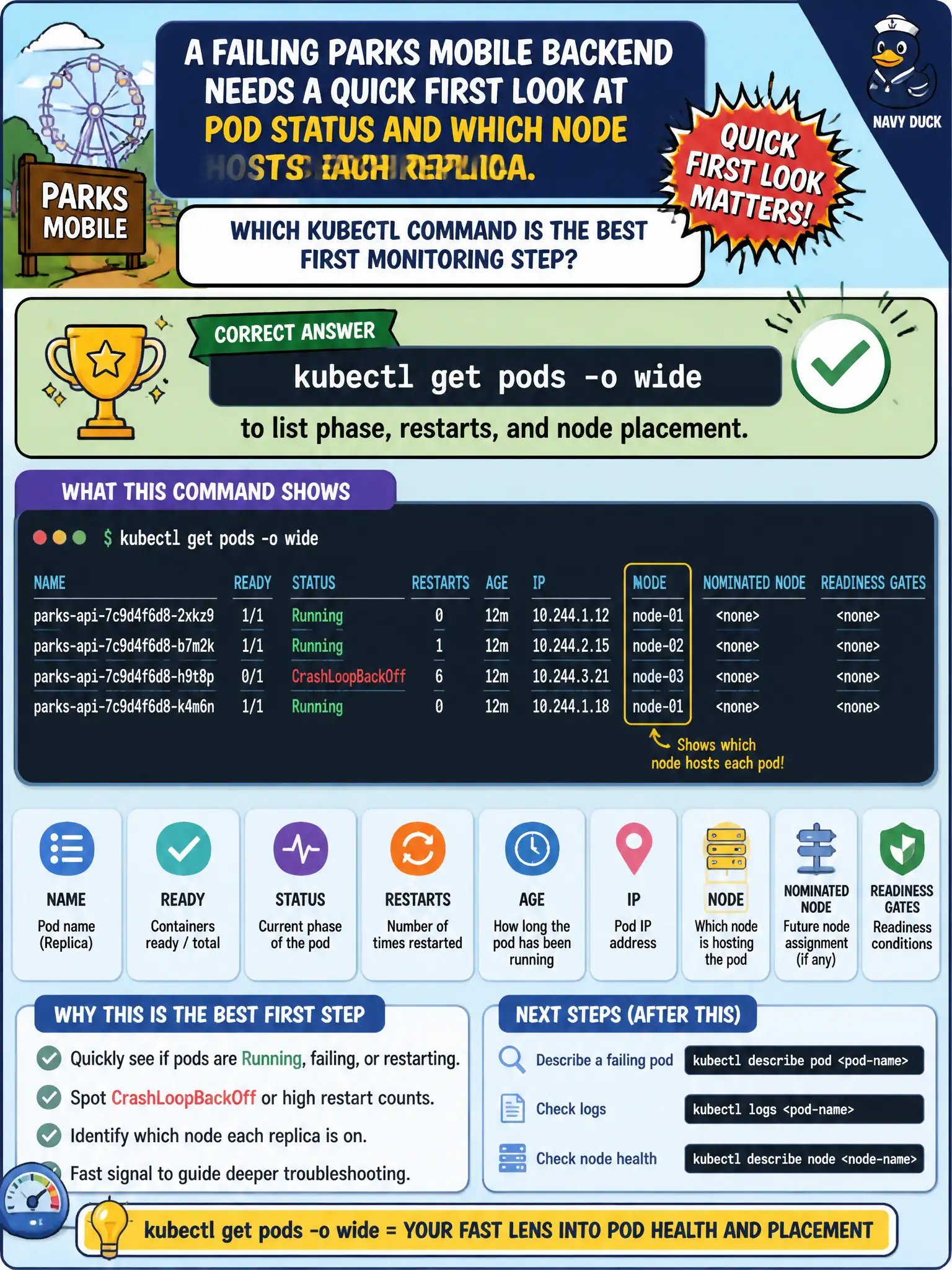
A failing parks mobile backend needs a quick first look at Pod status and which node hosts each replica. Which kubectl command is the best first monitoring step?
Select an answer to reveal the explanation.
Short Explanation
Before you deep-dive, glance at the scoreboard. kubectl get pods -o wide shows status, restarts, and which node each Pod landed on. That first pass tells you whether you’re chasing CrashLoop, Pending, or a bad node.
Full Explanation
When a failing parks mobile backend needs a quick first look at Pod status and which node hosts each replica, kubectl get pods -o wide is the best first monitoring step. Wide output adds NODE and IP columns to phase, ready, and restart information—exactly the first glance municipal on-call needs before diving into describe/logs.
Why the other options fail by concept: kubectl proxy to a cloud vendor’s billing API does not show Pod health. kubectl taint nodes based on guesswork before inspecting Pods can create new incidents. kubectl delete namespace default resets far more than the parks app and is destructive triage.
Exam caveat: Always include the correct -n namespace for the parks backend. Restarts from wide/get hint at crash loops; Pending hints at scheduling. Follow with describe and logs once the first look identifies which Pods misbehave. -o wide does not replace metrics, but it is the correct first CLI stop.
Operational check: kubectl get pods -n <parks-ns> -o wide, note NotReady/CrashLoop/Pending rows and their nodes, then kubectl describe pod <name> and kubectl logs on the worst offender. Correlate node column with kubectl get nodes if a single node shows concentrated failures.