
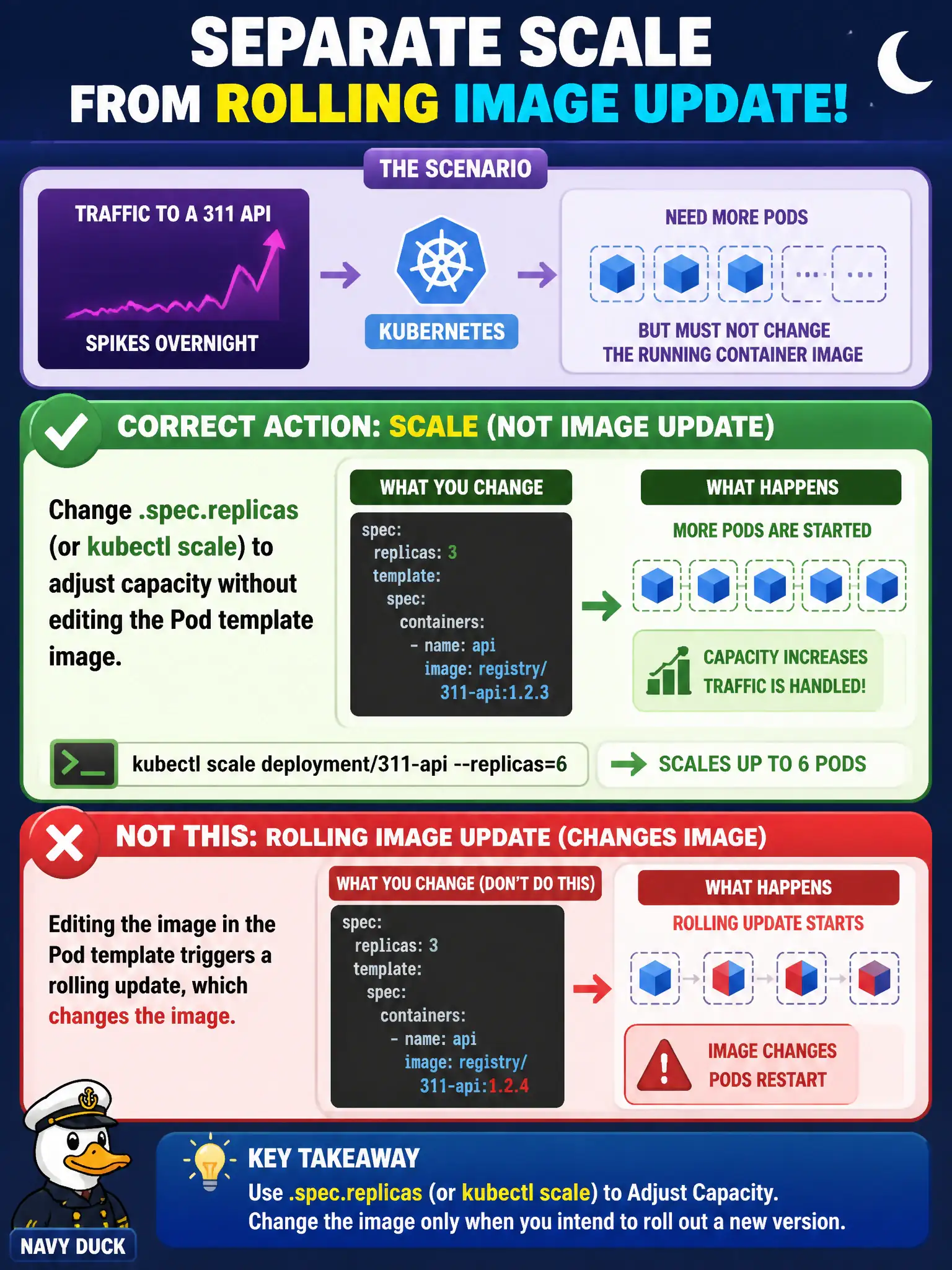
Traffic to a 311 API spikes overnight. The team needs more Pods but must not change the running container image. Which action correctly separates scale from a rolling image update?
Select an answer to reveal the explanation.
Short Explanation
Turning up more cashiers isn’t the same as rewriting the register software. Scaling .spec.replicas (or kubectl scale) adds capacity on the current template; leave the image alone unless you intentionally want a rollout.
Full Explanation
When overnight traffic to a 311 API spikes, capacity should grow by changing .spec.replicas (or kubectl scale) without editing the Pod template image. Scaling adjusts how many copies of the current ReplicaSet run; it is intentionally separate from a rolling image update that creates a new ReplicaSet. That separation lets municipal operators add Pods for a storm of resident requests while keeping the same vetted container build.
Why the other options fail by concept: Bumping the image tag whenever replicas change couples scale to a rollout and risks unnecessary risk/churn. Deleting the Service drops traffic discovery entirely rather than adding backends. Setting maxSurge equal to a new replica count only tunes surge during rollouts; it does not replace changing .spec.replicas for steady-state scale.
Exam caveat: HorizontalPodAutoscaler may own replicas—manual scale can fight the HPA. Scaling does not fix a bad image; it multiplies it. ResourceQuota/LimitRange in the namespace can block scale-up even when the command succeeds at the API level initially then Pods stay Pending.
Operational check: kubectl scale deployment/<311-api> --replicas=<N> (or patch .spec.replicas), then kubectl get deploy,rs,pods -l <selector> and confirm the same ReplicaSet scales without a new revision. Verify Endpoints grow as Pods become Ready, and that image digests remain unchanged.