
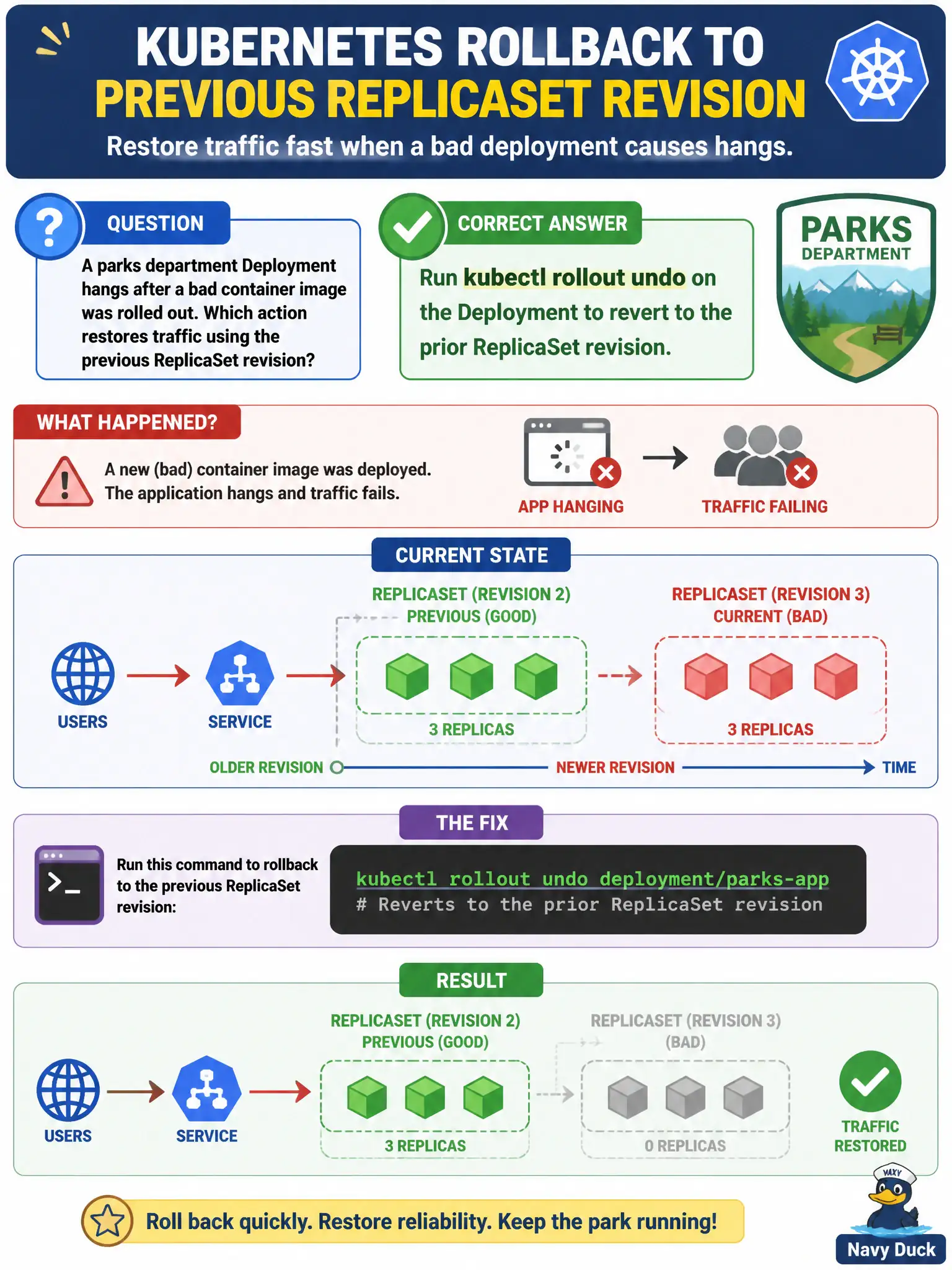
A parks department Deployment hangs after a bad container image was rolled out. Which action restores traffic using the previous ReplicaSet revision?
Select an answer to reveal the explanation.
Short Explanation
Bad paint job on the new storefront? Roll the shutter back to yesterday’s look. kubectl rollout undo puts the Deployment back on the previous ReplicaSet so users see the last known-good revision instead of waiting on a broken image.
Full Explanation
When a parks department Deployment hangs on a bad container image, kubectl rollout undo restores traffic by reactivating the previous ReplicaSet revision recorded in the Deployment’s history. The controller scales the last known-good ReplicaSet back up and scales down the failing new one, returning residents to the prior working revision without hand-rewriting manifests from memory. For civic services where a broken image blocks online reservations or park permits, undo is the deliberate rollback path CKAD expects candidates to know.
Why the other options fail by concept: Deleting the Deployment and recreating from memory discards tracked revision history and risks configuration drift. Editing the Service selector away from the Deployment’s Pods empties endpoints and drops traffic without restoring a good revision—availability goes to zero rather than recovering. Lengthening progressDeadlineSeconds only delays declaring failure; it does not make a bad image become Ready or fix probe/start errors.
Exam caveat: By default undo steps back one revision; use --to-revision after consulting rollout history when you need an older known-good build. revisionHistoryLimit must be high enough that the prior ReplicaSet still exists—if history was pruned, undo cannot revive it. Undo triggers another rollout, so readiness and surge settings still apply during recovery.
Operational check: Run kubectl rollout history deployment/<parks-deploy>, identify the last healthy revision, then kubectl rollout undo deployment/<parks-deploy> (or --to-revision=N). Follow with kubectl rollout status and verify Service Endpoints again list Ready Pods on the restored ReplicaSet before declaring the park service recovered.