
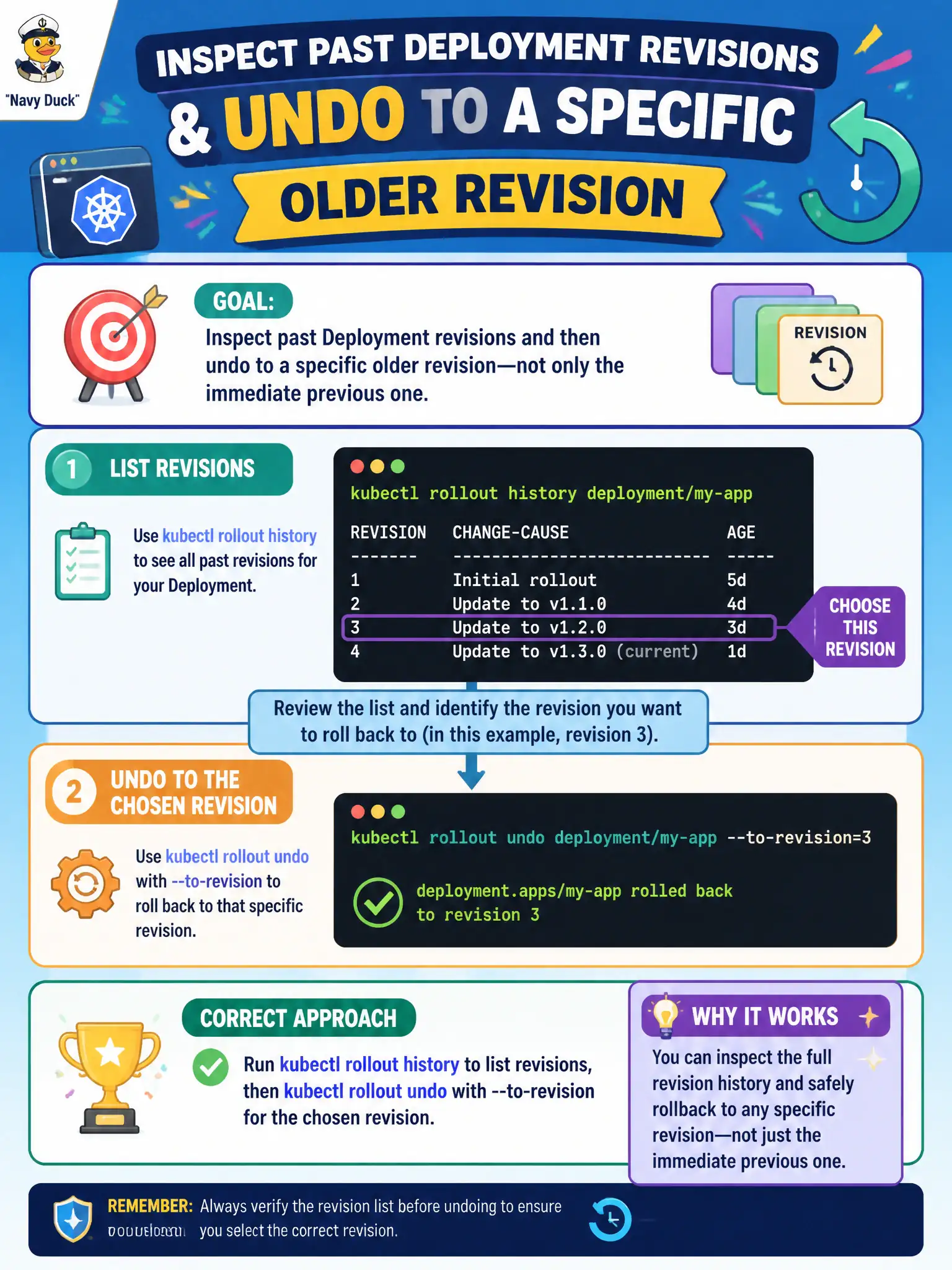
A permitting UI team needs to inspect past Deployment revisions and then undo to a specific older revision—not only the immediate previous one. Which approach matches that goal?
Select an answer to reveal the explanation.
Short Explanation
Revisions are like numbered blueprints in a drawer—look at the list, then pull the blueprint you want. rollout history shows the revisions; undo --to-revision puts that specific one back in play.
Full Explanation
A permitting UI team that must inspect past Deployment revisions and revert to a chosen older revision—not merely “previous”—should use kubectl rollout history to list revisions, then kubectl rollout undo --to-revision=<N> for the selected entry. History surfaces change-cause annotations and revision numbers so municipal release managers can pick a known-good build after a series of failed experiments, which is the precise control surface for targeted rollback on Deployments.
Why the other options fail by concept: kubectl logs on one Pod show application stdout, not Deployment revision history. kubectl top pods exposes resource metrics, not revision identifiers. Deleting all ReplicaSets except the newest destroys undo depth and collapses history instead of enabling selective restore.
Exam caveat: revisionHistoryLimit caps how many old ReplicaSets remain; if the desired revision was pruned, it will not appear in history and cannot be undone to. change-cause annotations help humans pick revisions but are optional metadata—absence does not remove revision numbers. Undo to an old revision still performs a rolling (or recreate) update subject to strategy settings.
Operational check: In the permitting namespace, run kubectl rollout history deployment/<ui>, note the target revision, then kubectl rollout undo deployment/<ui> --to-revision=<N>. Confirm with rollout status and kubectl get rs that the chosen ReplicaSet is scaled to the desired replicas and the bad ones scale down.